

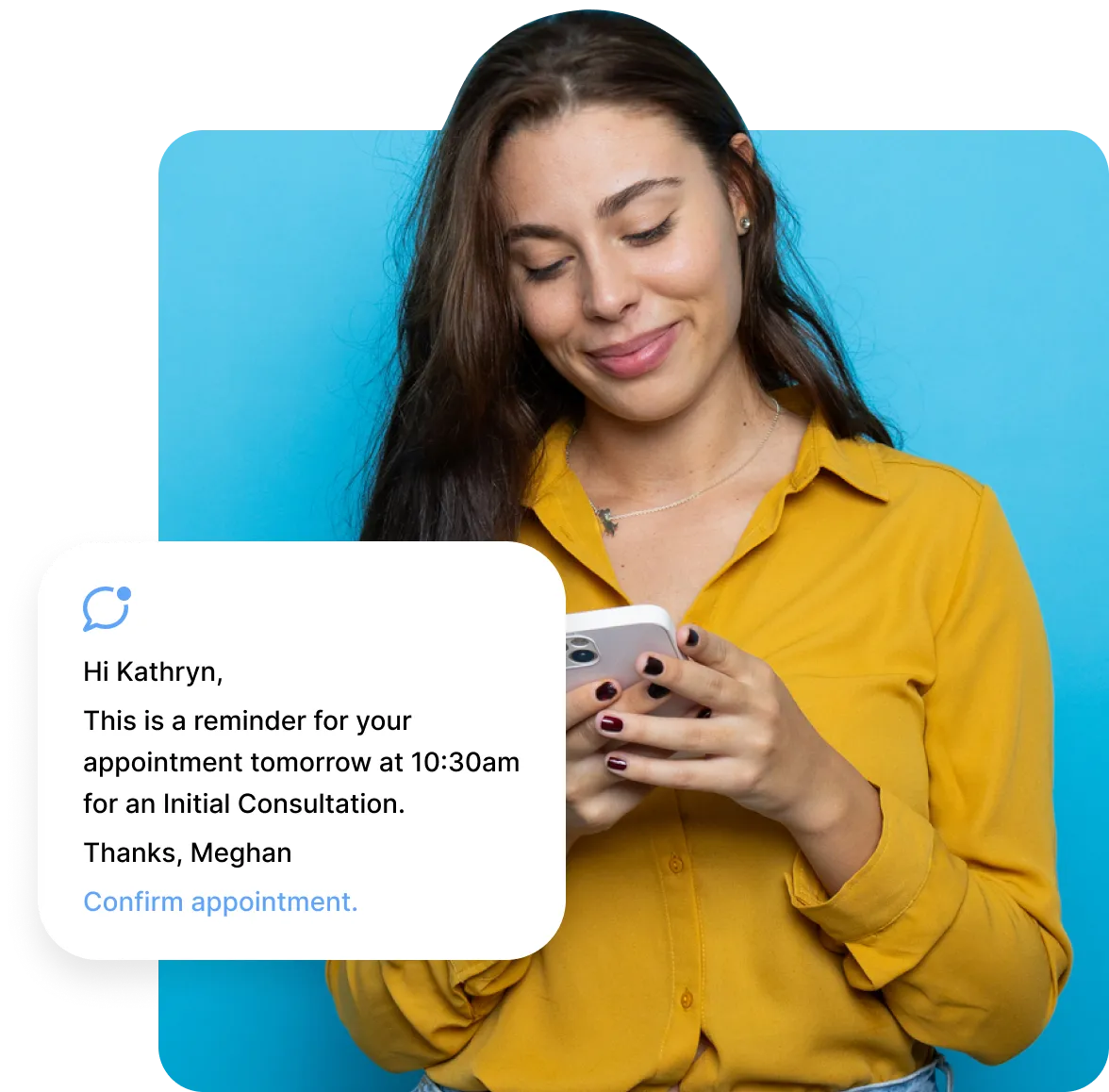
Trigger SMS alerts that
keep
your calendar full
.png)
Personalized messaging
Create SMS reminders that match your clinic’s voice and customize them with appointment details.
.png)
Custom Timing
Send SMS reminders a week before, a day before, an hour before, or at any interval that aligns with your clinic’s workflow.
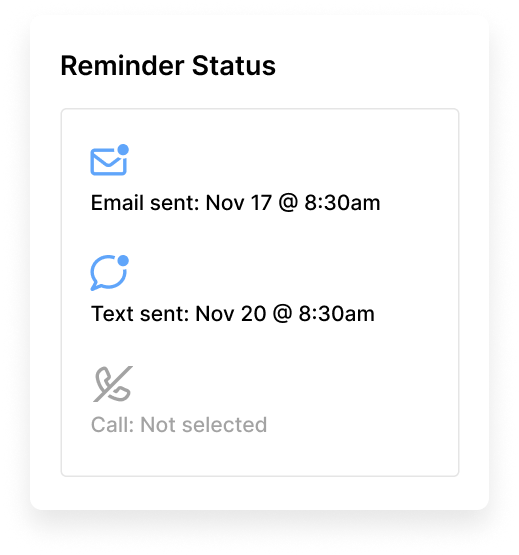
Delivery status
See exactly when each SMS reminder is sent and received, with clear timestamps for delivery.
.svg)
Flexible usage limits
Plus and Max plans include 500 text messages per month, giving clinics enough to send 16 SMS reminders a day.
.svg)
Fallback Delivery Options
If an SMS fails, Noterro sends a voice message or email reminder to ensure patients are still informed.
.webp)
Reminders made for real clinic workflows
SMS reminders operate quietly in the background, helping patients stay organized and making your daily schedule more predictable.
Multi-channel support

Always accurate, automatically updated
SMS reminders pull straight from your Noterro Calendar and update instantly when appointments are booked, cancelled, or rescheduled.
Works for multiple disciplines
Designed to support every medical discipline, helping each clinic communicate care in its own way.
Effortless for patients, seamless for clinics
.svg)
Made for All Disciplines
Built for massage therapists, chiropractors, physiotherapists, mental health providers, trainers, salons, and multi-disciplinary clinics.
.svg)
Ready-Made Templates
Set up ready-made SMS templates. Customize them using merge fields and a flexible message builder to include the exact details your patients need.
.svg)
High visibility
SMS reminders reach patients quickly, making them ideal for time-sensitive updates and helping reduce last-minute gaps in your schedule.
Loved by practitioners.
Trusted by clinic owners.
.webp)








Made to care.
Practitioners are at the heart of everything we do.
Frequently asked questions
Is the use of text reminders an optional feature in Noterro?

Yes, sending personalized text reminders is an optional feature in Noterro. You can choose to manually enable it if you want to use this service.
How much does using the text reminder feature in Noterro cost?
With Plus and Max plans, clinics can send up to 500 SMS reminders each month, roughly 16 messages per day, to keep patients informed and reduce no-shows.
Can I customize the content of the text reminders?
Yes, you can customize SMS reminders in Noterro.
What is the sending maximum of the text reminders?
The sending maximum is the maximum number of SMS your clinic can send within a 30-day period. It's calculated on a rolling basis. Noterro keeps track of the SMS messages your clinic has sent in the previous 30 days. If your total number of sent messages remains under the sending maximum limit, your messages will continue to be sent. If you need to increase your limit, contact support@noterro.com.
Can I set how many hours before the appointment I want to send text reminders?
Yes, you can set how many hours you want to send SMS reminders before an appointment.
How do I customize my appointment reminder text message?
Yes, you can customize SMS reminders by appointment type or service, and include dynamic details like the patient’s name, appointment date, time, and type. This helps support assessments, follow-ups, and treatment plans. You can make these changes anytime under Settings > Templates > Patient Notifications.
Does this integrate with my calendar system, such as Google Calendar or Outlook?
Yes, your appointments sync seamlessly with Google Calendar in Noterro.Once connected, scheduled visits are automatically pulled into the SMS reminder system, ensuring every text message is sent at the right time without manual input or duplicate entries.
Can patients reply via SMS to confirm or cancel?
Yes, clients can confirm, cancel, or reschedule by replying directly to the reminder text. Replies are logged instantly and reflected in your Noterro dashboard or synced calendar. This reduces last-minute surprises and saves your front desk from having to chase confirmations by phone.
Will SMS reminders help reduce no-shows at my clinic?
No, replies to SMS reminders are not supported for confirmations or cancellations. To manage appointments, clients should use the secure Noterro’s Patient Portal, where they can confirm, cancel, or reschedule with a few clicks.
Insights and tips
for sms reminders

How to Personalize Automated Reminders to Reduce No-Shows
Read More

The Impact of Appointment Reminder Software to Boost Patient Engagement
Read More


.webp)
.webp)
.webp)
.webp)