


Appointment reminders that run without manual effort
.png)
Personalized messaging
Include all the important appointment details and pre-visit instructions, and represent your business in your own words.
.png)
Custom Timing
Choose when each reminder is sent, so each one feels perfectly timed and thoughtfully delivered.
.png)
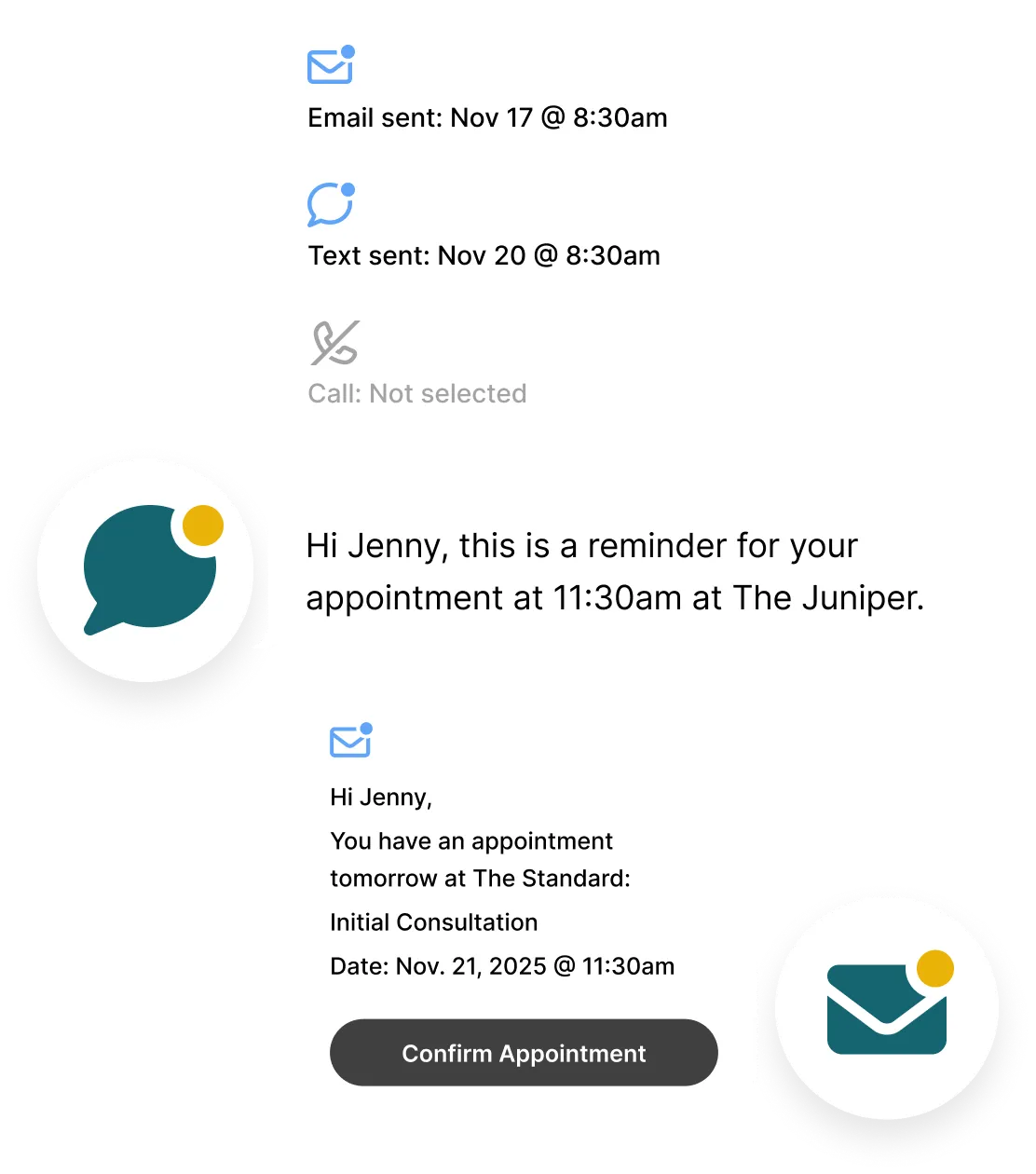
Delivery status
Appointment reminders are time-stamped so you can see exactly when each one was sent.
.svg)
Unlimited Email Reminders
Every clinic can use free email reminders at no additional cost. No fees, no surprises, and no upgrades.
.svg)
Flexible Text & Call Options
As part of our Plus and Max plans, you’ll get 500 minutes of voice calls and 500 text messages per month*.
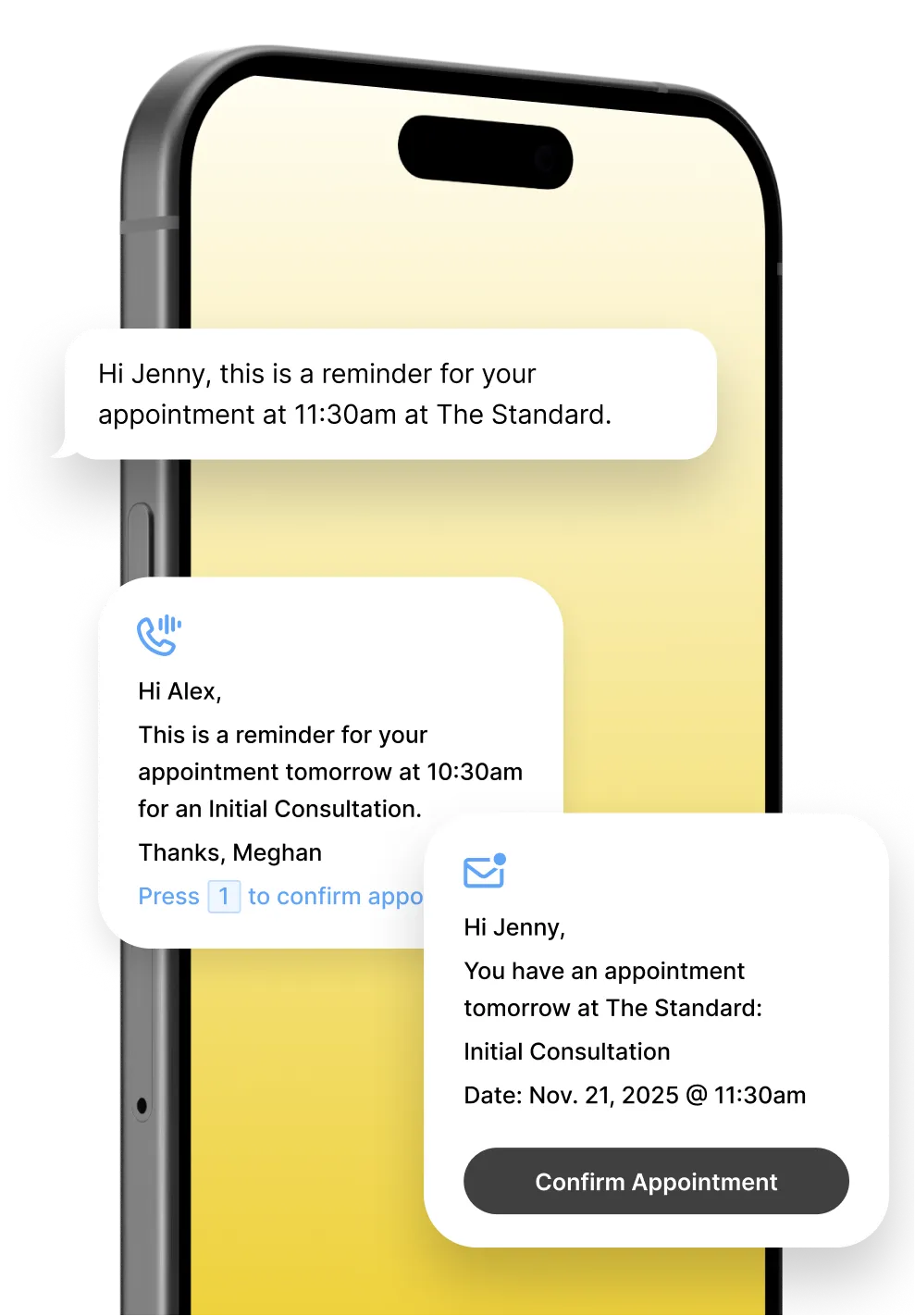
Reach patients the way they prefer
Some patients check email, others notice texts, and some only pick up the phone. Noterro’s automated reminders adapt to each patient's communication preferences.
Email Reminders

Send appointment details and personalized email reminders from your Noterro Calendar to help patients stay prepared and reduce missed appointments.
Text Reminders
SMS reminders deliver time-sensitive appointment updates in real time, helping patients respond quickly and keeping schedules on track.
Call Reminders
Automated phone reminders sync with your calendar to deliver voice calls at the right moment, adding a personal touch that reduces last-minute cancellations.
One reminder system, built for real clinic days
Noterro coordinates email, text, and call reminders into a single automated workflow that keeps patients informed and schedules predictable.
Multi-channel delivery by design
Email, SMS, and phone reminders are sent automatically based on patient communication preferences, helping messages reach patients in the way they are most likely to notice and respond.
Live schedule awareness
Every reminder pulls from Noterro Calendar, adjusting when appointments are booked, cancelled, or rescheduled so patients always receive accurate information.
Works for multiple disciplines
From solo practitioners to multi-disciplinary clinics, reminders adapt to different appointment types, schedules, and care models.
.webp)
Reliable delivery you can trust
Built-in visibility and smart fallback ensure reminders reach patients without manual checks or follow-ups.
Time-stamped delivery logs
Each reminder includes a timestamp showing exactly when it was sent, helping confirm delivery without manual follow-up.
System-aware updates
Reminder activity reflects real-time system updates, keeping practitioners informed and workflows aligned across the clinic.
Automatic fallback delivery
If a text message fails, Noterro automatically sends a voice call or email reminder to ensure patients still receive their appointment details.
Everything clinics need, nothing they don't
.svg)
Staff Notifications
Instantly notify staff about bookings, arrivals, and time changes so everyone stays aligned throughout the day.
.svg)
Calendar Sync
Connect Noterro to your favourite external calendar app.
.svg)
Waitlists
Add clients and notify them when there’s an opening.
Loved by practitioners.
Trusted by clinic owners.
.webp)
.webp)
.webp)






Made to care.
Practitioners are at the heart of everything we do.
Frequently asked questions
What are patient appointment reminders?

Patient appointment reminders are automatic messages sent before a scheduled visit to remind patients of the date, time, and location. They help patients stay informed and arrive on time.
How do automated appointment reminders work in Noterro?
Noterro uses automated workflows to send appointment reminders via email, text, and phone calls based on your schedule. Each workflow pulls from your calendar and automatically sends reminders. You can customize every reminder in the template editor using variables such as patient name, appointment date and time, service, clinic location, and clinic name, so messages stay accurate and personal even across multiple locations.
Can patients choose how they receive reminders?
When patients share their contact details, clinics can ask for their preferred communication method through the intake form. Practitioners can use that preference to send reminders by email, text, or phone, helping messages reach patients in the way they’re most likely to notice.
How do I pick the best appointment reminder software?
Look for software that automates reminders, syncs with your scheduling calendar, supports multiple reminder types, and lets you personalize messages. The right system should reduce no-shows without adding extra work for your team.
Can I set how many hours before the appointment I want reminders sent?
Yes, you can set how many hours before an appointment you want reminders sent.
When a patient books online, how often do they get reminders?
Patients receive one reminder for each appointment, sent at the time you set in your reminder settings.
Can I use reminders for recurring appointments or group sessions?
Yes, email reminders work for recurring appointments, group classes, and multi-person bookings.
Can patients reply to the email reminders?
Yes, you can allow patients to reply directly to email reminders, with responses routed to your clinic’s email address. If email deliverability is a concern, you may choose to keep replies disabled to help messages stay out of spam folders.
Is the use of reminders an optional feature in Noterro?
Yes, sending customized reminders is an optional feature in Noterro. You can choose to manually enable it if you want to use this service.
Insights and tips
for appointment reminders

How to Personalize Automated Reminders to Reduce No-Shows
Read More

The Impact of Appointment Reminder Software to Boost Patient Engagement
Read More
.webp)
.webp)