


Scheduling that works for clinics and patients.
.png)
Clean, readable daily schedules
View your full day at a glance with multiple calendar and agenda views that show appointment types, timing, and key details without opening each booking.
.png)
Appointment statuses that reflect real clinic workflow
Mark visits as arrived, cancelled, rescheduled, no show, or completed as the day unfolds, keeping your calendar accurate and trustworthy in real time.
.png)
Tools that help recover time and reduce gaps
Use waitlists and Find a Time to quickly fill cancellations and find the next available opening without manually scanning the calendar.
.svg)
Multi-Location Scheduling
Manage multiple clinic locations from one centralized scheduling system, with separate calendars and real-time availability per site.
.svg)
Built-In Class Scheduling
Appointments that support group bookings, attendance tracking, and shared schedules without complicating individual care workflows.
.png)
.png)
.png)
Book appointments the way patients expect.
Noterro’s online appointment booking gives patients a familiar way to self-schedule care, while clinics keep full control over availability and booking rules.
Secure patient scheduling portal

Patients use a familiar, easy-to-navigate clinic-branded web app that keeps scheduling details, forms, notes, and clinic information clear and accessible.
Self-service appointment management
Patients can reschedule, cancel, or rebook appointments on their own, reducing phone calls and keeping schedules up to date.
Book by what matters more
Patients can choose how they want to book by selecting the service they need, the practitioner they prefer, or the clinic location that works best for them.
A calendar that stays accurate in real time.
See a unified calendar view with up-to-date availability, flexible practitioner and location filters, built-in cancellation tracking, and clear booking and privacy controls.
Two-way calendar syncing
Noterro keeps your calendar aligned across systems, so real-time availability reflects what’s actually happening, not outdated entries.
.png)
Scalable calendar views
Filter schedules by practitioner or location to focus on the right view at the right time, whether you’re running one clinic or several.
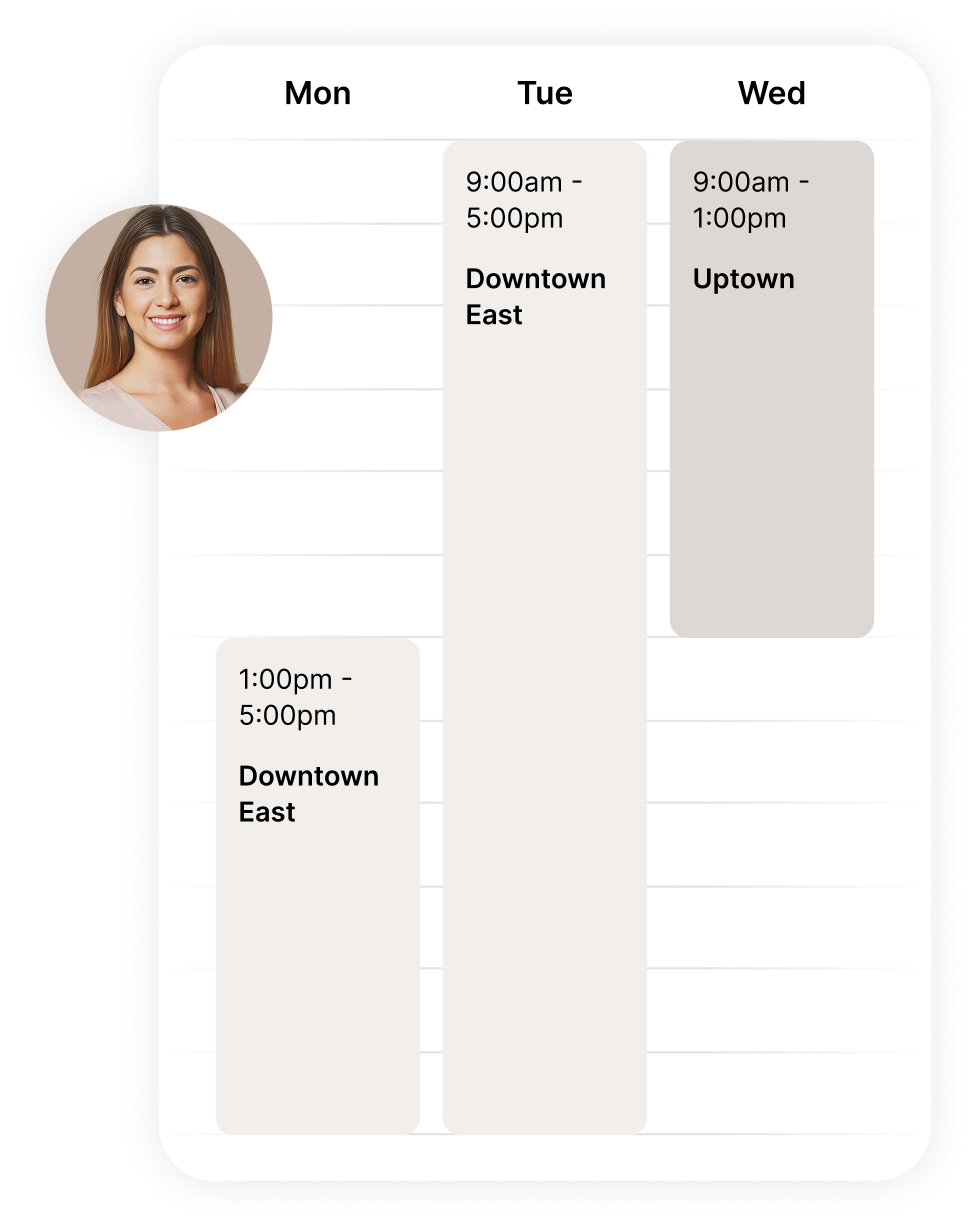
Cancellation tracking and insights
Cancellations appear in a dedicated view with recorded reasons, helping clinics understand patterns and refine cancellation policies without manual tracking.
.png)
Simple calendar controls
Configure your calendar to match how your clinic actually operates. Set working days, adjust appointment time increments, manage double bookings, and blur client names for privacy, all in one place.
.png)
.png)
.png)
.png)
.png)
.png)
Flexible control without patient friction.
Clinics control scheduling rules and workflows behind the scenes, while patients experience a simple, predictable way to book and manage appointments.
Waitlist management
Patients join a waitlist when their preferred time isn’t available, and clinics automate waitlist appointment notifications to fill openings quickly and reduce idle gaps.
Arrival tracking
Track patient arrivals in real time so teams know who has arrived, who’s on the way, and how the schedule is progressing, without slowing down the front desk.
Multi-channel patient reminders
Send automated reminders tied to appointments. Patients receive email, text, or phone reminders based on their reminder preferences.
.png)
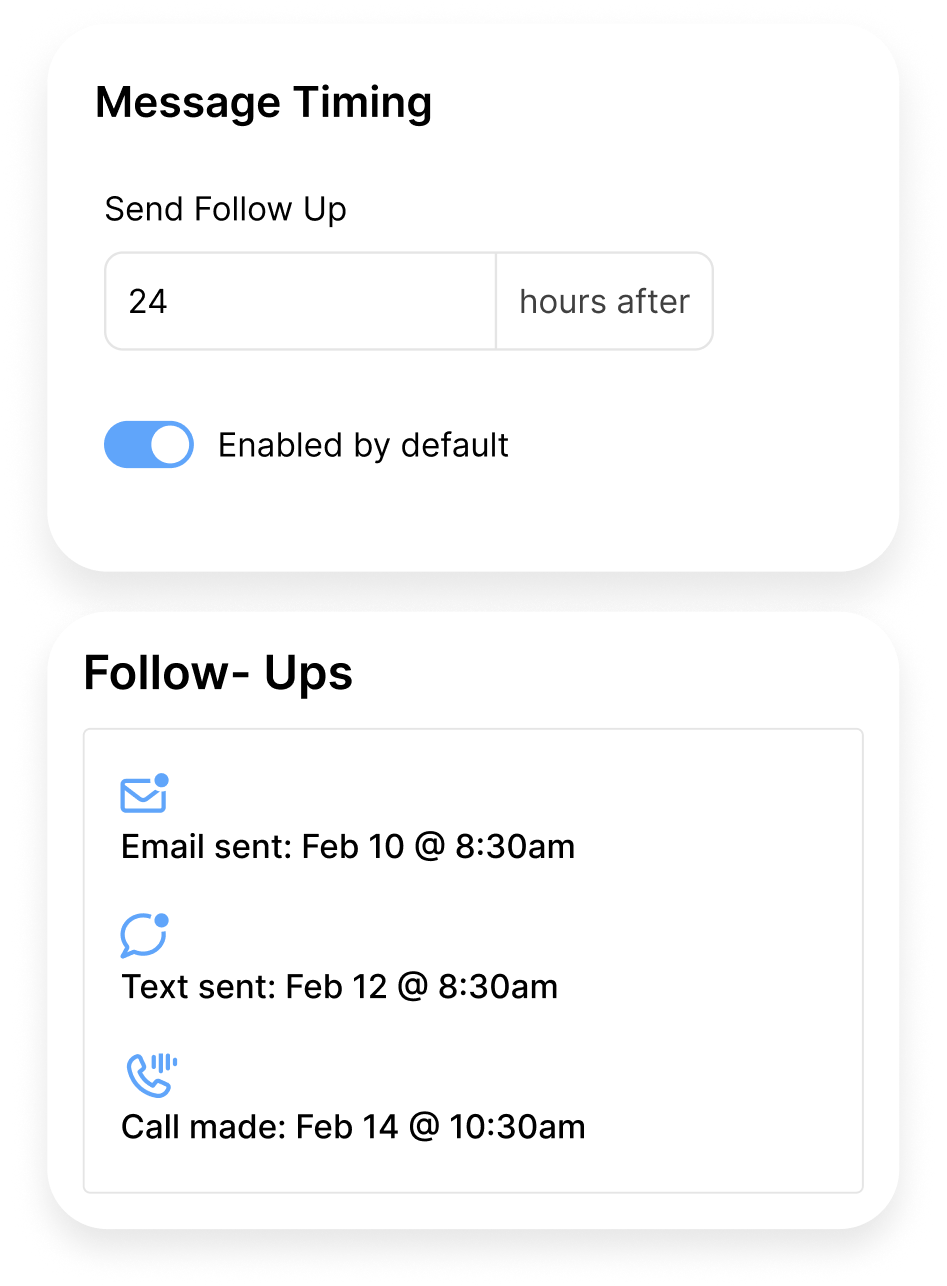
Appointment Follow-up Notifications
Automatically send personalized follow-up messages after an appointment is completed, with service-specific aftercare, or next steps, delivered by email, text, or phone.
Scheduling built for mobile care.
Noterro GO supports mobile practitioners with scheduling tools designed for real-world travel, hybrid care, and changing service areas.
Service area scheduling
Define where patients can book by setting service areas across your city, so mobile appointments align with how and where you work.
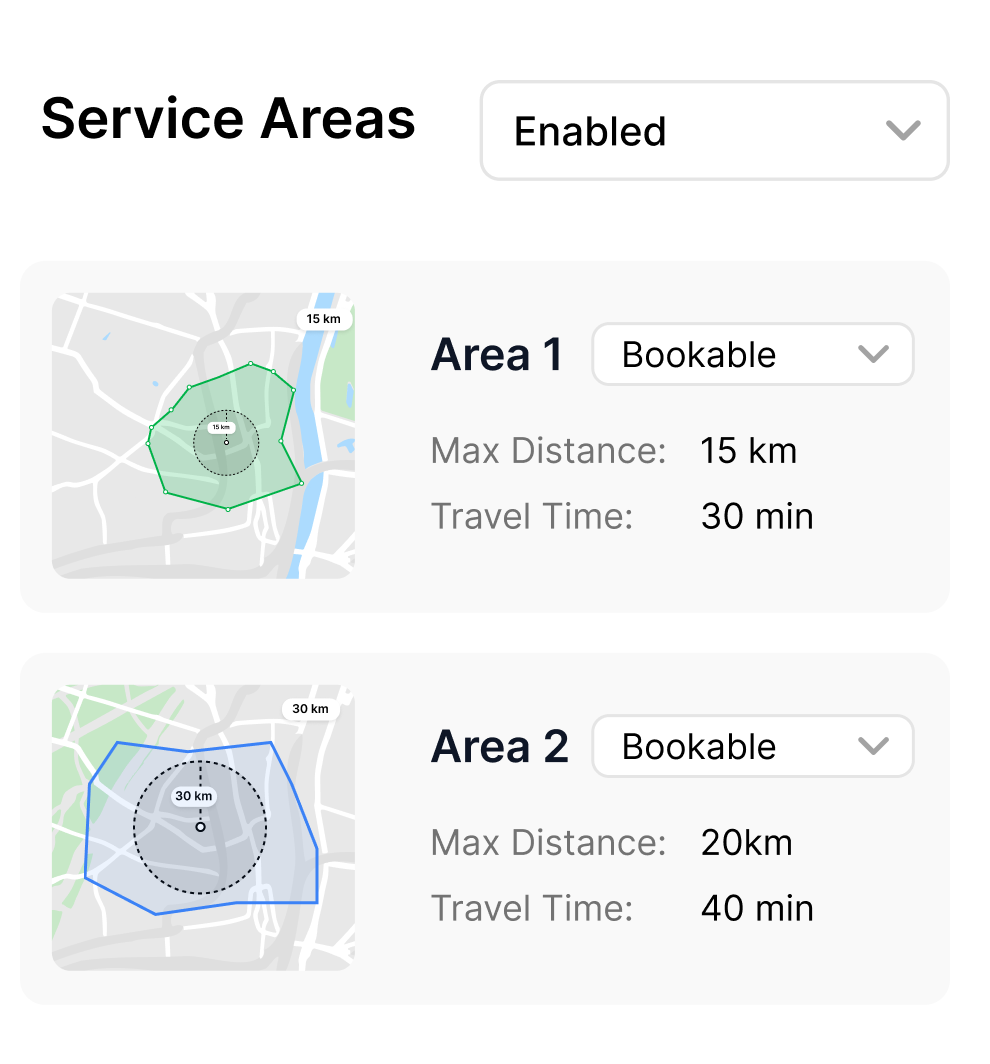
Zone-based pricing & availability
Set different prices and booking availability by zone or day to keep mobile care predictable and profitable.
.png)
Hybrid schedules, one calendar
Run in-clinic and mobile care side-by-side. Patients can book clinic visits or at-home appointments, all managed from a single, unified calendar.
.png)
.png)
Loved by practitioners.
Trusted by clinic owners.

Kristen Watson
Licensed Massage Therapist

.png)
"We looked at a lot of healthcare scheduling software before landing on Noterro. The waitlist management alone saves us hours. When someone cancels, the next patient gets notified automatically and the gap fills itself. Between that and two-way calendar syncing, our front desk barely touches the phone anymore."
Kristy
Chiropractor
.png)
"As a solo RMT, I needed online medical scheduling software that let patients self-book without me managing every detail. Noterro's branded booking portal does exactly that. Clients pick the service, choose a time, and get automated reminders by text or email. I went from 10+ scheduling calls a day to almost none."
Sienna
Registered Massage Therapist
.png)
"Running a multi-location physio clinic, this is the best healthcare scheduling software I've used. Separate calendars per site, real-time availability, arrival tracking, and my patients just see one clean booking experience. The cancellation tracking with recorded reasons has also helped us cut no-shows significantly."
Cameron
Physiotherapist







Operational tools clinics can trust.
.svg)
Made for Multiple Disciplines
Built for massage therapy, chiropractic, physiotherapy, osteopathy, and multi-disciplinary clinics.
.svg)
Staff Notifications
Instantly notify staff about bookings, arrivals, and time changes so everyone stays aligned throughout the day.
.svg)
HIPAA and PIPEDA Compliant
Patient scheduling data stays protected across online booking, calendars, and mobile care.
Made to care.
Practitioners are at the heart of everything we do.
Frequently asked questions


.webp)
.webp)
.webp)
.webp)