


Fewer empty slots. No extra phone calls.
.png)
Fewer lost appointments and steadier income
Reduce schedule gaps caused by last-minute cancellations by keeping patient waitlists active and patient volume more predictable.
.png)
Happier patients with less back-and-forth
Patients only hear about openings that fit their availability, so they feel respected and informed instead of frustrated by irrelevant messages.
.png)
Do less admin work during busy clinic days
Manage patient waitlists directly from the Noterro calendar. Filter by practitioner, location, availability, treatment type, and appointment length to manage bookings efficiently.
.svg)
Multiple Waitlists Support
Patients can join multiple waitlists across practitioners and locations, giving your team more flexibility when openings come up.
.svg)
Profile-Level Visibility
Each patient's waitlist preferences are visible directly in their profile, so your team has the context they need without searching.
.png)
.png)
Keep schedules full, without losing control.
Support day-to-day scheduling changes with tools that prioritize accuracy, flexibility, and patient clarity.
Fewer gaps with schedule utilization

Fill last-minute, unexpected appointment openings by matching patient waitlists with availability preferences, reducing schedule gaps, and keeping schedules full without adding admin work.
Send notifications your way
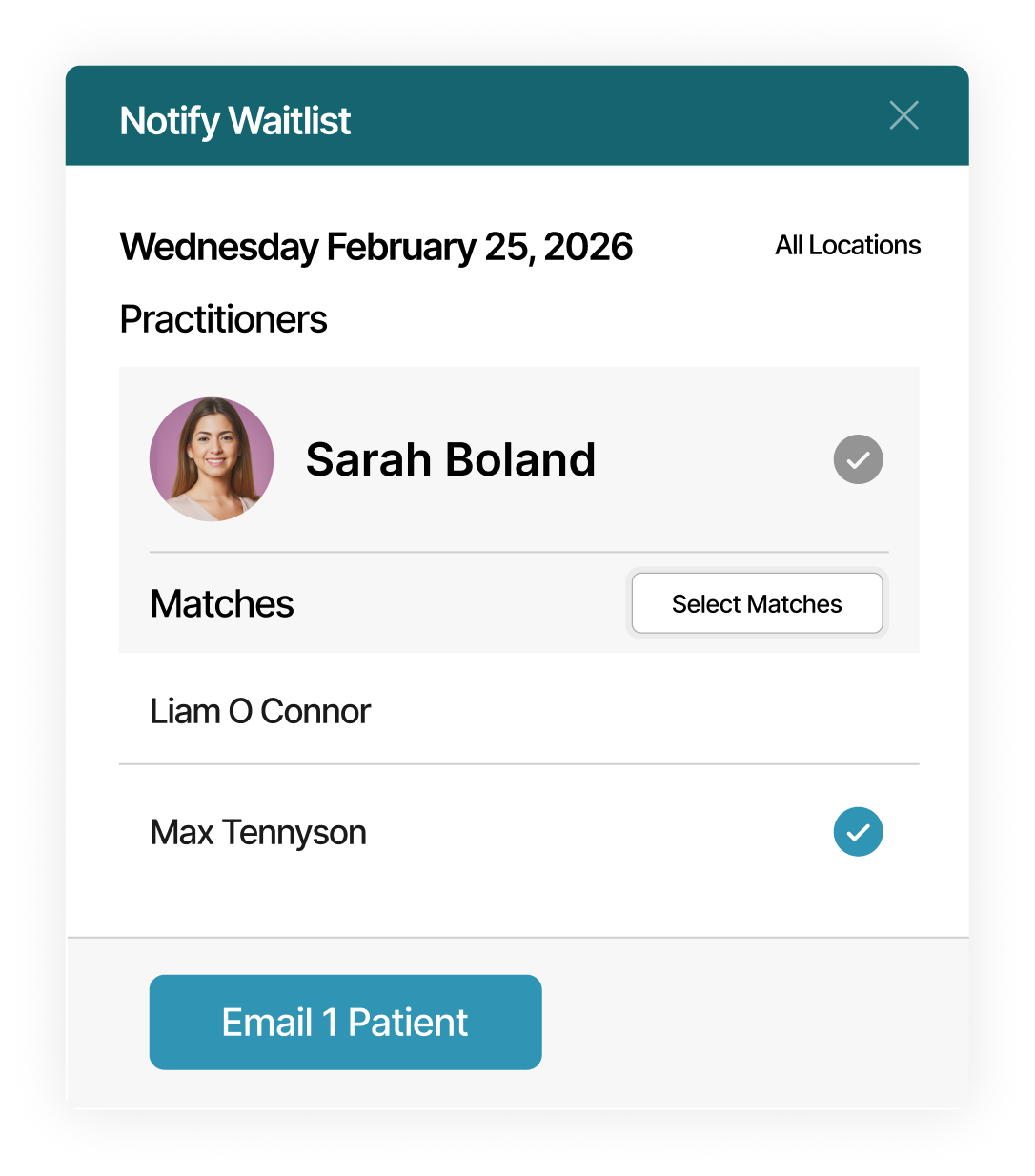
Send clinic-branded waitlist notifications across the entire clinic, from a specific practitioner, or to a single patient, with custom message content that reflects your clinic.
Notify patients when it fits
Notify waitlisted patients only when last-minute appointment openings match their preferred practitioner, preferred location, days of the week, times of day, date range, and treatment duration.
Loved by practitioners.
Trusted by clinic owners.

Kristen Watson
Licensed Massage Therapist

.png)
“Cancellations used to leave random 30 or 45-minute gaps in our day. We’d try calling people from a list that wasn’t always up to date. Now I just filter by practitioner and appointment length, see who actually fits that time, and send the offer. We decide when it goes out. It hasn’t stopped cancellations, but the schedule feels a lot more under control.”
Daniel M.
Chiropractor, Clinic Owner
.png)
“I’m a massage therapist, and most of my bookings are 60 or 90 minutes, so when someone cancels, it’s a noticeable hole in the day. What helped is clients picking their own time preferred slots on the waitlist through the portal. When a spot opens, I check who actually matches that time window and send it to them. It’s more accurate and saves me from texting five people who can’t come. ”
Carla N.
Registered Massage Therapist
.png)
“We manage two locations and several practitioners, so scheduling is layered. Patients can join multiple waitlists across providers, which gives us the flexibility we didn’t have before. The profile-level visibility makes it practical. My team sees exactly what that patient requested without searching through notes. When a cancellation happens, we respond deliberately instead of scrambling. It keeps the day steady.”
Sheldon S.
Operations Manager







Tools that support your daily schedule.
.svg)
Arrival
Tracking
Track patient arrivals in real time without constant front desk check-ins.
.svg)
Automated
Reminders
Send timely, customized reminders via email, text, or phone to help patients arrive on time.
.svg)
Google Calendar
Integration
Connect Noterro to your Google Calendar to keep schedules in sync automatically.
Made to care.
Practitioners are at the heart of everything we do.
Frequently asked questions


.webp)
.webp)
.webp)
.webp)