No items found.
Free Webinar · May 7 · How to Get (and Keep) More Patients as a Practitioner →
Save Your Spot


Table of Contents

Experience Better Practice Management Today!
Starting at $28.05/month
No Credit Card Required
Experience Better Practice Management Today!
Starting at $30/month
No Credit Card Required
Healthcare clinics handle sensitive data daily. When every team member has the same level of access, mistakes aren’t just possible, they’re likely. Someone might open a note they shouldn’t, change the wrong appointment, or accidentally delete an entire class. These slip-ups can do more than disrupt your day—they risk compliance and patient trust.
That’s where access control comes in. It helps every staff member focus on their responsibilities while keeping everything else protected. With role-based access control, you decide who can access what and when—right down to the smallest setting.
In this blog, I’ll walk you through:
Role-based access control sounds technical, but it’s simple. It’s the ability to decide who can see, edit, or manage certain information based on their role. You control what each staff member can do, from charting and billing to messaging and scheduling. The benefits go beyond security. When you set clear permissions:
Without role-based authentication, clinics often face confusion and privacy risks. Assistants might see clinical notes, or practitioners could accidentally edit another provider’s calendar. With clear role access management, you prevent those issues before they start.
You might also like: 11 Security Steps to Onboard New Hires at Your Chiropractic Clinic
Running a clinic, I’ve seen how every practitioner has their own rhythm, from charting to managing cancellations. With role-based access control, I can fine-tune what each practitioner can do, keeping things flexible without losing privacy.
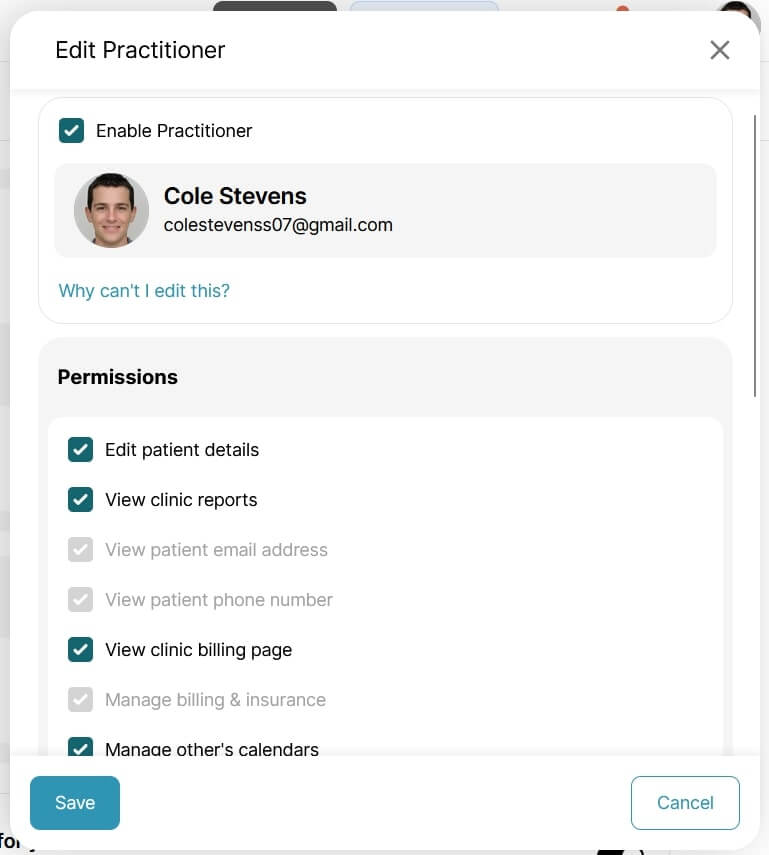
Decide if practitioners can manage their own bookings or view or change others’. This includes appointments booked online by patients, cancelled online, deleted by staff, or classes managed by other staff members. You can customize these permissions for each practitioner to avoid overlap or confusion.
In Noterro, you can choose which practitioners are notified. They can receive alerts for their own appointments when patients arrive, cancel, confirm, or are marked late, as well as for other practitioners’ appointments if needed. They can also stay updated when a scribe completes documentation or when a class is booked or cancelled.
Every clinic handles documentation differently, so Noterro gives three clear options:
Admins always have access, ensuring oversight while maintaining privacy. This flexibility lets you balance collaboration with confidentiality, keeping your clinic compliant and organized.
Noterro lets you decide how practitioners appear in the patient portal, including whether to display their photo and bio and which services they offer. You can also control safety contact information, notification preferences, and how practitioners are alerted after appointments. Each practitioner can have:
These options create a personalized yet controlled setup that fits every practitioner’s workflow.
These were permission settings you can do for the practitioners, but there’s more to Noterro. It also allows you to set permissions for assistants in your clinic.
Check this out: How to Elevate Your Chiropractic Clinic’s Perceived Value For Free
Assistants are the backbone of clinic operations, but they don’t need full access to everything. With Noterro’s role-based authentication, you can give assistants the tools to do their jobs effectively while protecting sensitive clinical data.
In this setting, you can choose whether the assistants can:
This access keeps admin work moving without crossing into practitioner-only areas, such as clinical notes or charting.

Also read: 9 Chiropractic Billing & Coding Red Flags (And How to Avoid Them)
In scheduling settings, assistants can manage other practitioners’ calendars, helping coordinate appointments and keeping daily operations on track.
Assistants can also receive SMS notifications related to other practitioners’ appointments. These include:
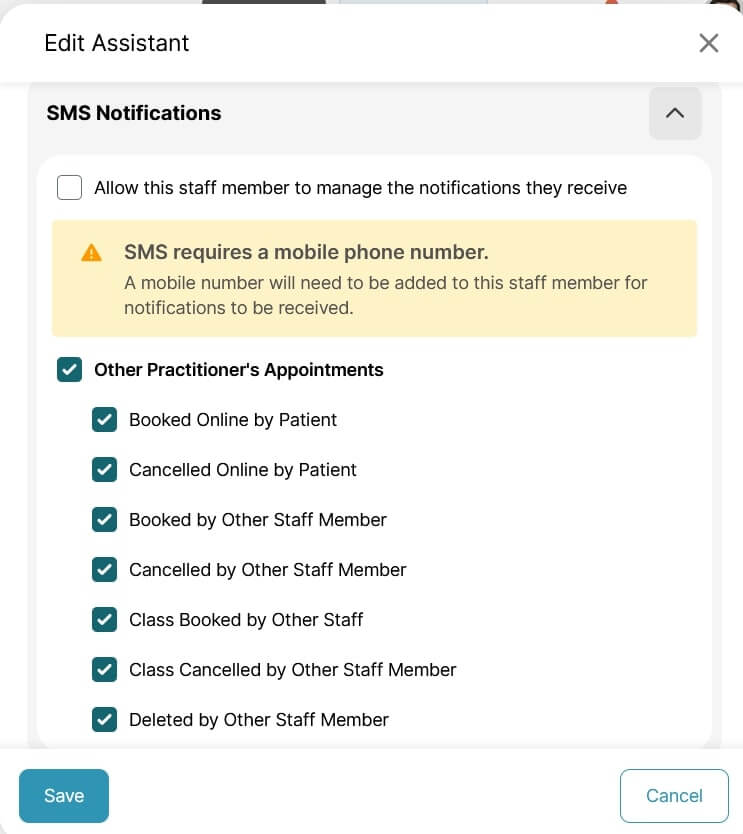
This keeps assistants informed about real-time schedule changes and ensures nothing slips through the cracks.
Now, these were role-based permission settings. You can take the next step in protecting clinic data with Noterro’s location restriction feature.
Bonus read: Top Challenges Chiropractors Face When Managing a Business
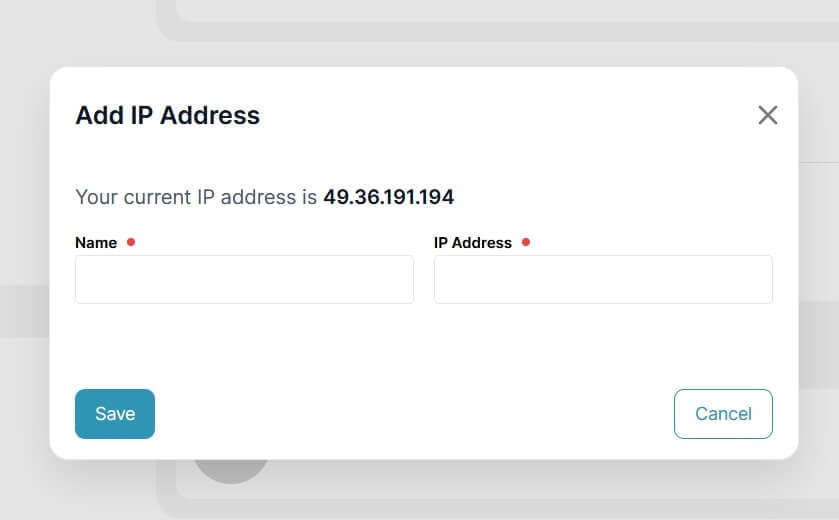
As your clinic grows, you will have multiple practitioners in your team, which means stricter data protection. With Noterro, you can set clear restrictions based on IP addresses so that staff can only access the patient data from the clinic’s Wi-Fi. You can block the personal devices of the practitioners as well from accessing the data independently.
You might also like to read: 6 Chiropractic Loyalty Program Ideas to Retain Clients
Access control isn't rocket science, but it does require smart planning. A little bit of strategic thinking early on can save you headaches later. Let's break down how to configure clinic permissions that really work:
Before clicking anything, define all roles in your clinic - practitioners, assistants, admins, owners. Align permissions with actual responsibilities, not job titles. This avoids granting someone access they don't need by mistake.
Grant staff members only as much access as they need to get their job done, no more. If a helper just deals with calendars, then they should not have billing or patient record access. It's simpler to grant permissions later than to correct security errors.
Roles evolve. A practitioner may begin providing new services, or an assistant may handle additional tasks. Review access every few months. Eliminate permissions that are no longer valid and make adjustments as responsibilities change.
Access control is all about establishing trust. If your staff knows why limitations are in place, they will be more likely to honor them. A brief onboarding walk-through makes a huge difference.
Two-factor authentication is your safety net. It adds an extra identity verification step, protecting your clinic if passwords get compromised.
Also read: How to Prevent Burnout as a Chiropractor: 8 Simple Tips
When everyone in your clinic has the right access, your operations feel lighter, safer, and more efficient. Role-based access control keeps your staff focused, your data secure, and your patients confident that their information stays private.
From user roles and permissions to geo-access control and location-based restrictions, Noterro helps you control access at every level with precision. When the right people have the right access, your clinic runs exactly as it should. You can try Noterro for free with the 14-day trial and see the ropes for yourself.

Tags
Eric Saxton, Chiropractor at Cuse Chiro, is an expert with 10+years of experience with a strong track record of success in the field. With a background that includes building two thriving chiropractic practices, as well as working in various capacities in several other practices, Eric has developed a deep understanding of the industry. HIs expertise extends across a wide range of chiropractic specialties, including sports injuries, rehabilitation, pain management, physical therapy, myofascial release, wellness, pediatrics, healthcare, and injury prevention.
Moreover, Eric's extensive experience with over half a dozen EHR systems and billing software showcases his adaptability and proficiency in utilizing technology to reduce administrative expenses efficiently. He also has worked as a Clinical Peer Reviewer at CID Management.
Originally from Upstate New York, Eric attended New York Chiropractic College (now Northeast College of Health Sciences) in Seneca Falls. After graduation, he relocated to Virginia, near Washington DC, where he established his first practice, Saxton Chiropractic and Rehab, PLLC. Following the birth of their son, he along with his wife returned to Upstate New York. Eric sold his practice and in New York he founded Cuse Chiro, Inc., where he currently practices.
Eric Saxton's expertise and commitment to excellence make him a trusted practitioner and advocate for patient-centered care. He is also associated with respected organizations such as the International Chiropractic Pediatrics Association, Unified Virginia Chiropractic Association, and the American Chiropractic Association.
.webp)
No credit card required. Available 1-on-1 support.
.webp)
No credit card required. Available 1-on-1 support.
.webp)
.webp)


.webp)