No items found.
Free Webinar · May 7 · How to Get (and Keep) More Patients as a Practitioner →
Save Your Spot


Table of Contents

Experience Better Practice Management Today!
Starting at $28.05/month
No Credit Card Required
Experience Better Practice Management Today!
Starting at $30/month
No Credit Card Required
Most clinics I speak with didn’t start looking for new osteopathy software because something broke overnight. They started questioning their system when they realized it was quietly shaping the patient experience.
After years of conversations with clinics that switched to Noterro, specific priorities kept recurring in their search. They weren’t looking for more features; they wanted software that made the patient experience easier without adding work for staff.
What they consistently focused on was simple:
Those insights shape what to look for next. So, let’s look at the areas I’d focus on when evaluating osteopathy software for patient experience.
I’ve seen many clinics stick with software not because it works well, but because switching feels more complicated than putting up with a few daily frustrations. That’s understandable. When you’re busy treating patients, anything that primarily works feels good enough.
Over time, though, those minor issues start to shape how the clinic operates. Staff rely on workarounds. Simple tasks take longer to explain. Patients hesitate, miss steps, or repeat the same questions. Growth starts to feel heavier, even when demand is there.
From what I’ve seen, the warning signs usually fall into a few patterns:
These are the red flags I look for when evaluating osteopathy software.
If patient experience matters to you, these are the areas where software choices tend to make the biggest difference.
Booking is often where patient experience quietly breaks down. Clinics usually notice the issue when no-shows or last-minute cancellations start affecting the schedule, because that’s when the impact is visible.
What’s harder to spot happens earlier. Patients abandon bookings when they feel unsure about appointment options, availability looks inconsistent, or the system doesn’t reflect how the clinic actually operates. These patients never make it onto the calendar, so the problem stays hidden.
This is where osteopathy practice management systems like Noterro matter. Because booking is tied directly to practitioner calendars, availability reflects real working patterns, including mobile visits, location limits, and practitioner break preferences. Patients see options they can trust, not placeholders that require later confirmation.
When online booking software mirrors real operations, staff stop fixing appointments manually, and patients move forward with confidence. That early clarity sets the tone for the rest of the visit and helps trust form before care even begins.
Most patients do not arrive anxious because of their condition. They arrive anxious because they are unsure if they have done things correctly.
Did they fill out the right forms? Did they miss something important? Will they be asked the same questions again?
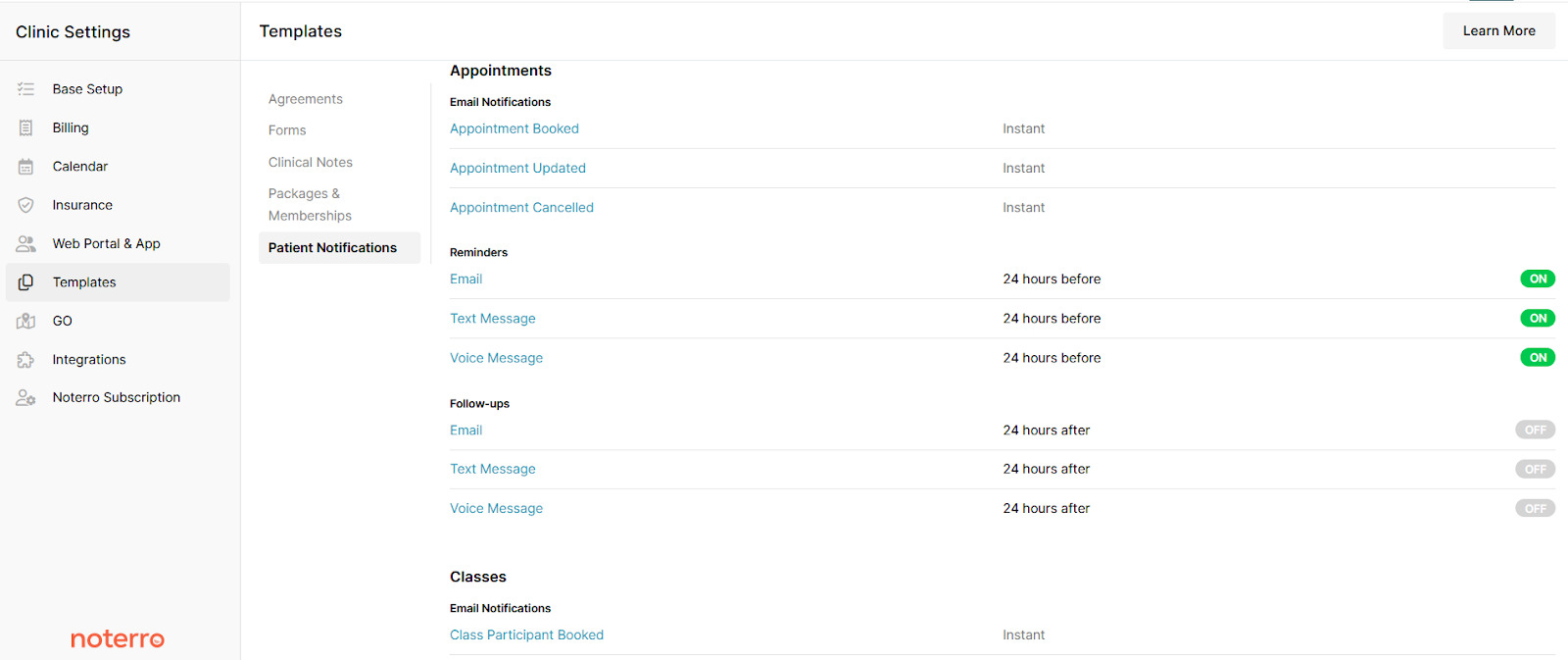
Good intake forms remove that uncertainty. They should be easy to complete on any device and arrive early enough to avoid last-minute stress. Instructions should be clear without being clinical or overwhelming.
Repetition is where trust breaks fastest. When patients are asked for the same information again, it signals disorganization even if care itself is excellent. Noterro connects intake forms directly to patient records, so information is collected once and carried forward correctly across visits, helping patients feel recognized rather than processed.
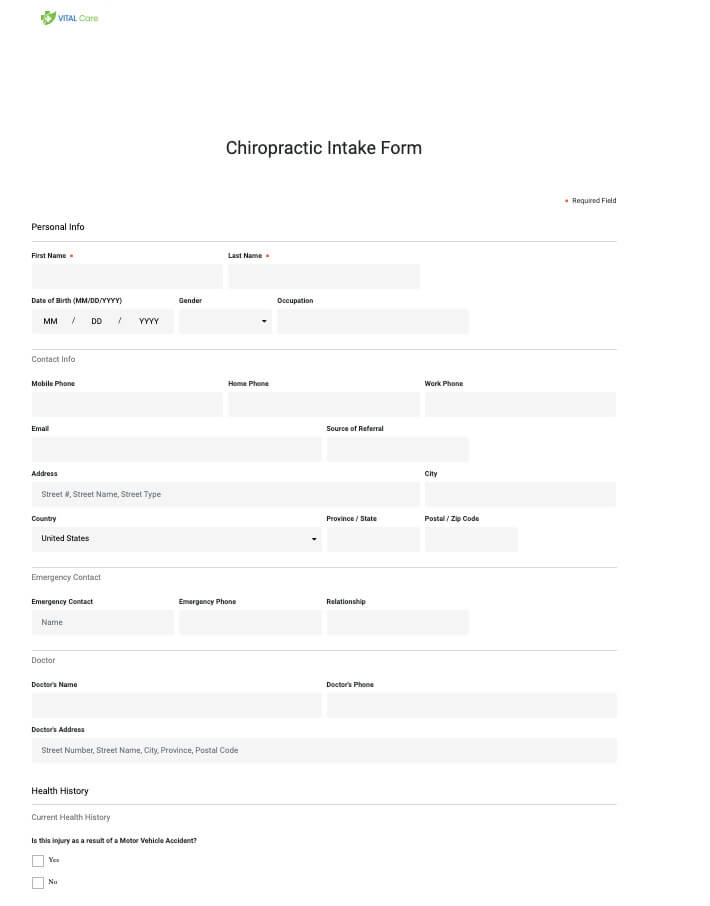
Patients do not expect constant communication. They expect clear communication. That usually means confirmations that explain what to expect, appointment reminders that reduce missed appointments without sounding cold, and follow-up notifications that feel connected to the session they just had. When messages feel generic, patients tune out, and if they are inconsistent, trust erodes.
The problem most clinics face is fragmentation. Communication lives in different tools, tones vary depending on who sent them, and no one is fully sure what the patient has already received.
Keeping communication in one place helps clinics stay consistent without having to think about it every time. Noterro manages email, SMS, and phone reminders inside the same system, which makes it easier to maintain a steady tone throughout the patient journey.
Patients notice when attention drifts away from them, even briefly.
During treatment, practitioners need fast access to patient history and previous notes. Documentation should support clinical thinking, not interrupt it.
When notes are slow or awkward to complete, sessions feel fragmented. Over time, this affects how present care feels. It also affects continuity when patients see different practitioners or return after a gap.
Strong in-session systems support a few key things:
Noterro supports this in a few practical ways. Structured SOAP notes and note duplication reduce repetitive typing, and its AI Scribe allows practitioners to dictate their notes and have them converted into text. That means less time at the keyboard and more attention on the patient, while still keeping records clear and consistent across visits.
No clinic runs on a perfect schedule. Appointments move, cancellations happen, and some days fill faster than expected. That part is normal. What separates a calm clinic from a stressful one is how easily those changes are handled in real time.
This is where visibility matters. In Noterro, admins have a full view of all practitioners’ calendars, allowing them to see availability across the clinic and make adjustments as things change. When someone cancels, runs late, or needs to shift hours, availability can be updated immediately without guessing or backtracking.
When scheduling systems lack that visibility, small changes snowball. Manual corrections increase, double bookings slip through, and patients feel the disruption, even if staff try to absorb the chaos behind the scenes.
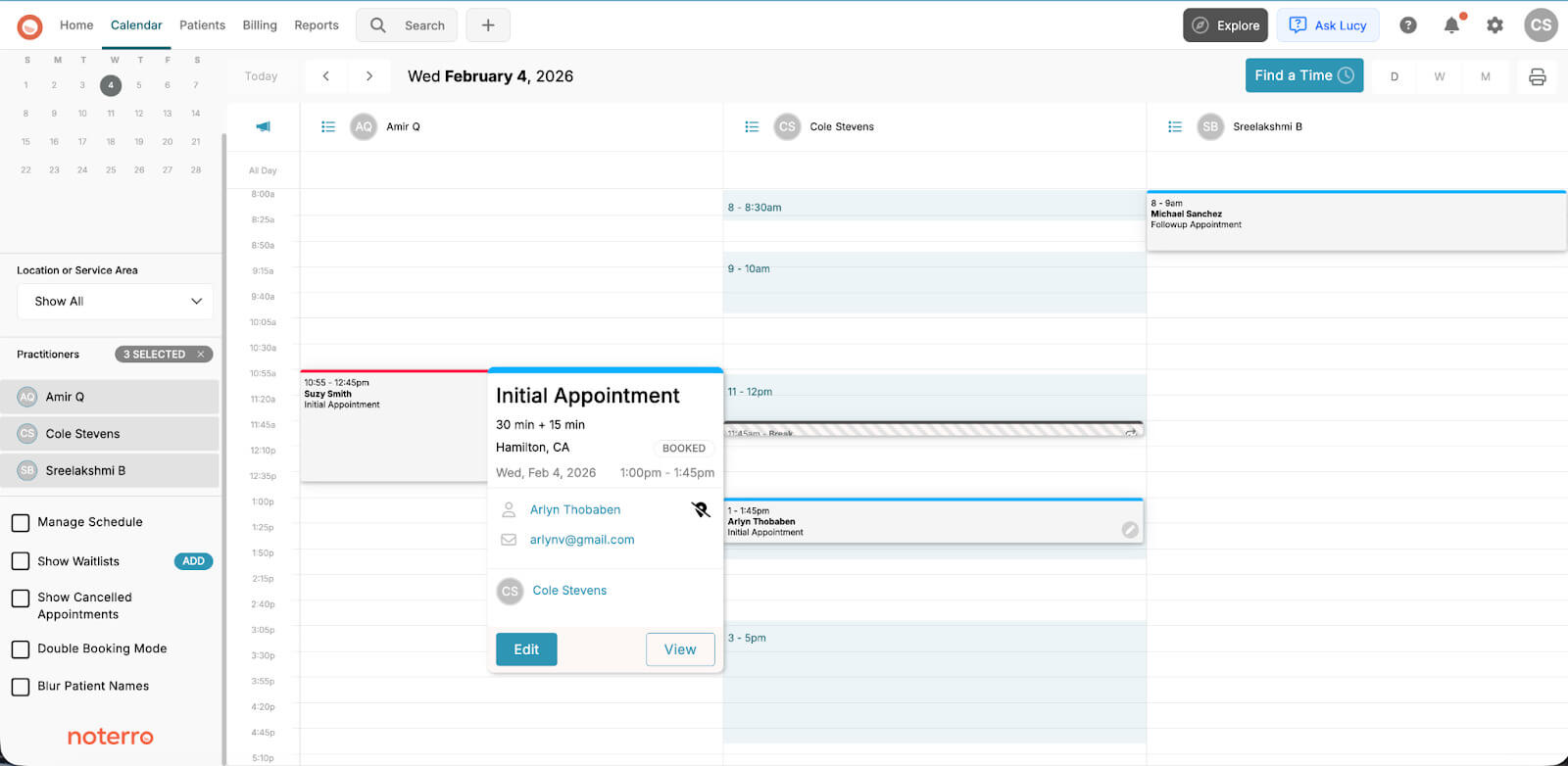
With a centralized scheduling view, admins and practitioners are always working from the same information. Changes are managed as they happen, without oversight gaps, which keeps the schedule stable and the patient experience intact even on busy days.
Patients expect transparent pricing, clear invoices, and payment flows that make sense. They want receipts they can understand without follow-up emails or awkward conversations at the desk.
Tone matters here. Payment should feel professional and calm, not rushed at the end of a session.
When billing is connected to scheduling and care records, fewer mistakes slip through. Noterro’s integrated billing and payment processing keeps this part of the experience consistent, which helps protect trust at the end of care.
Patients don’t see your admin workflows, but they feel the impact when things slip. Missed messages, slow follow-ups, and scheduling errors usually start behind the scenes.
In Noterro, admin teams work from a single system rather than juggling multiple tools. Scheduling, patient records, communication, and billing all live in the same place, which reduces handoffs and mistakes.
Clear roles matter as clinics grow. Noterro’s role-based access lets admins see what they need across practitioners and locations without overstepping or losing visibility. That makes it easier to manage busy days, staff changes, and growth without things falling through the cracks.
When admin work stays organized and predictable, patients experience a clinic that feels responsive and easy to deal with, even when they never see what’s happening in the background.
| Clinic Type | What to Prioritize | Why It Matters |
|---|---|---|
| Solo and mobile practitioners | Speed, simplicity, mobile access | You’re often managing the clinic between sessions or on the road. Software should let you book, chart, and make changes quickly without needing a desktop setup. |
| Small clinics | Scheduling clarity, intake efficiency, and communication control | As soon as you have a front desk or shared schedule, small gaps create confusion. Clear booking, smooth intake, and consistent messaging keep days running predictably. |
| Hybrid and multi-location clinics | Consistency, permissions, visibility | When care happens across locations or mobile visits, everyone needs to work from the same information. Permissions and shared views prevent mistakes and overlap. |
| New practitioners | Ease of setup, learning curve, guidance | Early on, time is limited, and confidence is still building. Software should be easy to learn and support good habits without heavy configuration. |
| Experienced clinics | Reliability, scalability, fewer workarounds | At scale, workarounds become costly. Systems need to hold up under volume, support growth, and reduce the need for manual fixes. |
Most clinics don’t realize software is a problem until it starts affecting patients. These are the early signs to watch for before that happens.
If software creates friction internally, patients will feel it externally, even if they can’t explain why.
Patients don’t usually talk about software, but they remember how the experience felt. Whether booking was straightforward, communication was clear, and the day ran smoothly all add up to their impression of your clinic.
That experience is shaped by the systems running in the background. The right software stays out of the way, supports care, and helps the clinic stay organized as things get busier.
Choosing a system is a long-term decision about how your clinic operates and how patients experience it over time. If you want to see how Noterro supports patient experience across booking, intake, documentation, billing, and admin workflows, you can try it free for 14 days and see how it fits your practice.

Tags
Ryan Barichello, Co-Founder of Noterro, is a dynamic leader with a vision for innovation and excellence in the tech industry. With both a Business and Computer Science diploma from Mohawk College, Ryan has honed his business and software development expertise.
His leadership and dedication have garnered him several prestigious awards, including the 2018 Fast 40 Hamilton issued by Hamilton Economic Development. He also received the 2015 Outstanding Small Business of the Year from the Stoney Creek Chamber of Commerce and the 2013 Hamilton Top 40 Under 40 from Business Link Media.
Beyond his professional achievements, Ryan is deeply involved in community initiatives. As a board member of Festitalia for 9 years, he actively promoted Italian culture and heritage in the community. He also has spent time volunteering as a mentor in Greater Hamilton Teaching Youth Entrepreneur Program (M.I.G.H.T.Y), nurturing the next generation of leaders.
With a keen eye for detail and a disciplined approach, Ryan tackles challenges with precision, ensuring that every project he undertakes is a resounding success. Ryan's strategic mindset and passion for entrepreneurship have been instrumental in propelling Noterro to the forefront of the industry.
Driven by a relentless pursuit of excellence, Ryan is passionate about technological innovation. His expertise in addressing complex challenges with precision, alongside his dedication to innovation, sets him apart as a leader in the technology field.
.webp)
No credit card required. Available 1-on-1 support.
.webp)
No credit card required. Available 1-on-1 support.
.webp)
.webp)



.webp)