

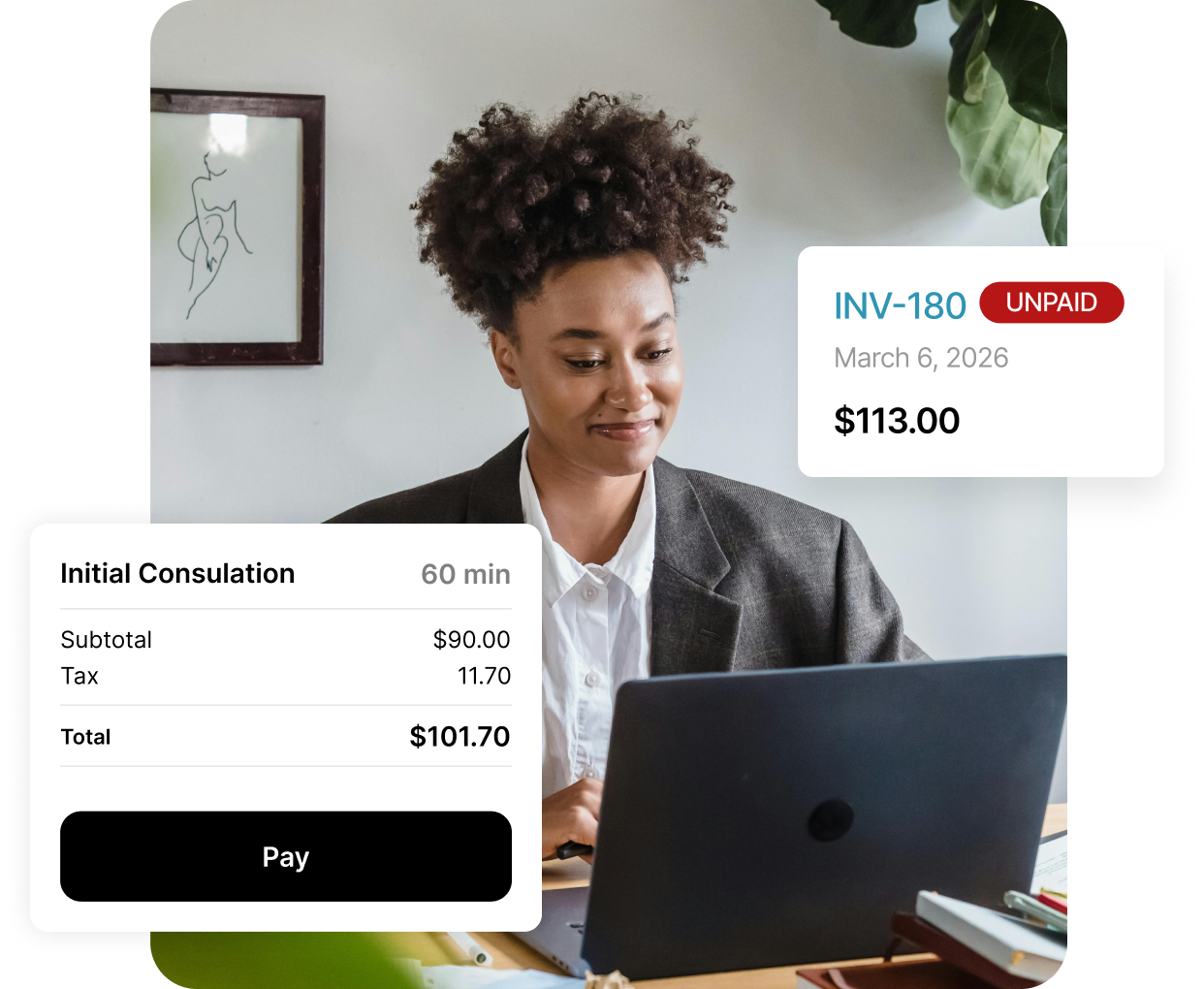
A billing system clinics don’t outgrow.
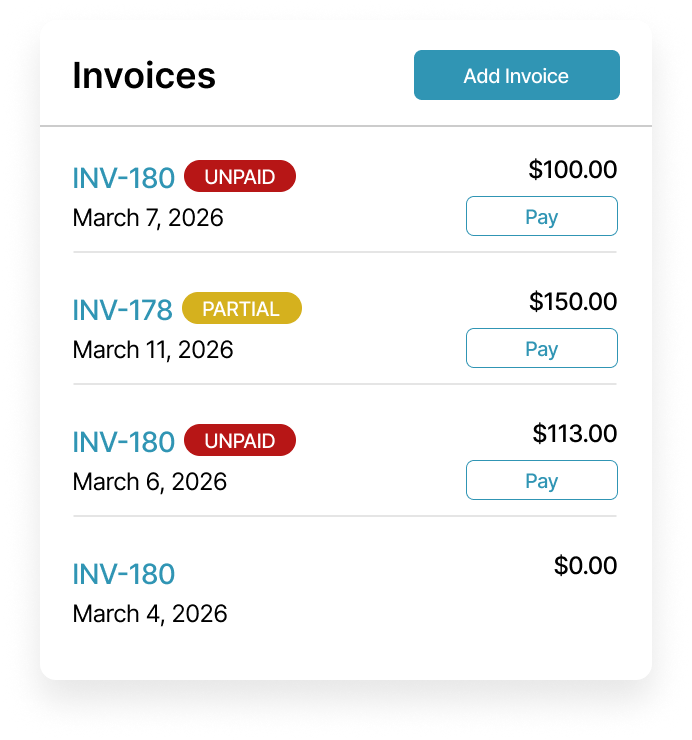
Simplified billing in one system
Stop switching between invoicing tools, payment links, and reports. Billing follows your day's workflow, reducing administrative burden, minimizing errors, and cutting down on manual steps and after-hours catch-up.
Built to scale with your clinic
The same billing setup works for solo practitioners, small teams, and multi-provider clinics. You don’t need to restructure billing as your clinic adds services, staff, or locations.
.png)
Use billing your way
Use billing on its own or alongside scheduling, clinical notes, and the patient portal. Keep your existing calendar and charting habits while billing fits in naturally.
.svg)
Built-in tips Collection
See exactly which practitioner received each tip, with a simple breakdown that removes guesswork from tip allocation.
.svg)
Signed Receipts
Generate signed receipts with secure e-signatures, giving invoices a professional finish that’s clear and consistent.
.png)
.png)
Invoicing that matches your billing.
Gain practical control over where invoices are created, how charges are handled, and how invoices appear to patients.
Invoices where you need them

Create invoices directly from the calendar, patient profile, or billing page so they fit naturally into clinic day without jumping between systems.
Flexible billing without rework
Bill by appointment or independently while keeping invoices accurate and consistent, without duplicating details or fixing errors later.
Receipts that reflect your practice
Choose how invoices look. Add custom messages, include professional ID numbers, clinic logos, practitioner signatures, and configure tips with preset or custom amounts.
Payments that run without reminders.
Give patients a clear, secure way to pay on their own time, while your team spends less time on follow-ups and reminders.
Self-serve payments for patients
Patients can pay invoices, view outstanding balances, and download receipts directly through the patient web portal, reducing front-desk involvement and follow-up.
.png)
Multiple ways to pay, one invoice
Support partial payments and tips on a single invoice. Accept multiple payment types, such as cash, credit, debit, or custom payment types without splitting charges or creating extra records.
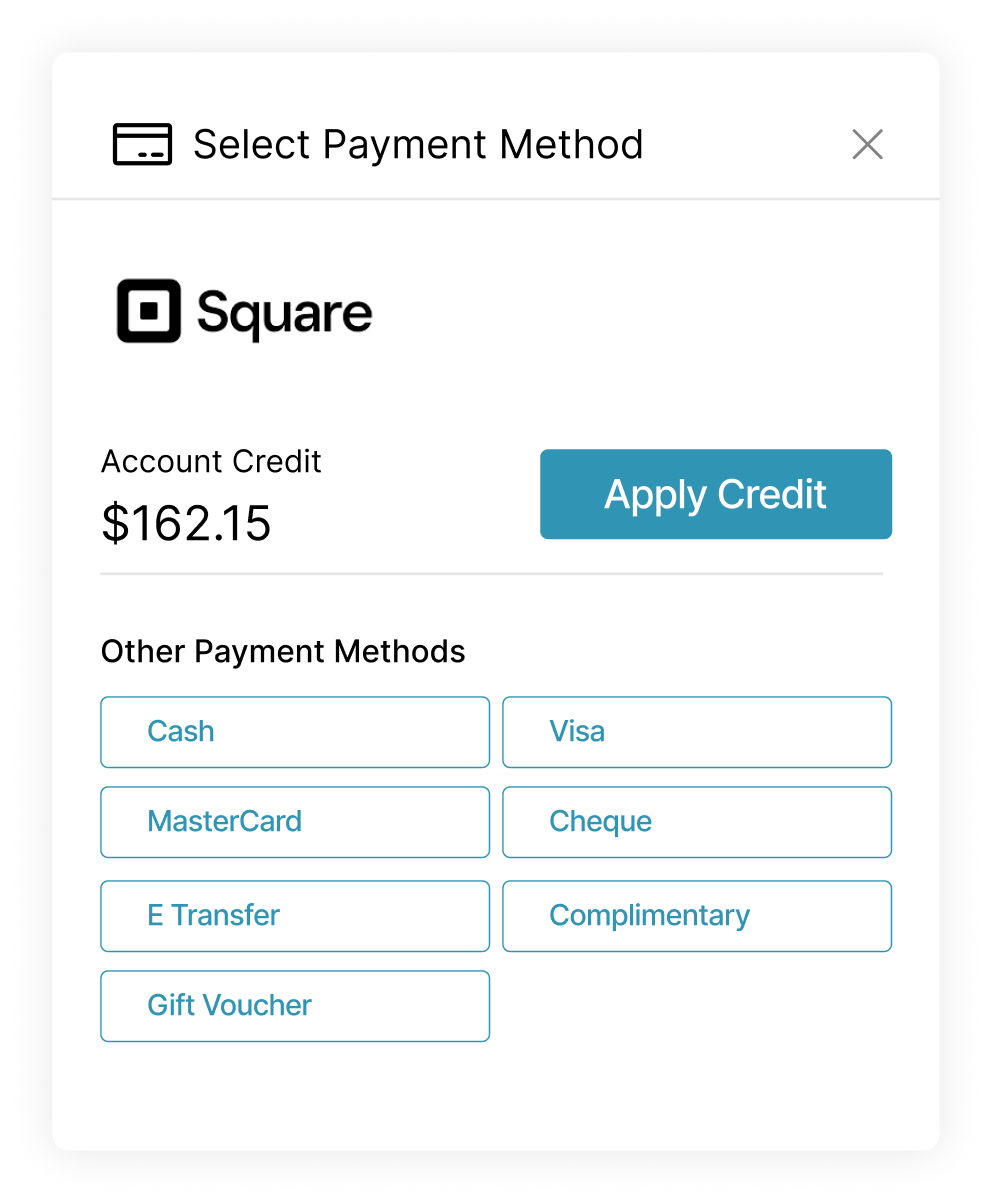
Checkout patients already recognize
Payments process through Square and Bambora using secure, PCI-compliant gateways, so patients complete payments through familiar, trusted tools.
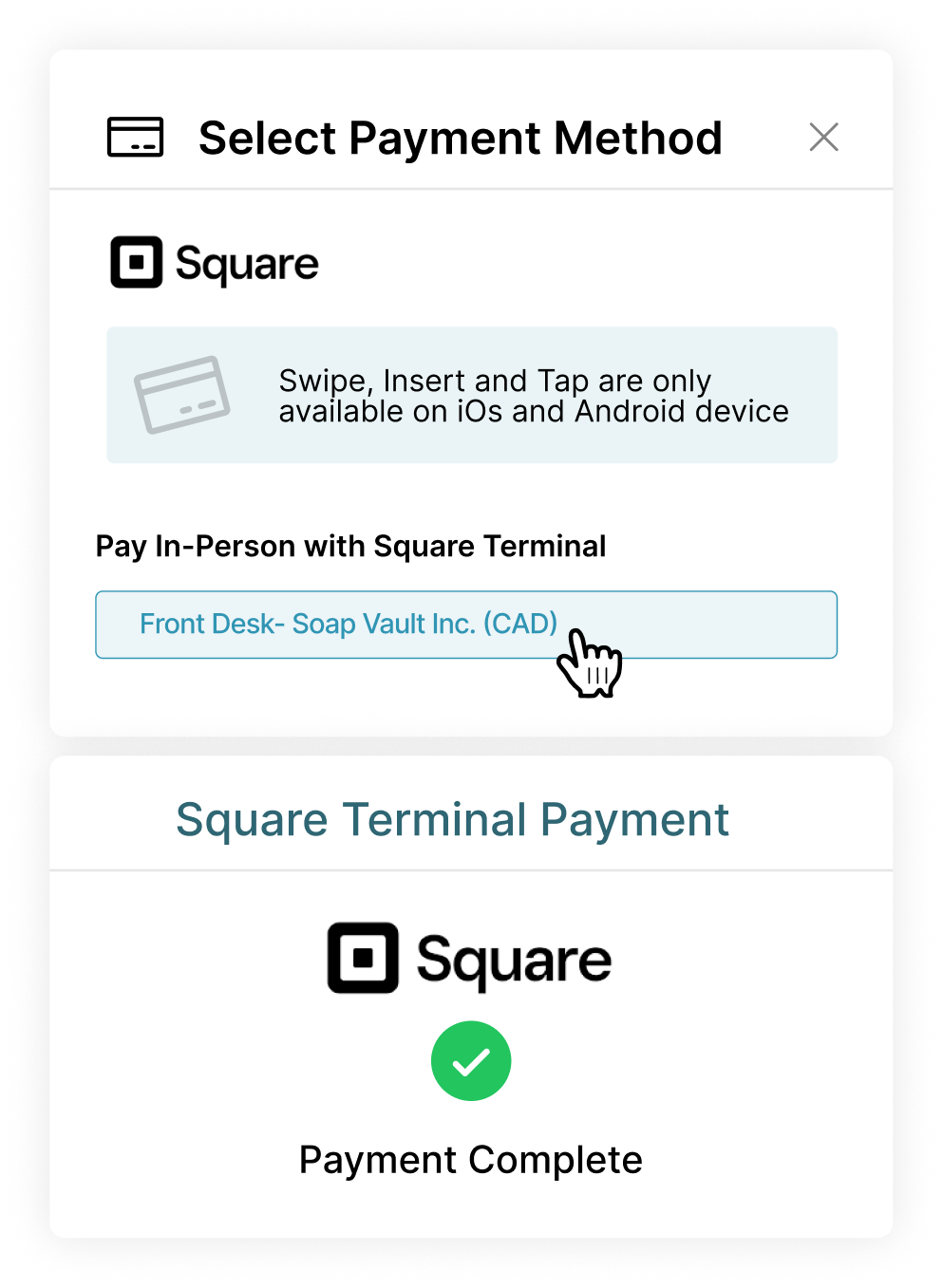
Clear financial visibility for clinic owners.
.svg)
Centralized billing view
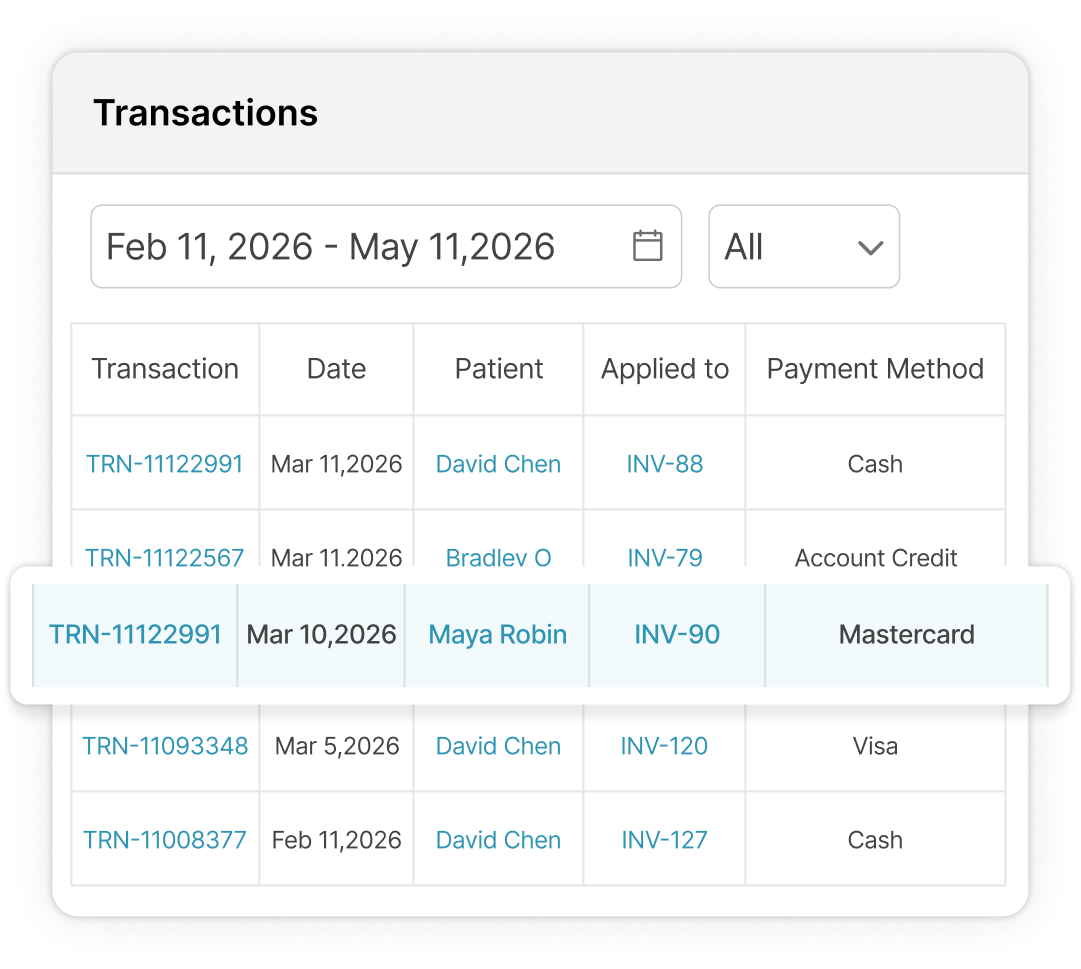
See invoices, transactions, balances, credits, refunds, and payment status in one place. Open billing details directly from a patient profile when questions come up, and filter activity by date for quick reviews.
.svg)
Reports when you need clarity
Run customizable financial reports for revenue visibility, so you can understand trends, spot issues early, and manage clinic finances with less guesswork.
.png)
.png)
.png)
Insurance billing without disconnected steps.
Handle insurance details, billing codes, and claims inside your medical billing software without breaking the flow between intake, appointments, and billing.
Insurance details captured before the visit
Collect insurance policies through customizable intake forms and attach them directly to appointments, so coverage information is ready before billing begins.
Codes and insurers where billing happens
Access Billing (CPT), Diagnostic (ICD), and Modifier codes alongside insurance companies, helping healthcare clinics support compliant medical billing without switching tools or re-entering data.
Electronic claims through trusted clearinghouses
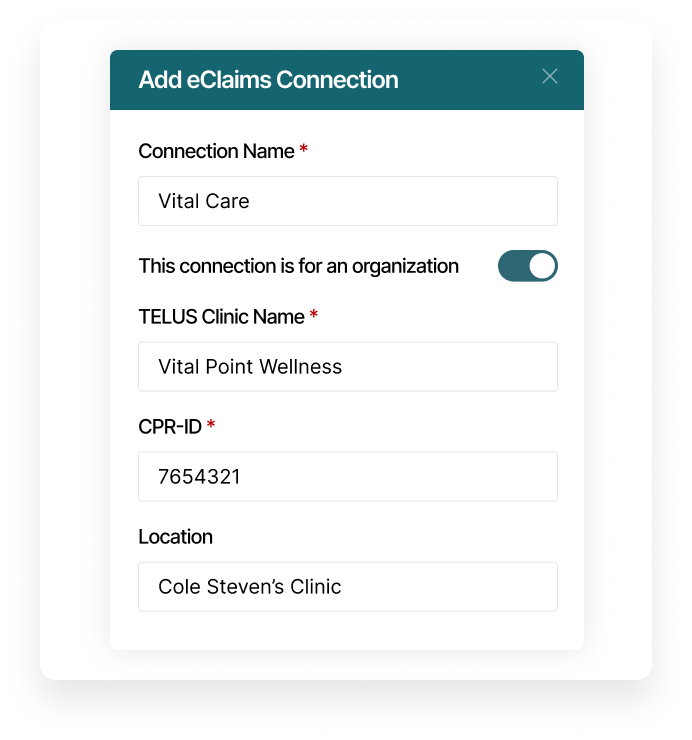
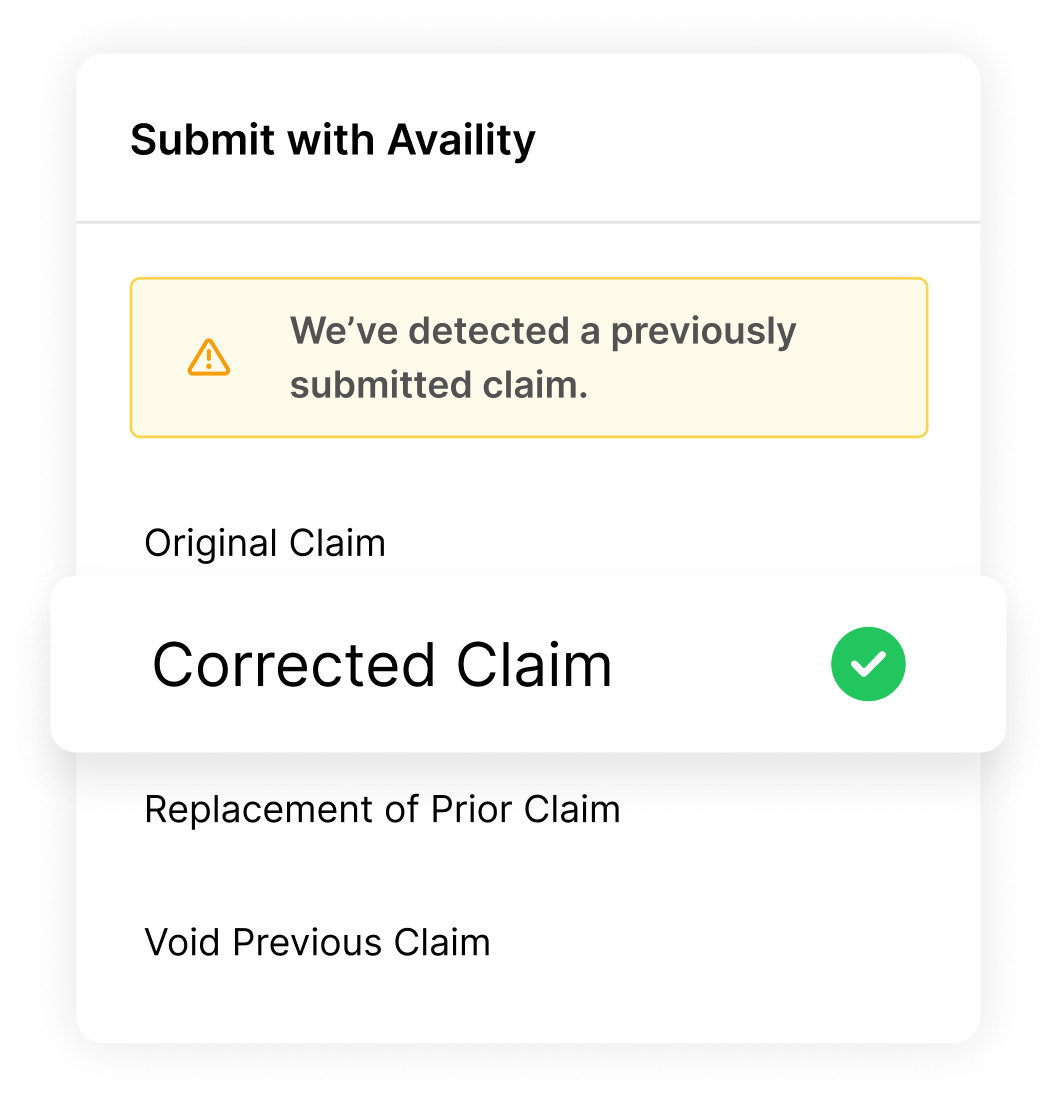
Submit, edit, and resubmit insurance claims electronically using clearinghouses like TELUS eClaims, Availity, Claim.MD, Office Ally, and TriZetto with EOBs supporting accurate posting and payment reconciliation.
Reward loyalty without extra admin.
Set up discounts, packages, and memberships that apply cleanly at checkout, stay visible in patient records, and reduce manual billing workflows for your team.
Patient discounts that apply automatically
Create patient discounts for groups like seniors, students, or staff and apply them directly to appointments and invoices. Update or remove discounts anytime without revisiting past charges.
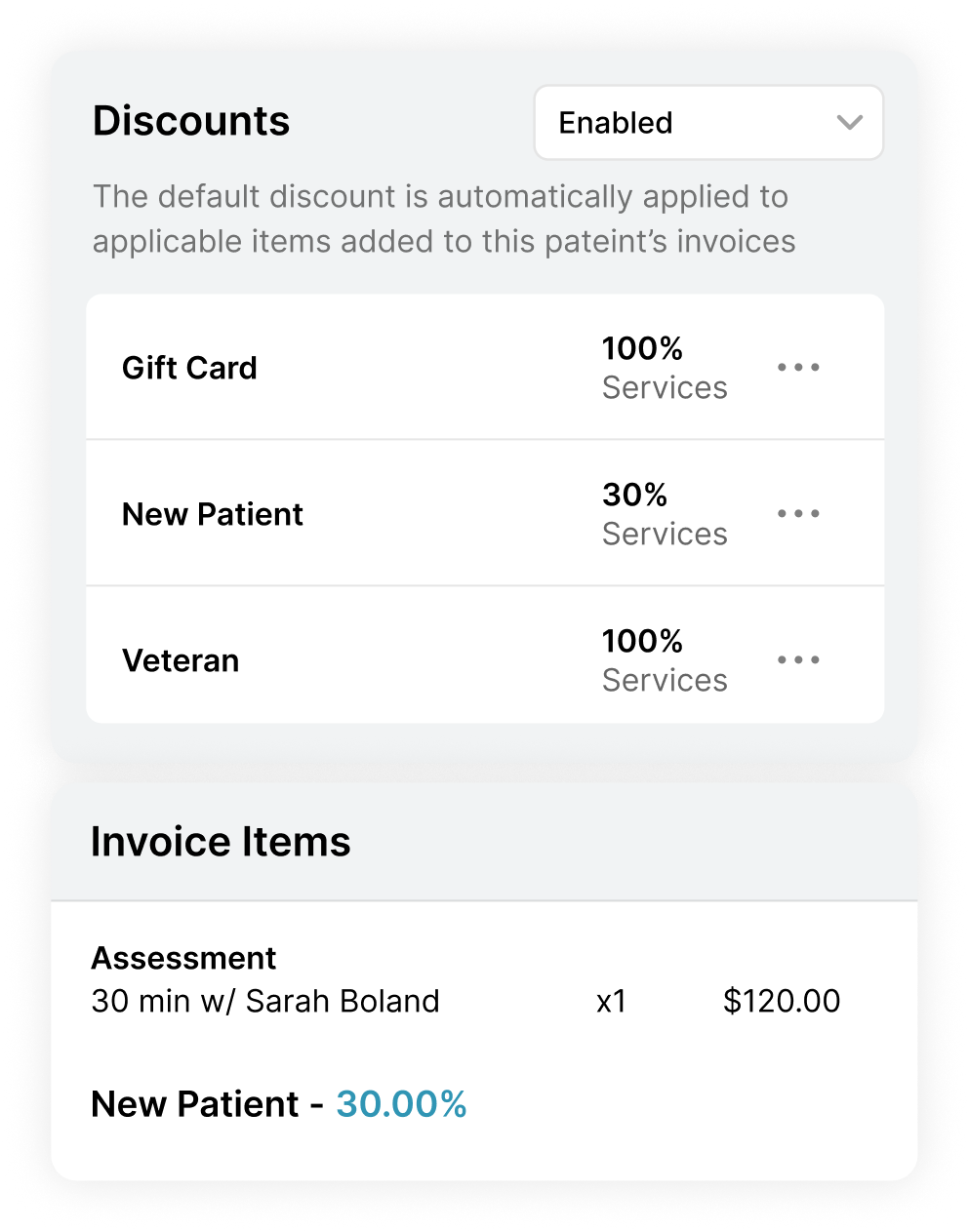
Packages and memberships that bill predictably
Set up prepaid packages or recurring memberships with clear pricing, usage limits, and expiry rules. Memberships bill weekly, monthly, or yearly, while packages automatically track remaining visits.
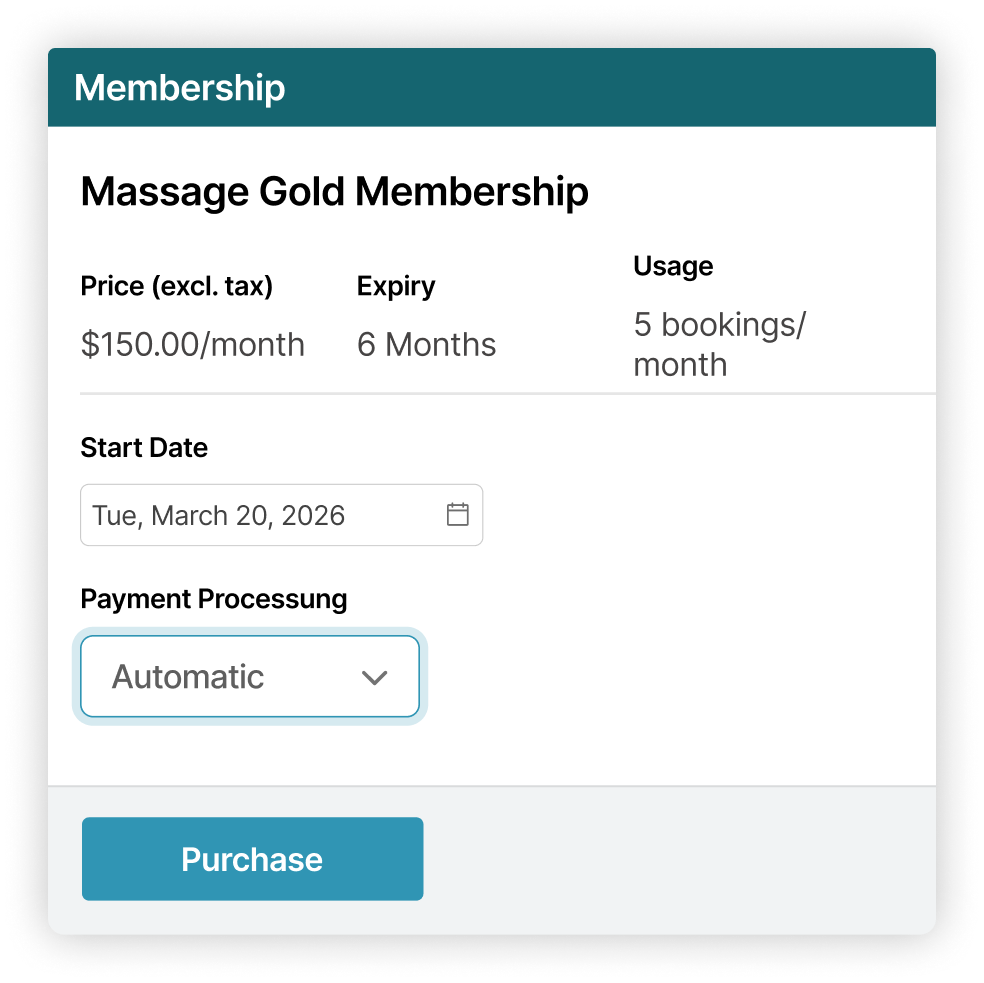
Clear tracking from purchase to redemption
See usage, expiry, and billing history at a glance. Redeem passes from the invoice, refund unused portions, or transfer usage to family members without manual recalculations.
.png)
.png)
Accounting that fits quietly into your clinic.
Keep your financial records accurate and review-ready without changing your workflows.
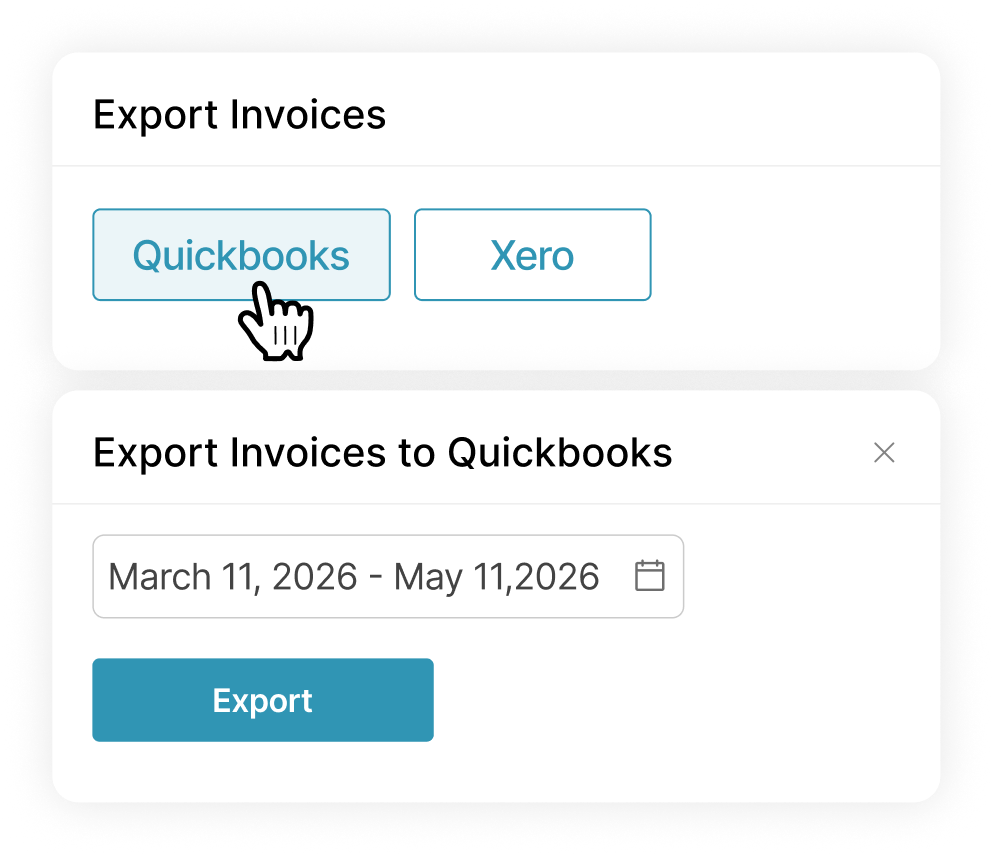
Export-ready invoices
Move invoices into QuickBooks or Xero when you need them, without rebuilding records or adjusting formats for your accounting tools.
Clear reconciliation, fewer questions
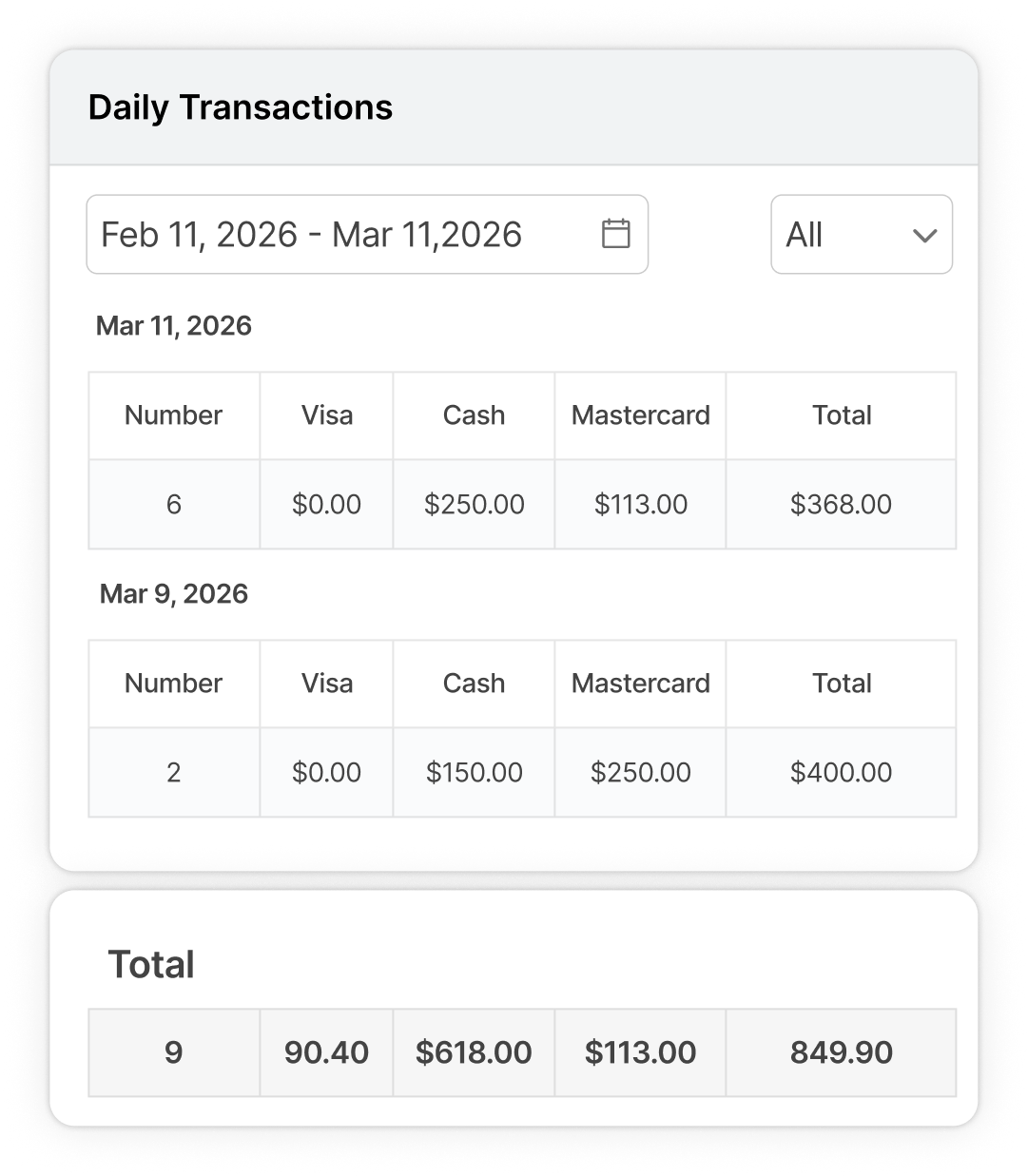
Transaction reports clearly link Square and Bambora payments back to invoices, so deposits, fees, and payouts make sense at a glance.
Numbers you can trust across tools
Billing data remains consistent between your clinic and your accounting software, reducing manual entry and helping prevent reporting errors before they occur.
Loved by practitioners.
Trusted by clinic owners.

Kristen Watson
Licensed Massage Therapist

.png)
"I run a small chiropractic clinic, and billing used to be the part I always pushed to the end of the day. Noterro is the first medical billing software I’ve used that doesn’t leave me finishing admin at home. I can create the invoice right from the appointment, take a partial payment if needed, and the patient can pay the rest later through the portal without us chasing it down. The signed receipts are nice too.”
Jennie
Chiropractor, Clinic Owner
.png)
"I deal with a lot of insurance claims, so I needed something that reduced my paperwork. What I like in Noterro is that the policy info is already there, the billing and modifier codes are where I need them, and I can submit claims easily. We also use the billing reports extensively. I can actually see what’s outstanding and what’s been paid without piecing it together myself. As healthcare billing software goes, this has been a lot easier to work with than what we had before."
Darren
Physiotherapist, Multi-Practitioner Clinic
.png)
"As a solo massage therapist, I didn’t think I’d use things like memberships or discounts much, but I was wrong. I set up a monthly membership for a few regulars and a senior discount that applies automatically, so I’m not fixing invoices by hand all the time. Patients can keep a card on file, and checkout is way faster now. It feels less like I’m doing admin and more like this patient billing software is keeping up with me."
Rachel
Registered Massage Therapist







Smooth clinic workflow that connects everything.
.svg)
Scheduling
Schedule appointments quickly, manage availability, and keep calendars organized across practitioners and locations.
.svg)
Noterro GO Compatibility
Support mobile clinics with tools designed for care delivered outside the clinic.
.svg)
Charting & SOAP Notes
Document assessments, treatments, and progress clearly using structured SOAP notes built for healthcare.
Made to care.
Practitioners are at the heart of everything we do.
Frequently asked questions


.webp)
.webp)
.webp)
.webp)