Top 10 Cliniko Alternatives & Competitors [2026 Edition]
Managing a clinic with Cliniko combines scheduling, billing, and patient records in one system. As clinics grow, they often need more flexibility, automation, and efficiency.
Whether you’re a solo practitioner, a small clinic, or part of a larger team, the right system helps keep daily operations smooth and organised.
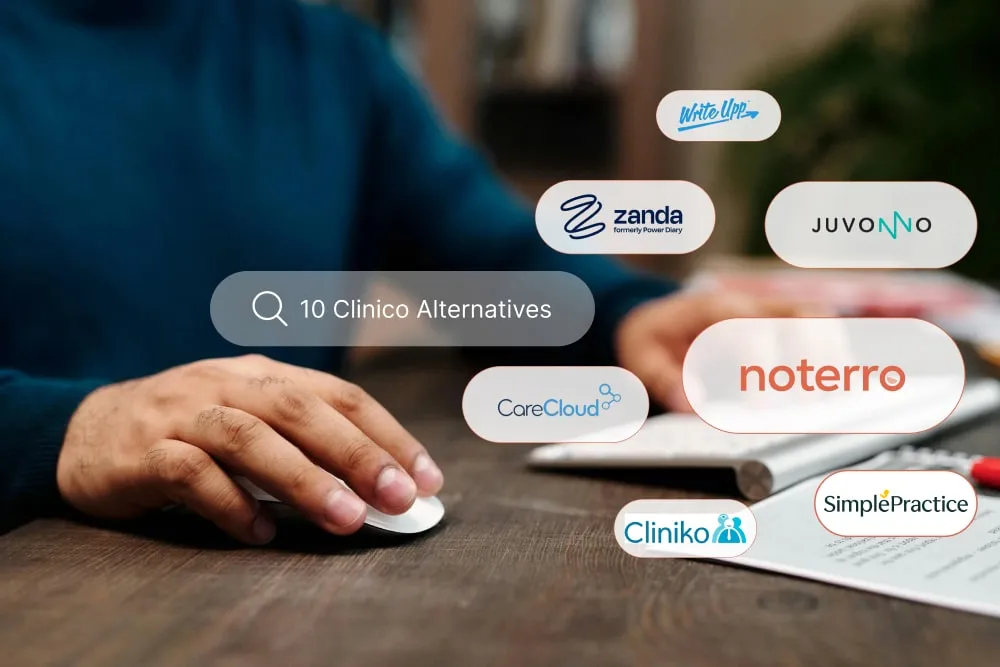
In this blog, we’ll explore the top Cliniko alternatives for 2026 and break down their features, pricing, and ideal use cases to help you choose the best fit.
Key Takeaways & Recommendations
- Noterro is ideal for solo practitioners and small clinics that want an affordable, all-in-one system with strong core features.
- Juvonnostands out for clinics focused on detailed documentation and insurance workflows, with flexible SOAP notes and built-in billing for multi-provider setups.
- Zanda (Power Diary) works best for clinics that need simple, reliable scheduling and appointment management.
| Tool | Best For | Capterra Rating | Pricing |
|---|---|---|---|
| Noterro | Solo Practitioners & Small Clinics | 4.8/5 | $28.05/month (14-day free trial) |
| Jane App | Integrated Clinic Management | 4.8/5 | $54/month |
| ClinicSense | Client Communication | 4.8/5 | $39/month (14-day free trial) |
| WriteUpp | Workflow Automation | 4.7/5 | $33/month (30-day free trial) |
| CareCloud | Revenue Cycle Management | 3.6/5 | $349/provider/month |
| ChiroFusion | Chiropractor-Specific Features | 4.7/5 | From $129/month |
| Zanda (Power Diary) | Appointment Scheduling | 4.6/5 | $9.50/month (14-day free trial) |
| Medesk | Patient Portal | 4.6/5 | $8/month per 50 appointments (7-day free trial) |
| Juvonno | SOAP Notes | 4.7/5 | $49/month |
| MassageBook | Massage Therapy Practices | 4.7/5 | $20/month (free version) |
10 Cliniko Alternatives to Optimize Your Practice
Here are the top ten Cliniko alternatives for 2026. Each tool below has been reviewed for its features, pricing, and suitability for various types of healthcare clinics.
1. Noterro– Best for Solo Practitioners & Small Clinics
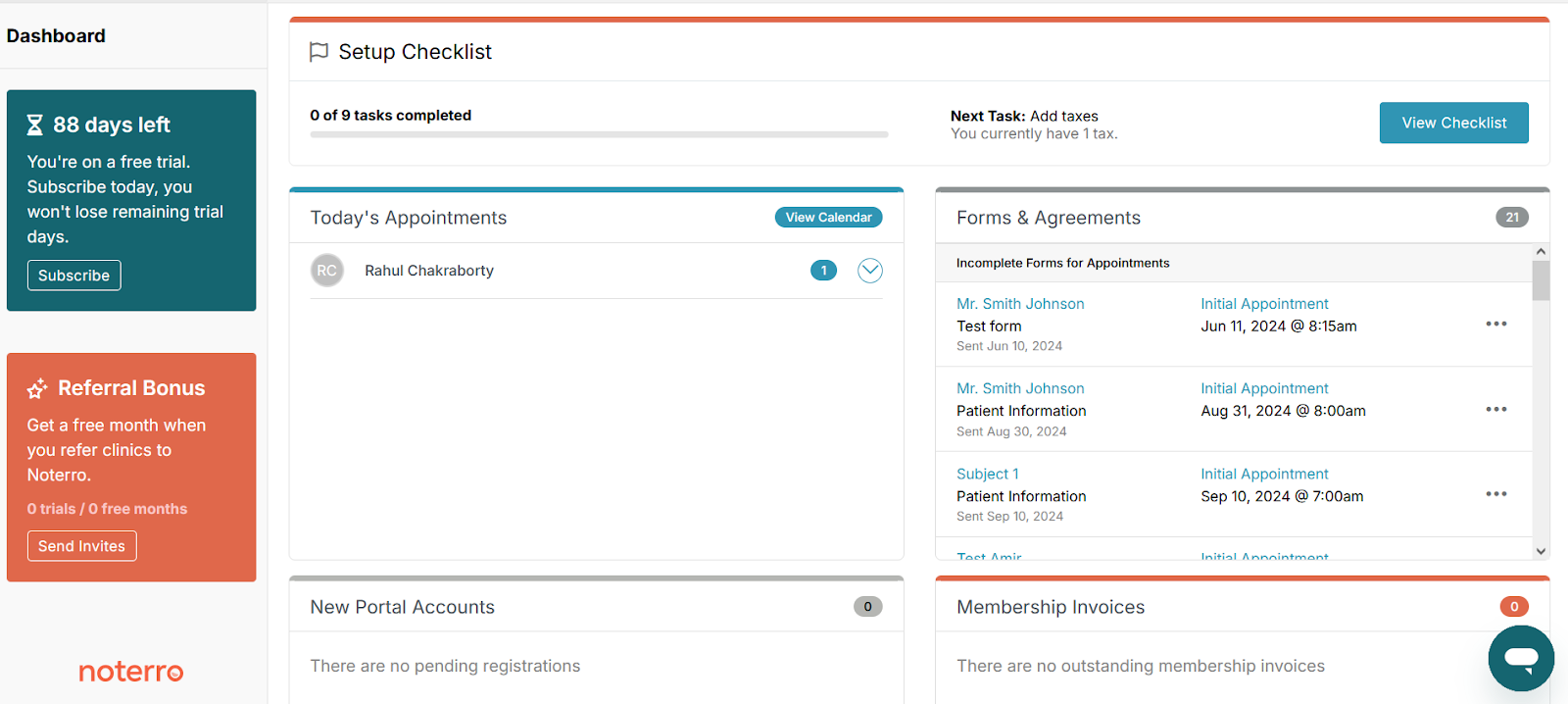
If you want something simple but powerful, Noterro is a strong option for clinics that want to reduce daily admin work without adding unnecessary complexity. It’s especially useful for practitioners who want a smooth, connected system that supports both clinical and administrative tasks.
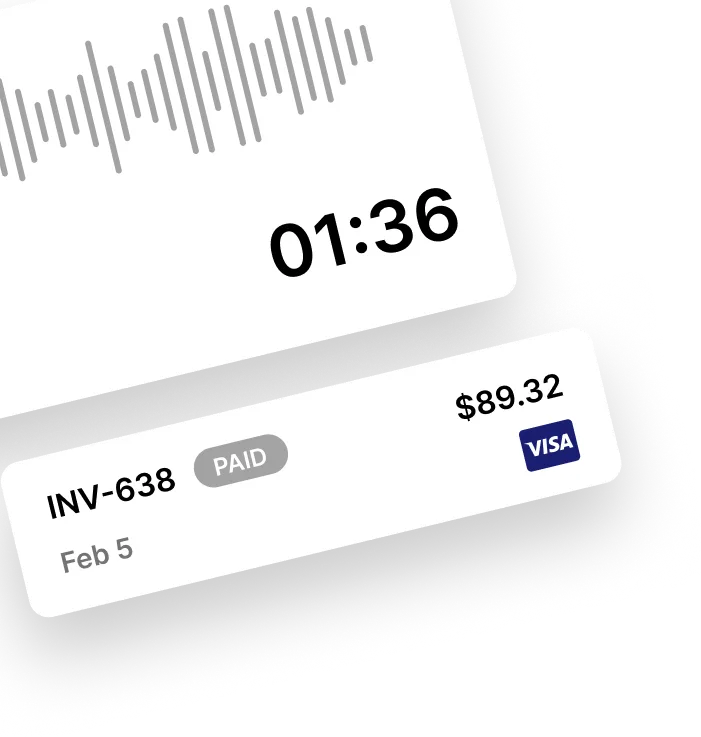
One standout feature is Noterro Scribe. It helps you create notes faster using predictive text and voice-to-note functionality, which significantly reduces documentation time during busy clinic hours.
You also get built-in billing along with integrations like QuickBooks, Xero, and Square. This keeps your financial tracking organised and makes it easier to manage payments without switching between multiple tools.
Another useful addition is the clinic-branded patient app. Patients can book appointments, complete intake forms, and receive reminders without needing to call the clinic, making the entire experience more convenient for both staff and clients.
Where it stands out:
It balances affordability with core clinic features like scheduling, charting, and payments, making it a practical choice for small practices that want efficiency without complexity.
Features:
- Predictive charting and voice-to-note with Noterro Scribe
- HIPAA and PIPEDA-compliant data management
- Integrated payments through QuickBooks, Xero, and Square
- Custom intake forms with digital signatures
- Clinic-branded patient app for Android and Apple devices
- Online booking, waitlists, and automated reminders
Pros:
- Easy to navigate and set up
- Affordable for solo and small clinics
- AI-powered charting saves time
- Strong integrations with popular accounting tools
- Excellent customer support
Cons:
- Limited third-party marketing integrations
- Advanced automation setup may require onboarding help
Capterra Rating: 4.8/5
Pricing & Trial: $28.05/month (14-day free trial)
Best For: Solo practitioners, small clinics, and mobile therapists seeking affordable and fully connected clinic management.
Helpful Read: Noterro vs. Cliniko: A Detailed Look
2. Jane App – Best for Integrated Clinic Management
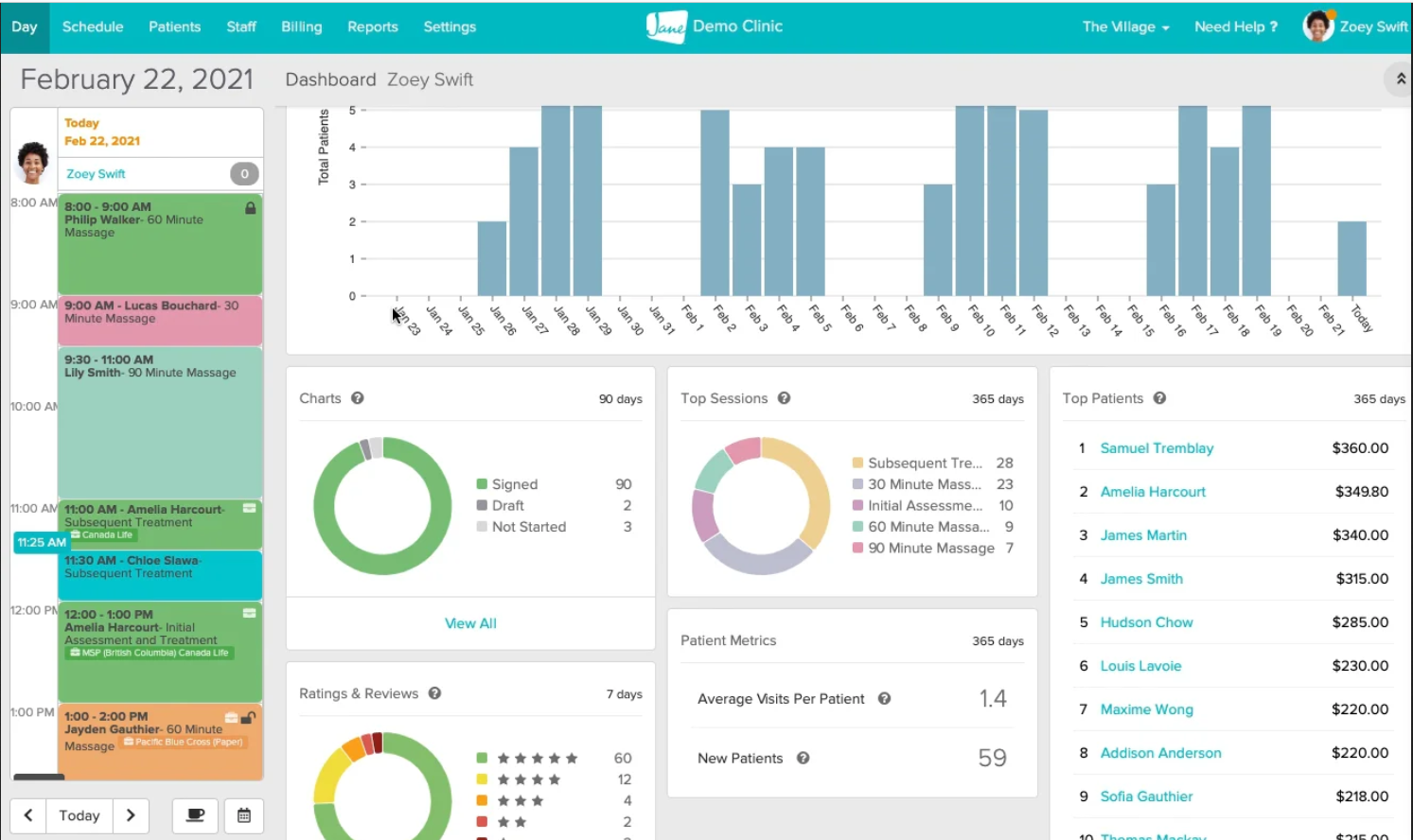
If you want a complete, all-in-one system, Jane App is a strong option for clinics that need everything in one place. It brings together scheduling, billing, telehealth, and documentation into a single, well-integrated platform.
One of its biggest advantages is the patient experience. Patients can book appointments, make payments, and access their records online without friction, reducing the workload on front-desk staff.
Jane App also supports direct insurance claim submissions and secure telehealth consultations, making it a great fit for hybrid and multi-disciplinary practices that handle both in-person and virtual care.
Where it stands out:
It delivers a reliable all-in-one system with strong telehealth and patient management capabilities, ideal for clinics with more complex workflows.
Features:
- Online booking and self-service patient portal
- Secure SOAP notes and treatment documentation
- Insurance claim submission and payment tracking
- Telehealth consultations with high-quality video
- Multi-provider scheduling
- Credit and debit payment integration
Pros:
- Strong integration and telehealth capabilities
- Excellent data security
- Ideal for multi-location clinics
Cons:
- Higher cost compared to smaller systems
- Some features may be more than solo practitioners need
Capterra Rating: 4.8/5
Pricing & Trial: $54/month
Best For: Multi-disciplinary clinics and hybrid practices that need advanced telehealth and billing capabilities.
Related Read: Top 9 Jane App Alternatives for Practice Management in 2026
3. ClinicSense – Best for Client Communication
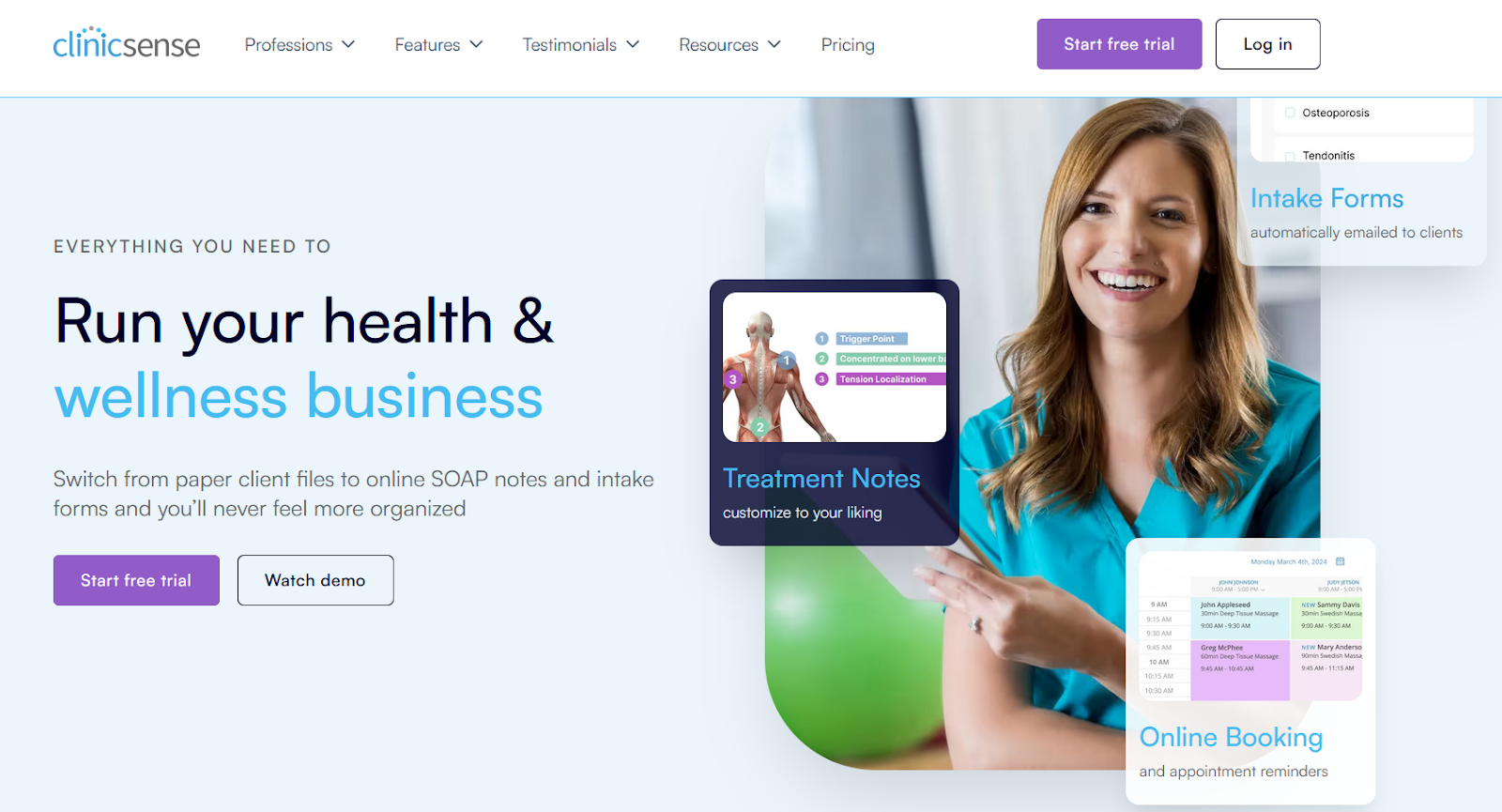
If you want a simple and reliable way to improve communication, ClinicSense is a strong option. It focuses on reducing missed appointments and cutting down everyday admin work without adding complexity.
One of its biggest strengths is automation. You can send SMS and email reminders, manage intake forms, and track cancellations with minimal effort, helping your clinic stay organised and consistent.
ClinicSense works especially well for smaller setups. It keeps things straightforward while still offering the essential tools needed to manage patient interactions efficiently.
Where it stands out:
It delivers strong communication and reminder tools with minimal setup, making it ideal for clinics that want simplicity without sacrificing reliability.
Features:
- Automated SMS and email reminders
- Ready-made SOAP note templates
- Online intake and consent forms
- No-show and cancellation tracking
- Payment collection and invoice creation
- Secure record storage
Pros:
- Excellent communication and reminder tools
- Fast and simple setup
- Great for small or single-provider clinics
Cons:
- Limited analytics
- Few options for advanced customisation
Capterra Rating: 4.8/5
Pricing & Trial: $25/month (14-day free trial)
Best For: Small clinics and solo practitioners that want dependable communication and scheduling support.
4. WriteUpp – Best for Workflow Automation
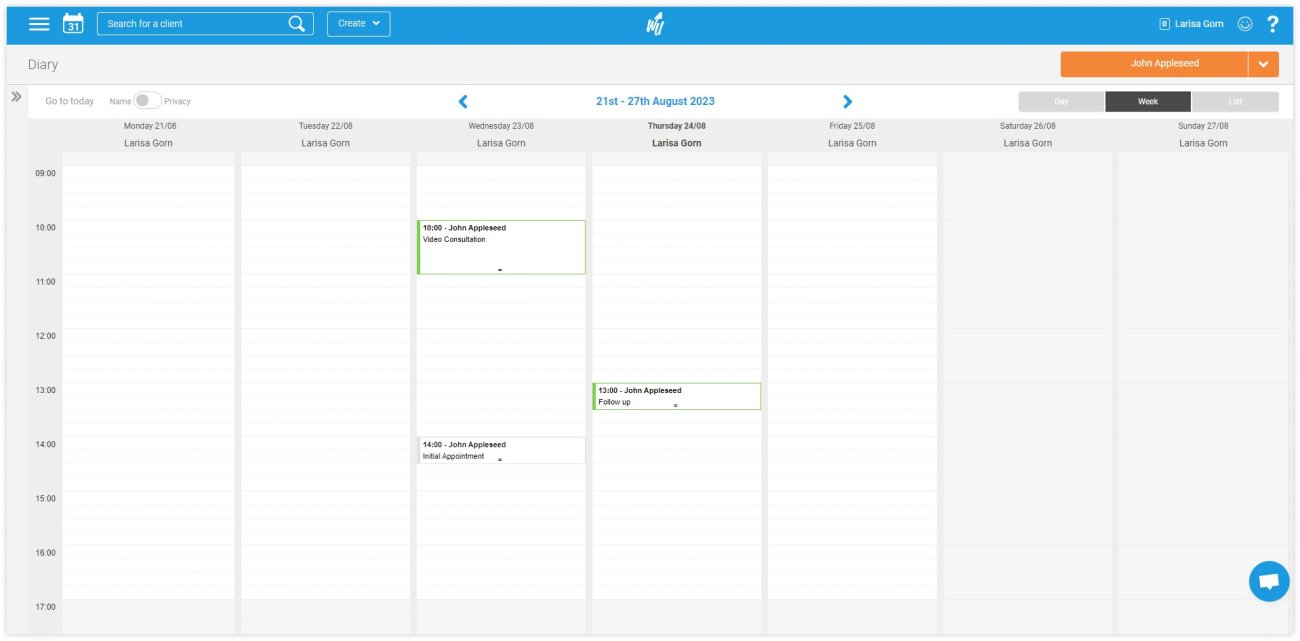
If you want to reduce admin work through automation, WriteUpp is a strong option. It helps clinics streamline daily tasks like scheduling, reminders, and reporting without adding unnecessary complexity.
One of its key strengths is how everything is organised in a single dashboard. You can manage patient notes, invoices, and performance tracking in one place, making it easier to stay on top of operations.
WriteUpp also offers solid workflow automation and reporting tools. Clinics can monitor performance, manage forms, and communicate with patients securely through its built-in client portal.
Where it stands out:
It offers a balanced mix of automation and reporting, making it a practical choice for small to mid-sized clinics that want more structure without complexity.
Features:
- Automated scheduling and patient notifications
- Custom SOAP note templates for efficient documentation
- Secure EHR record management
- Client portal with online booking and payments
- Performance and financial reporting dashboards
- Custom workflow setup for different practitioner roles
Pros:
- Organized interface
- Strong automation for daily tasks
- Excellent reporting and analytics
- Easy-to-use client portal
Cons:
- Limited third-party app integrations
- Requires setup time for complex workflows
Capterra Rating: 4.7/5
Pricing & Trial: $33/month (30-day free trial)
Best For: Clinics that want automation, transparency, and organised reporting in one simple platform.
5. CareCloud – Best for Revenue Cycle Management
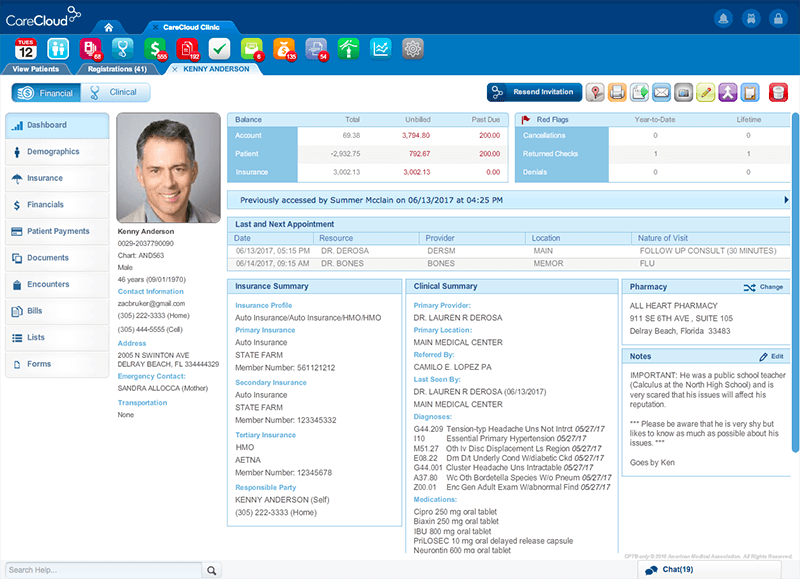
If billing and insurance claims take up most of your time, CareCloud is built to handle that complexity. It focuses on giving clinics better control over revenue, payments, and claims without losing visibility into daily operations.
One of its biggest strengths is financial transparency. You can track claims, monitor payments, and access real-time reports, making it easier to manage cash flow and reduce errors.
CareCloud also supports telehealth and multi-location setups, making it a solid choice for larger clinics that need both operational scale and financial accuracy.
Where it stands out:
It provides deep financial tracking and revenue insights, making it ideal for clinics with complex billing needs.
Features:
- Advanced billing and insurance claim management
- Real-time revenue reporting and analytics
- Integrated telehealth tools
- Role-based user access controls
- Customizable dashboards for financial tracking
- Data encryption and secure records
Pros:
- Excellent billing and claims management
- Strong telehealth and multi-location support
- Real-time analytics for cash flow tracking
Cons:
- Expensive for small clinics
- Steeper learning curve for new users
Capterra Rating: 3.6/5
Pricing & Trial: $349/provider/month
Best For: Medium to large clinics that require detailed financial management and secure billing workflows.
6. ChiroFusion – Best for Chiropractor-Specific Features
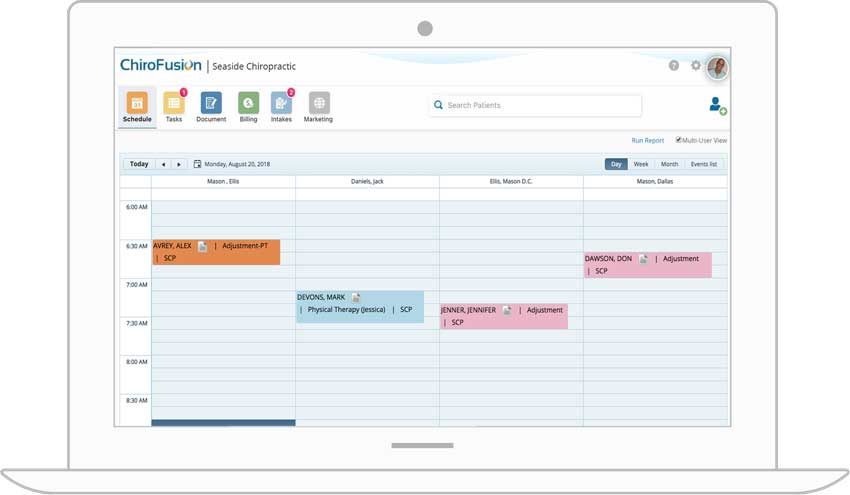
If you run a chiropractic clinic, ChiroFusion is designed specifically for your workflow. It focuses on scheduling, charting, and billing without forcing you to adapt to a generic system.
One of its biggest advantages is specialization. You get chiropractic-specific SOAP templates and built-in insurance handling, making documentation and billing more accurate and efficient.
The platform also improves patient flow with features like online booking, automated reminders, and self-check-in, creating a smoother experience from appointment to checkout.
Where it stands out:
It offers specialized tools built specifically for chiropractors, reducing the need to customize a general system.
Features:
- Chiropractic-specific SOAP note templates
- Insurance billing and claims tracking
- Online scheduling and reminders
- Automated billing and receipts
- Secure patient data management
- Patient self-check-in tools
Pros:
- Tailored to chiropractic workflows
- Robust insurance and billing features
- Supports online check-ins and reminders
Cons:
- Higher starting price for small clinics
- Limited integrations outside the chiropractic niche
Capterra Rating: 4.7/5
Pricing & Trial: From $129/month
Best For: Chiropractic clinics that want specialised documentation and billing tools designed for their profession.
7. Zanda – Best for Appointment Scheduling (Formerly Power Diary)
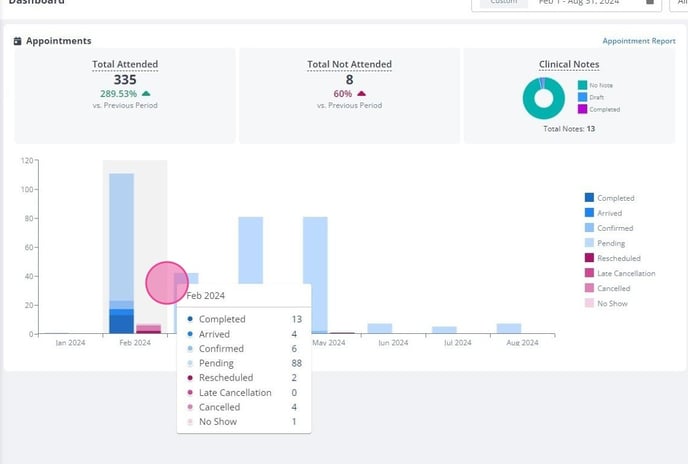
If managing appointments is your biggest challenge, Zanda is a strong option that keeps things simple and efficient. It focuses on helping clinics handle scheduling without the complexity of larger systems.
One of its main strengths is the clean calendar view. You can manage multiple providers easily, while automated SMS and email reminders help reduce no-shows and keep schedules running smoothly.
Zanda is especially useful for clinics with a high volume of daily bookings. It combines essential tools like scheduling, forms, and communication in a way that’s easy for teams to adopt quickly.
Where it stands out:
It delivers strong scheduling capabilities with a minimal learning curve, making it ideal for busy clinics.
Features:
- Centralised appointment calendar for multi-provider teams
- Automated SMS and email reminders
- Online booking and consent form management
- Secure cloud-based data storage
- Calendar sync with Google and Outlook
- Multi-location scheduling support
Pros:
- Simple and intuitive interface
- Quick setup and onboarding
- Reliable automated reminders
- Supports multi-location teams
Cons:
- Limited financial reporting tools
- Basic customisation options for templates
Capterra Rating: 4.6/5
Pricing & Trial: $9.50/month (14-day free trial)
Best For: Clinics that depend on consistent scheduling, clear communication, and affordable user-based pricing.
8. Medesk – Best for Patient Portal
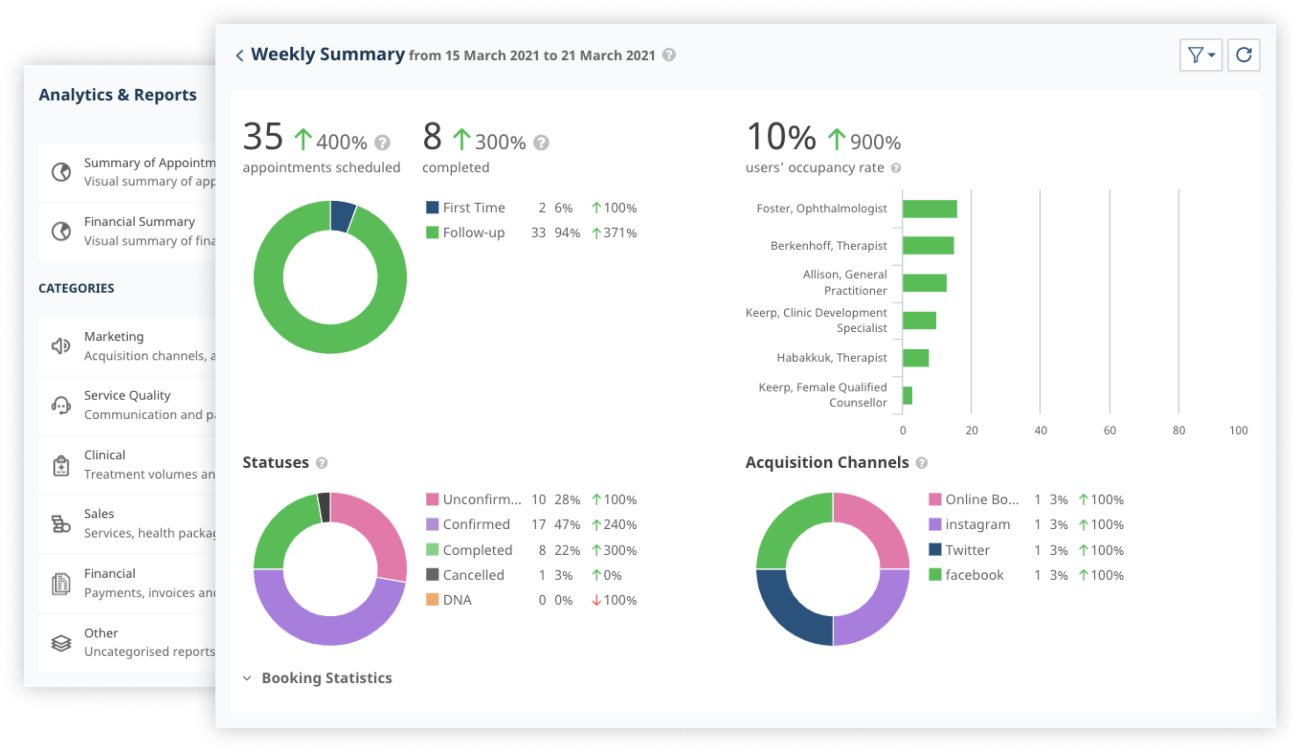
If you want better patient communication, Medesk is a strong option that keeps things simple and effective. It focuses on helping clinics improve patient interaction without adding unnecessary complexity.
One of its main strengths is the patient portal. Patients can book appointments, check records, and manage invoices from one place, reducing back-and-forth communication with your front desk while keeping everything organized.
Medesk is especially useful for clinics that want to improve engagement while still having access to essential tools like reminders, forms, and reporting. It combines these features in a way that’s easy for teams to adopt and manage.
Where it stands out:
It delivers strong patient engagement through a simple, easy-to-use portal that keeps communication clear and consistent.
Features:
- Secure patient portal for records and billing
- Automated reminders and online bookings
- Custom form creation for intake and feedback
- Real-time analytics and trend tracking
- Cloud-based access for multi-location clinics
- HIPAA-compliant data security
Pros:
- Great patient transparency through the portal
- Easy to set up and manage
- Affordable starting plan
- Solid analytics and reporting
Cons:
- Limited customization for larger teams
- Smaller support hours compared to competitors
Capterra Rating: 4.6/5
Pricing & Trial: $8/month /per 50 appointments (7-day free trial)
Best For: Clinics that value patient engagement and prefer simple, data-supported operations.
9. Juvonno – Best for SOAP Notes
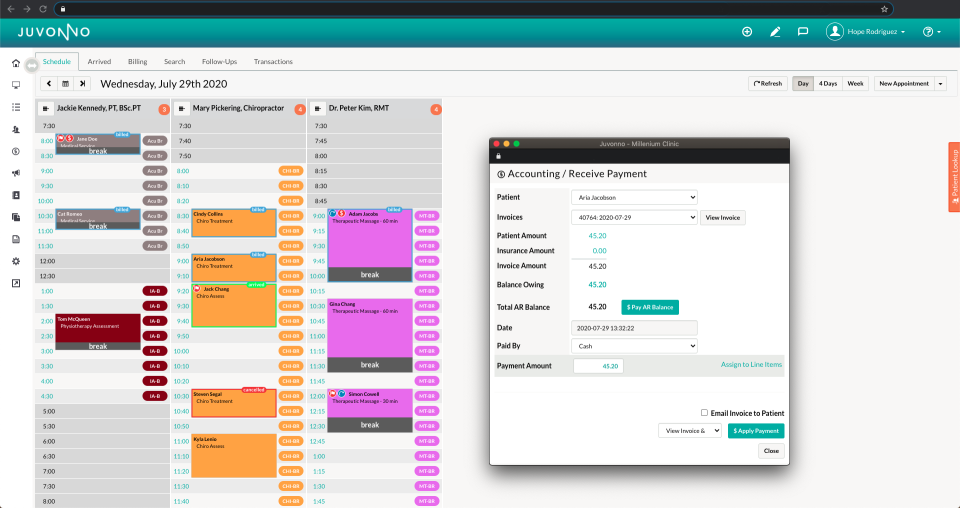
If your clinic depends heavily on detailed documentation and insurance billing, Juvonno is a strong option that brings everything into one system. It focuses on reducing administrative complexity while giving you more control over clinical and financial workflows.
Juvonno revolutionizes clinic management for practices drowning in administrative complexity. It's a powerful solution that tackles SOAP notes, treatment plans, and insurance billing with precision. You can customize notes, manage claims, and track performance, making it especially useful for clinics with demanding documentation needs.
Cliniko users find Juvonno's customization and reporting tools a game-changer. The platform effortlessly manages scheduling, charting, and claims across multi-provider clinics. It suits multi-provider clinics that need flexibility across different practitioners and services.
Advanced analytics provide deep insights into clinic performance. Departments can now track and optimize their workflows with unprecedented clarity.
Where it stands out:
It combines strong documentation and insurance billing on a single platform, making it ideal for clinics handling complex workflows.
Features:
- Custom SOAP note templates and treatment plans
- Custom SOAP templates
- Automated billing and insurance claims
- Insurance billing
- Multi-provider scheduling and calendar coordination
- Multi-provider scheduling
- Secure patient portal for communication
- Patient portal
- Performance and revenue reporting tools
- Reports and analytics
- Integrated payment processing
- Payment processing
Pros:
- Comprehensive reporting and analytics
- Flexible setup
- Strong insurance billing support
- Good reporting
- Customizable templates and scheduling options
- Handles insurance well
Cons:
- The interface can feel complex for first-time users
- Can feel complex
- Higher pricing compared to smaller systems
- Higher pricing
Capterra Rating: 4.7/5
Pricing & Trial: $49/month
Best For: Multi-provider and multi-disciplinary clinics that need advanced documentation and claims handling. Clinics that need advanced documentation and billing.
10. MassageBook – Best for Massage Therapy Practitioners
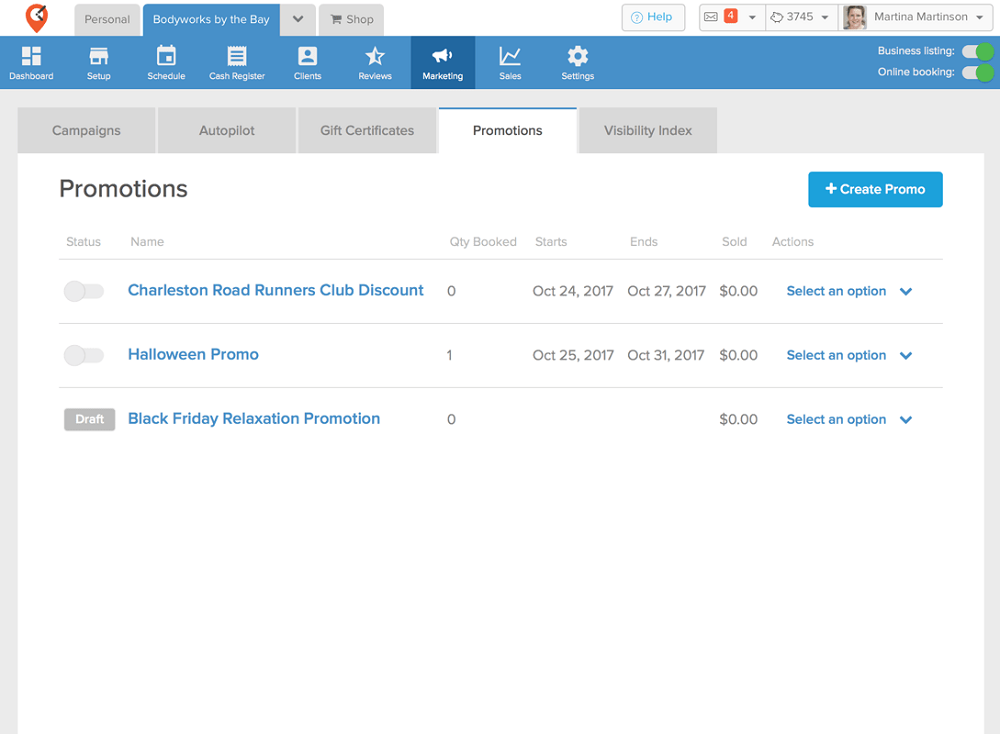
If you run a massage therapy or wellness clinic, MassageBook is a strong option that combines client management with built-in marketing tools. It focuses on helping you not just manage bookings, but also grow your client base.
MassageBook is built for massage therapists and wellness clinics. It includes marketing tools, which many platforms miss, giving smaller practices an edge when it comes to attracting and retaining clients.
You can manage bookings and grow your client base at the same time. With features like reminders, payments, and client communication, it keeps your daily operations smooth while supporting business growth.
Where it stands out:
It offers built-in marketing tools specifically designed for small practices, helping you increase bookings without extra software.
Features:
- Massage-focused scheduling and reminders
- Built-in client marketing and loyalty programs
- Online payments and invoicing
- Appointment confirmations via email and SMS
- Google review collection integration
- Secure data management and record keeping
Pros:
- Ideal for massage and bodywork businesses
- Great built-in marketing features
- Simple interface and low learning curve
Cons:
- Limited functionality for multi-disciplinary clinics
- Reporting tools could be more detailed
Capterra Rating: 4.7/5
Pricing & Trial: $20/month (free version available)
Best For: Massage and wellness professionals seeking an all-in-one solution for scheduling, marketing, and payments.
How to Choose the Best Cliniko Alternative for Your Practice
Selecting the right practice management software can have a lasting impact on clinic efficiency, patient satisfaction, and long-term growth. Use these key factors to make the right choice.
- Define Your Needs: Every clinic is unique. Solo practitioners need simplicity, while larger clinics require robust reporting and multi-user access. Know your specific challenges.
- Check Scalability: Choose a platform that expands with your practice. Look for flexible options supporting multiple providers without future migration headaches
- Assess Data Security: In 2026, protecting patient information is critical. Ensure HIPAA or PIPEDA compliance with strong encryption and access controls.
- Evaluate Pricing: Look beyond monthly fees. Consider setup costs, add-ons, and potential user expenses. Free trials like Noterro's offer risk-free exploration.
- Test Usability: Select intuitive software with clean interfaces. Smooth onboarding minimises disruption during transition.
- Explore Integrations: Connect effortlessly with existing systems like QuickBooks and calendar apps. Reduce manual work and maintain operational flow.
- Assess Support Options: Prioritise responsive customer support and comprehensive training. Strong assistance ensures smooth implementation.
Conclusion
The right Cliniko alternative should simplify your clinic, not add complexity. Scheduling, billing, documentation, and communication should work together to reduce manual effort.
Your choice depends on your clinic’s size and needs. Solo practitioners may prefer simplicity and affordability, while growing clinics may need more automation and control.
When the system fits your workflow, daily tasks become easier, giving you more time for patient care and steady growth.
FAQ
Why should I consider a Cliniko alternative?

Can I migrate my existing patient data to Noterro?
What are the key factors to consider when choosing a Cliniko alternative?
Which Cliniko alternative is best for multi-location clinics?
Is it better to choose cloud-based or locally installed practice management software?
How long does it typically take to switch from Cliniko to another platform?
Can I customize SOAP notes and templates in these Cliniko alternatives?
How does clinic management software improve patient experience?
Share