No items found.
Free Webinar · May 7 · How to Get (and Keep) More Patients as a Practitioner →
Save Your Spot


Table of Contents

Experience Better Practice Management Today!
Starting at $28.05/month
No Credit Card Required
Experience Better Practice Management Today!
Starting at $30/month
No Credit Card Required
Running a chiropractic clinic means balancing patient care with admin tasks like scheduling, billing, and notes. The right software can handle the paperwork, so you can focus on treatment.
With the practice management software market booming, it’s hard to choose the right tool. In this post, I’ve rounded up the top chiropractic software tools for 2026 to help you find the best fit for your clinic.
In this blog, you will learn how to
Here’s a TL;DR of the tools we will discuss in detail later in the blog
| Tool Name | Best For | Capterra Rating | Pricing |
|---|---|---|---|
| Noterro | Solo practitioners & small clinics | 4.8/5 | Starts at $28.05/month with a 14-day free trial |
| Vagaro | Scheduling, Marketing & Multi-location Support | 4.7/5 | Starts at $23.99/month |
| Zanda | Small Clinics Needing Affordable Automation | 4.6/5 | Starts at $9.5/month |
| ChiroFusion | High Billing Volume & Integrated Compliance | 4.7/5 | Starts at $129/month |
| ChiroSpring | Patient Engagement, Security, & Automated Billing | 4.9/5 | Starts at $149/month |
| SimplePractice | Small Clinics, Telehealth, & Easy Onboarding | 4.6/5 | Starts at $14/month |
| Jane App | Multi-location Clinics, Reporting & Flexibility | 4.6/5 | Starts at $79/month |
| ClinicSense | Small Clinics, HIPAA Compliance & Customizable SOAP | 4.8/5 | Starts at $39/month |
| ChiroTouch | Large Clinics, Custom Workflows & Compliance | 4.0/5 | Starts at $159/month |
| Eclipse | Billing, Compliance, & Operational Efficiency | 4.5/5 | Quote-based |
Choosing the right chiropractic software is crucial to managing your practice efficiently. Below, we review ten of the best chiropractic software tools available today, highlighting their ratings and pricing to help you find the perfect fit for your clinic.
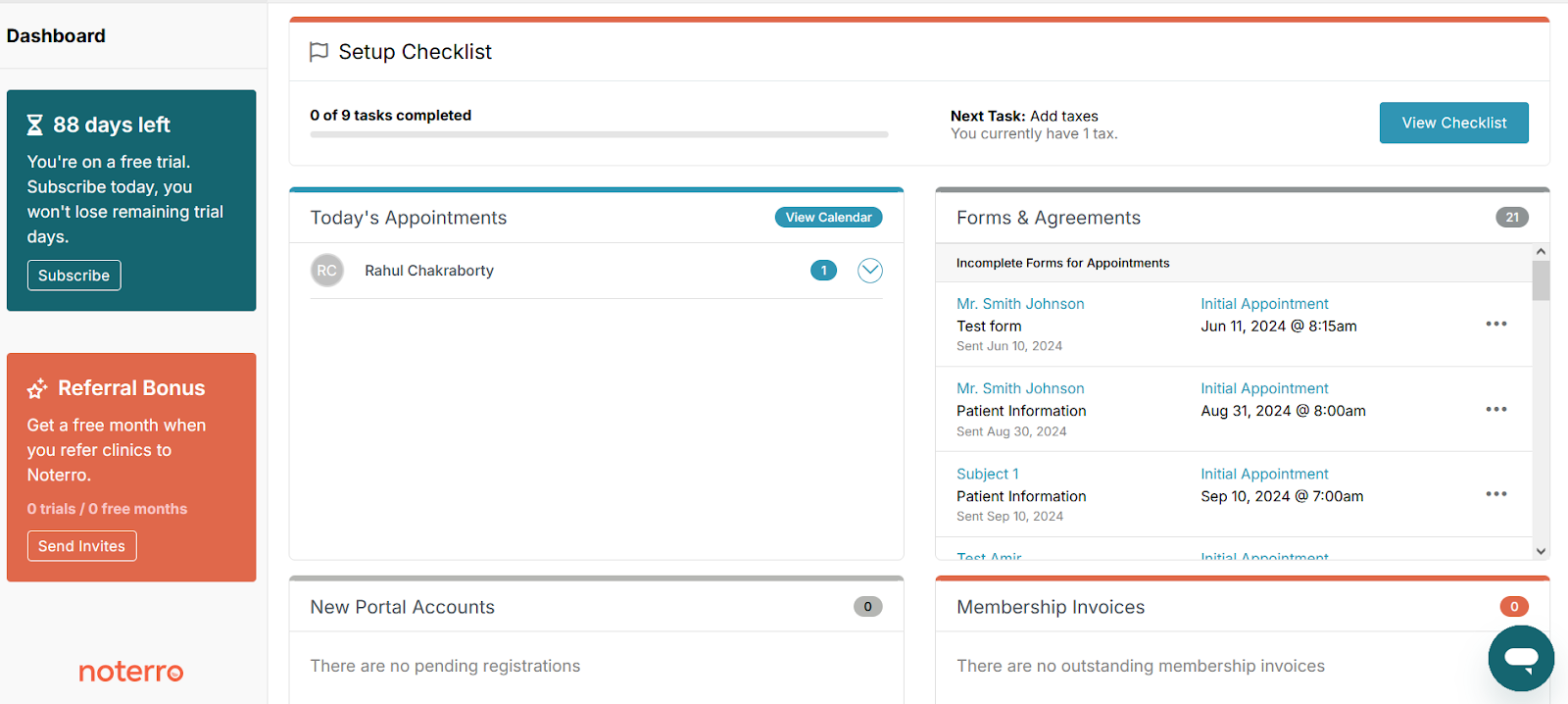
Noterro is a good option for mobile chiropractors and small clinics, especially if you offer multiple services like massage or physiotherapy. You can manage patient info, book appointments, and send invoices right from your phone, tablet, or laptop.
One feature that stands out is Noterro GO. It connects to your car’s navigation, helping you plan your route and avoid long gaps between appointments. This can really help keep your travel time under control.
It also has AI-powered charting with the AI Scribe tool. This speeds up your SOAP notes, makes them more consistent, and helps when you're seeing a lot of patients. Plus, there are customizable appointment reminders and intake forms to help reduce cancellations and smooth out the first visit.
Unlike older systems, Noterro is all about mobility and AI-driven documentation, making it a great fit for small clinics or mobile practitioners who don’t need too many complex insurance features.
Features:
Pros
Cons
Capterra Rating: 4.8/5
Pricing:Starts at $28.05/month with a 14-day free trial.
Best For: Mobile chiropractors, solo practitioners, and small clinics needing strong scheduling and help with documentation.
Also read: Top 8 Best AI Scribe Tools to Save Time in 2025

Vagaro is a popular tool for health and wellness businesses, including chiropractic clinics. It helps with booking appointments, processing payments, and marketing – all in one place. It’s perfect for small to medium clinics that want to make things easier and keep patients engaged.
Patients can book appointments online through a page that you can brand with your clinic’s logo. It sends automated reminders by email and text to help cut down on no-shows. You can also send promotions and emails to encourage patients to come back. And it includes payment processing, with no extra fees.
Features:
Pros
Cons
Capterra Rating: 4.7/5
Pricing: Plans start at $$23.99/ month
Best For: Clinics needing an easy solution for scheduling, marketing, and patient loyalty.
.png)
Zanda focuses on cutting your admin work with smart automation. It works well for smaller teams that want better communication and billing without a high monthly cost.
The system manages scheduling with calendar sync and sends SMS and email reminders by itself. Connected billing lets you send invoices and collect payments without extra tools. You can change SOAP templates and treatment plans so they match the way you document visits.
Telehealth support helps you host video check-ins and follow-up consults. This can be useful if many of your patients travel far or juggle tight work hours. Across specialties, telehealth now makes up around 6–7% of monthly evaluation and management visits, with higher use in some fields.MedRxiv
Features:
Pros
Cons
Capterra Rating: 4.6/5
Pricing: Starts at $9.5/month.
Best For: Small clinics that need affordable automation for reminders, recalls, and customizable notes.
Bonus read: 9 Chiropractic Billing & Coding Red Flags (And How to Avoid Them)
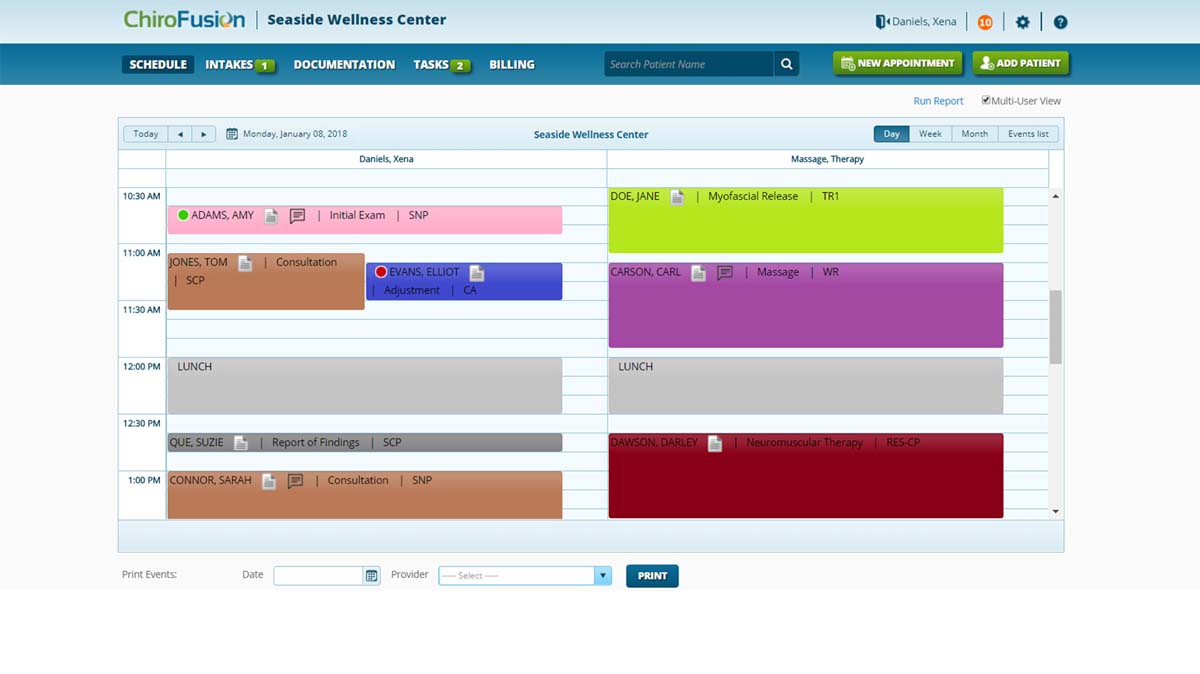
ChiroFusion combines documentation, billing, and compliance tools in one system. It works well for clinics that need strong EHR features along with efficient billing.
The platform includes electronic health records made specifically for chiropractors. You get customizable SOAP notes and treatment documentation. Billing and claims management tools help reduce errors and speed up getting paid.
Scheduling stays simple and supports calendar sharing between providers. Built-in compliance tools help you meet regulations without extra work.
Features:
Pros
Cons
Capterra Rating: 4.7/5
Pricing: Starting at $129/month.
Best For: Clinics with heavy insurance billing that want connected EHR, claims, and compliance tools in one place.
Helpful read: 16 Practice Management Software Features Chiropractors Shouldn’t Ignore
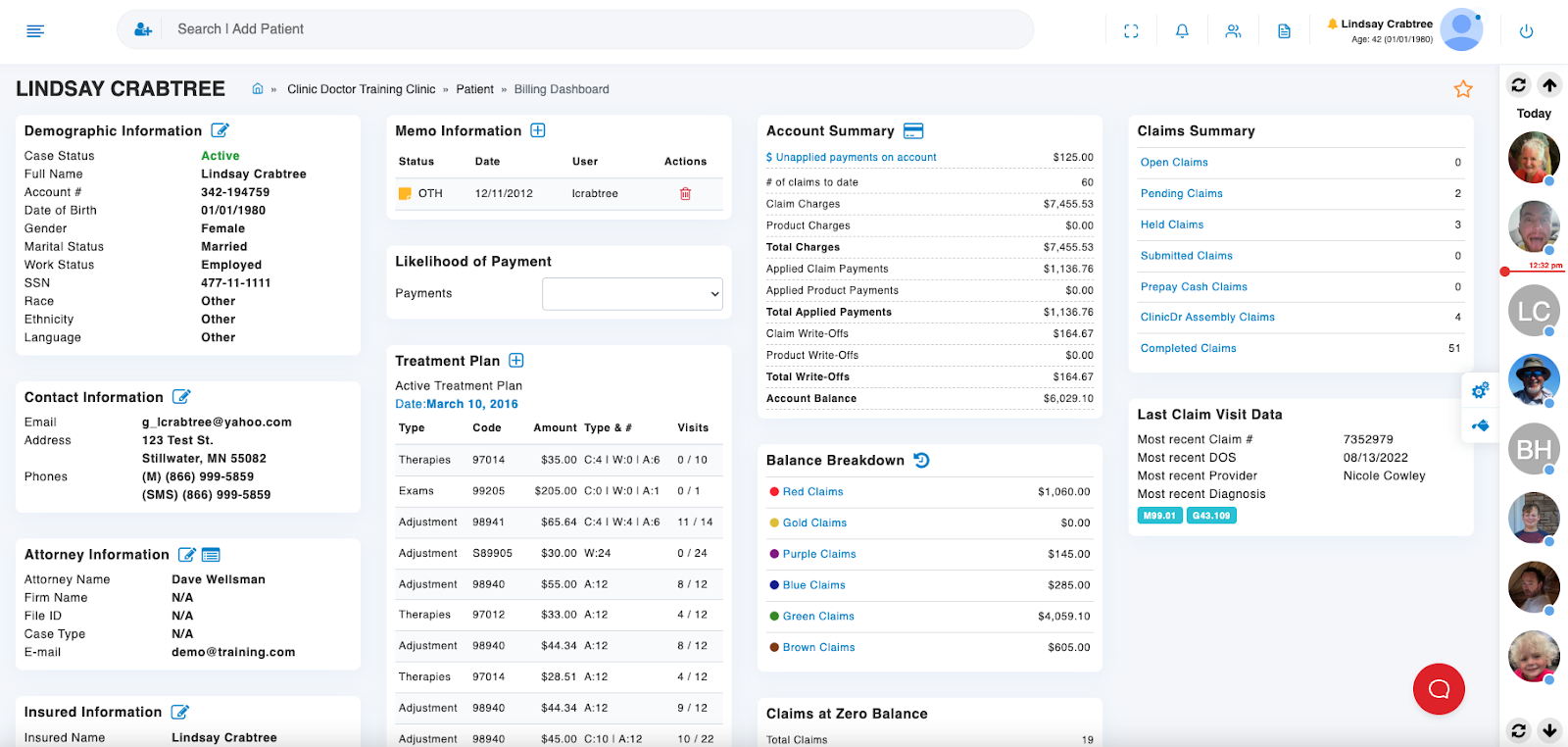
ChiroSpring centers on patient experience and day-to-day engagement. It suits clinics that want a strong portal, clear payments, and good visibility into clinic performance.
The patient portal supports self-check-in, scheduling, and card payments, which reduces front-desk work and speeds up collections. Automated reminders and recall notices help you close gaps in care.
The system supports detailed charting with SOAP notes and secure document storage. It also includes dashboards for visit volume, revenue, and provider output, which help you see how the clinic is doing week by week.
Features:
Pros
Cons
Capterra Rating: 4.9/5
Pricing: Starting at $149/month.
Best For: Clinics that care most about portal features, consistent reminders, and clear billing workflows.
Also read: 5 Ways Chiropractors are Earning More With Booking Software
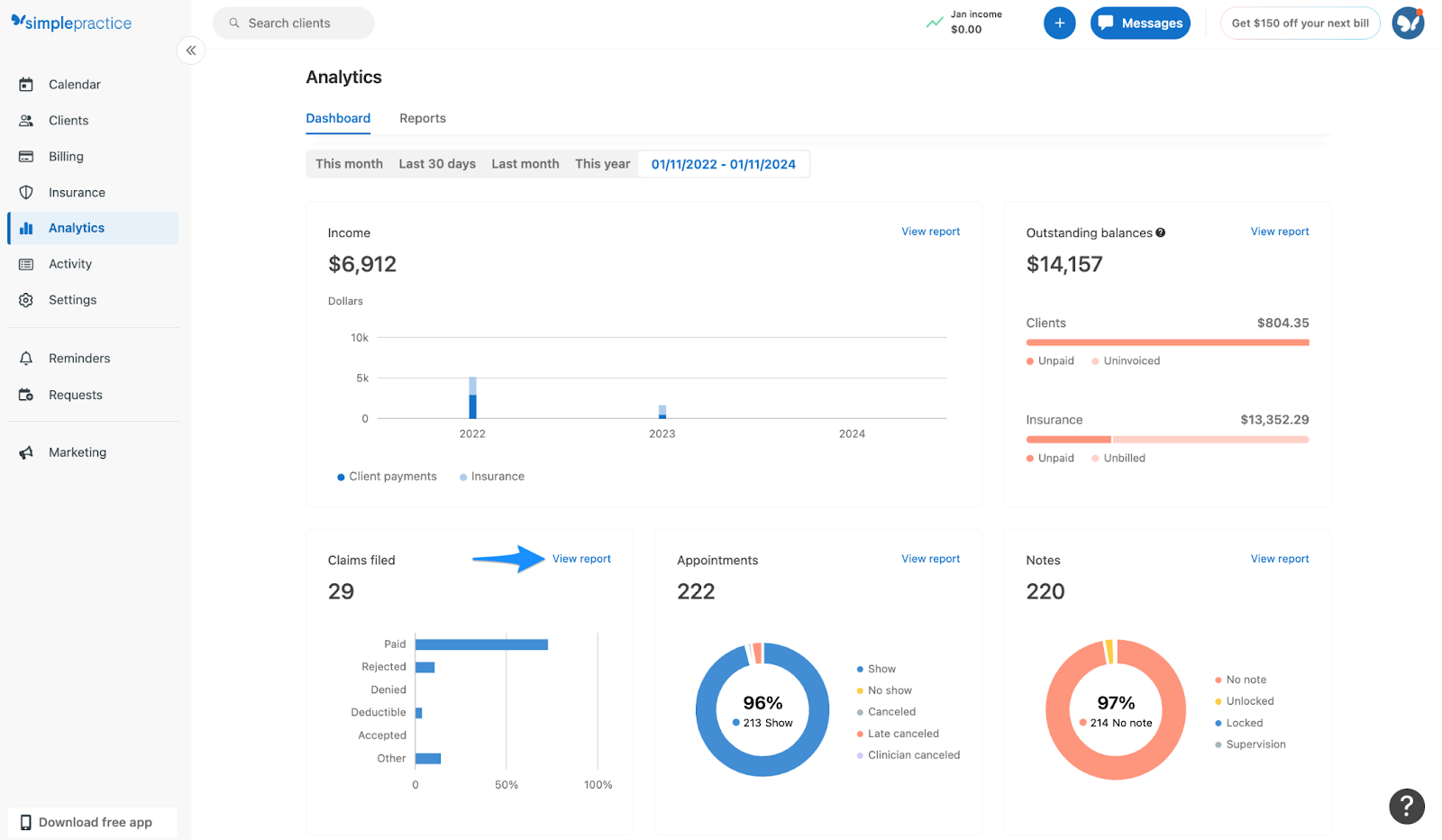
SimplePractice is popular with small to mid-sized health clinics, including chiropractic practices. It has a gentle learning curve and strong telehealth features.
You get online booking, a client portal, and built-in video visits. Insurance and self-pay billing tools cover most basic revenue workflows. You can adjust note templates so they match how you like to document exams and follow-ups.
Because it serves several professions, SimplePractice feels wider than some chiropractic-only tools. It is a good first step if you are moving off paper, simple spreadsheets, or calendar-only tools.
Features:
Pros
Cons
Capterra Rating: 4.6/5
Pricing: Starts at $14/month.
Best For: Smaller clinics that want telehealth, easy scheduling, and simple billing without a heavy setup.
.png)
Jane App has a clean interface and supports many health disciplines. It fits clinics that run more than one location or have several providers sharing rooms and equipment.
You can set up simple online booking with reminders and support several payment methods, including online payments. Charting is flexible, and you can build note templates for exams, progress notes, and re-exams.
Jane also has detailed reporting. You can track visits per provider, revenue per location, and other operational numbers. That helps you see which days, services, or locations carry the load.
Features:
Pros
Cons
Capterra Rating: 4.6/5
Pricing: Starts at $39/month.
Best For: Multi-location clinics that want strong scheduling, billing, and reporting in a clear interface.
Helpful Read: Top 9 Jane App Alternatives for Practice Management in 2025
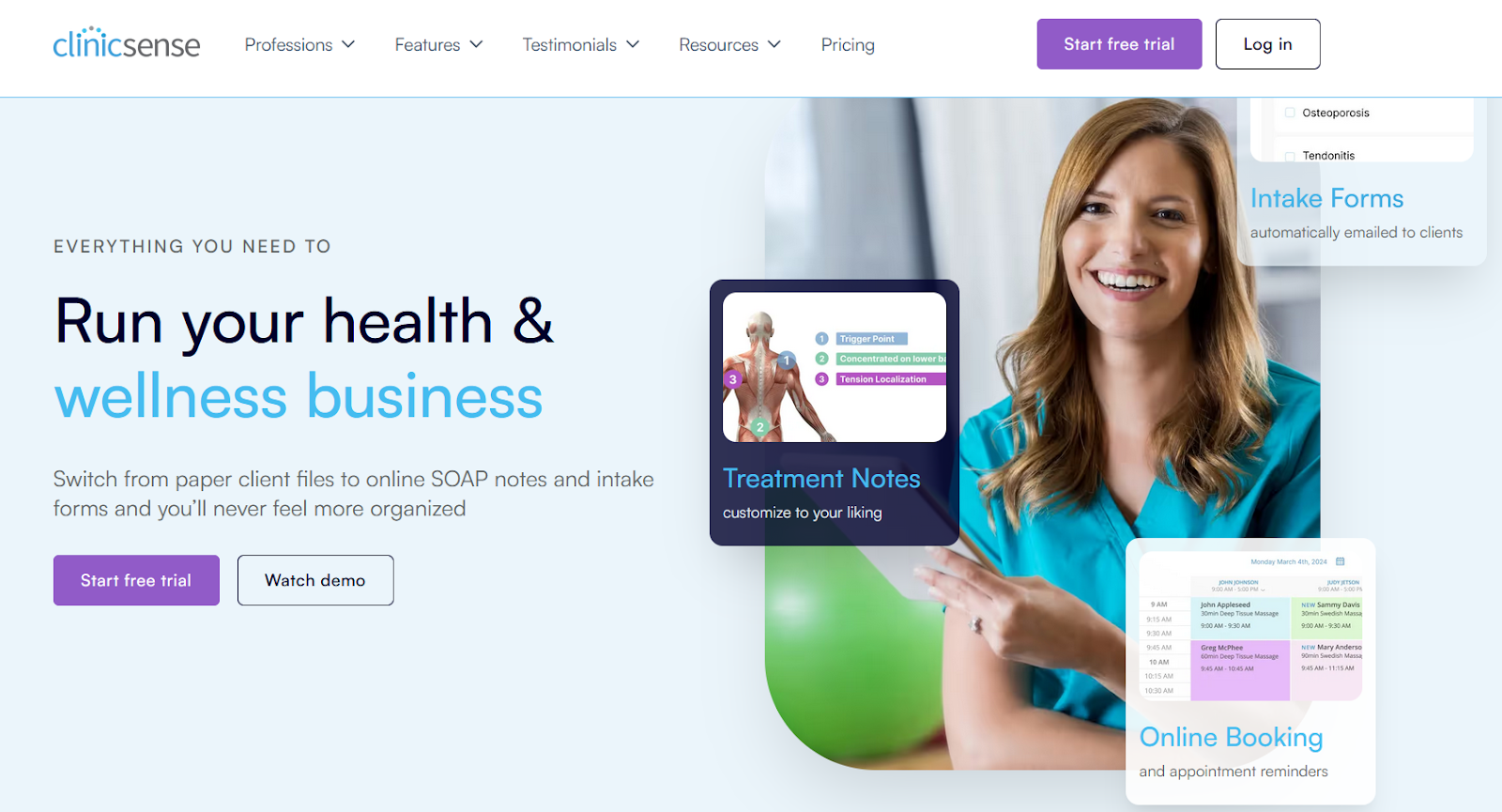
ClinicSense targets small practices looking for simplified billing and patient management. It offers the essential features you need to run daily operations without complications.
You get simple calendar management and electronic claim support. SOAP templates are easy to change, so you can keep notes consistent across the team. Automatic reminders help cut no-shows and support better adherence to care plans.
ClinicSense also includes a waitlist and No-Show Guard. These features help you fill gaps when patients cancel late and protect your income when people miss appointments.
Features:
Pros
Cons
Capterra Rating: 4.8/5
Pricing: Starts at $39/month.
Best For: Smaller clinics moving to EHRs that want a HIPAA-compliant option with reminders and basic claims support.
A Detailed Read: Noterro vs. ClinicSense: A Detailed Look
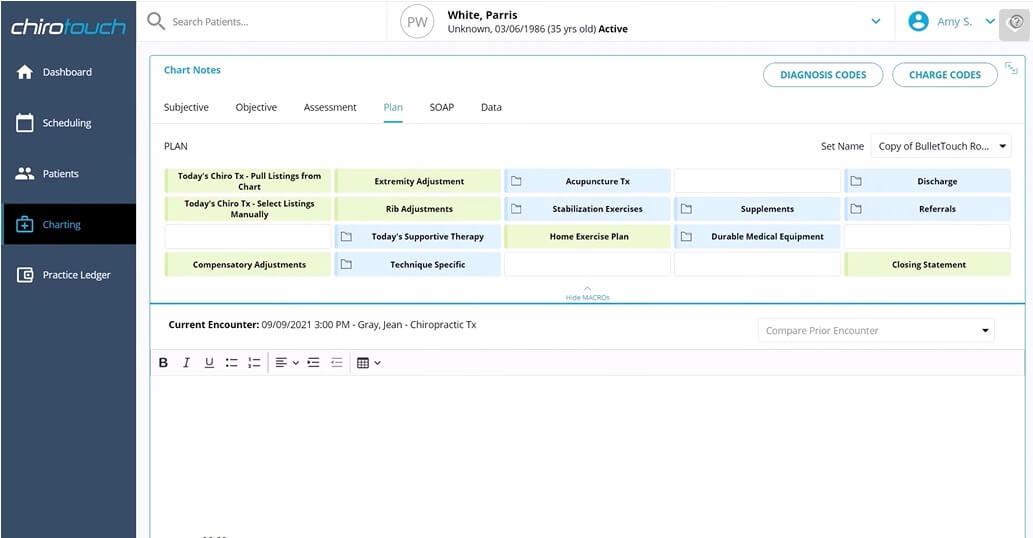
ChiroTouch is a long-standing name in chiropractic software. It suits clinics that want deeper control over workflows, documentation, and claims, especially as they grow.Precedence Research
You get full EHR, billing, documentation, and compliance tools in one system. You can set up templates and flows that match the way your team works. It scales well as you add providers and new locations.
Newer versions include an AI assistant for faster SOAP notes and check-in tools that send patient answers straight into the chart. That reduces repeated typing and keeps visit records more uniform.
Features:
Pros
Cons
Capterra Rating: 4/5
Pricing: Starts at $159/month.
Best For: Larger clinics that need more control over compliance, reporting, and workflows.
.png)
Eclipse suits practices that put billing, compliance, and scheduling first. It offers strong claim, invoicing, and compliance functions, with scheduling and reminders built around them.
The interface is straightforward, which helps if your team is not very tech-heavy. Eclipse focuses on helping you manage high claim volume and keep documentation and billing in sync. That matters when you work with several insurers and frequent audits.
Features:
Pros
Cons
Capterra Rating: 4.5/5
Pricing: Quote-based.
Best For: Clinics that put billing, invoicing, and compliance at the top of the list and want a stable, operations-focused system.
When you pick software, you should look beyond brand names and discounts. The right system should match how you and your team already work. Here are the areas I suggest you look at close
If you prefer software that doesn’t feel like work, Noterro usually clicks pretty fast. Many chiropractors who bounce between treatment rooms or split time across locations like it because they can check schedules, jot down notes, and move on. It doesn’t overwhelm you with menus or settings, which is great if you just want something that behaves the way you expect.
Clinics dealing with insurance day in and day out often end up looking at ChiroFusion. It keeps claims, documentation, and billing in one place, so you’re not chasing down paperwork or switching between systems. It’s not flashy, but it tends to reduce headaches around compliance and admin follow-ups.
SimplePractice works well for solo practitioners or small teams who only need the essentials. You get scheduling, telehealth, and quick billing without digging through a complicated setup. Think of it as the “get in, get out, done” kind of software—nothing extra unless you want it.
Ultimately, the choice depends on you and your clinic's needs. You can try the trial versions of each tool. It’ll help you get a feel for the software and the kind of features and experience each one offers.

Tags
Nick Gabriele, Director, Noterro, has been leading the company to greater heights since May 2012. With his vision and 10+ years of expertise, Noterro has become a leading practice management software that offers users an innovative platform for storing notes, tracking appointments, and managing their practice.
Noterro was born out of the need to create a more efficient way to manage paper charts at Ontario College of Health and Technology, which Nick owned.
For nine years, he has performed Independent Medical Evaluations, which allowed him to sharpen his skills in assessing and providing solutions to various health-related issues. With a strong background in rehabilitation settings, including Chiropractic, Physiotherapy, and Massage Therapy, Nick has also garnered a wealth of experience in his field.
Furthermore, Nick has a knack for passion and proficiency in education that has also led him to work in private education for over 20 years. This invaluable experience has enabled him to develop a deeper understanding of how to deliver top-notch training and support to individuals and organizations alike.
In addition to his professional achievements, Nick is an active speaker and has participated in several webinars and podcasts on topics related to electronic record-keeping and practice management. He also has written a plethora of leadership articles on tech topics, including "Charting in the electronic age," "How to Leverage Practice Management Software." His work has been featured in top industry publications, such as Hamilton News. Nick’s insights also have been cited in notable Podcasts like Business Blueprint and Practiciology.


.webp)
No credit card required. Available 1-on-1 support.
.webp)
No credit card required. Available 1-on-1 support.
.webp)
.webp)



.webp)