No items found.
Free Webinar · May 7 · How to Get (and Keep) More Patients as a Practitioner →
Save Your Spot


Table of Contents

Experience Better Practice Management Today!
Starting at $28.05/month
No Credit Card Required
Experience Better Practice Management Today!
Starting at $30/month
No Credit Card Required
I’ve worked with clinics for years, and the pattern is always the same. Early on, you can keep everything in your head. Rebooks, intake details, follow-ups. It works, until it doesn’t.
Once your schedule fills up, you’re no longer just treating patients. You’re running a business where small misses stack up fast.
That’s when automation software starts to matter. Not to replace care, but to reduce what you have to remember. Fewer dropped balls. More consistency for your team and your patients, even on busy days.
In this guide, I’ll walk you through:
Let’s get into it.
Before you compare platforms, get clear on what you are trying to fix. Automation works best when it removes the friction you already feel every day. I usually break this down into a few core areas. Most clinics struggle in the same places:
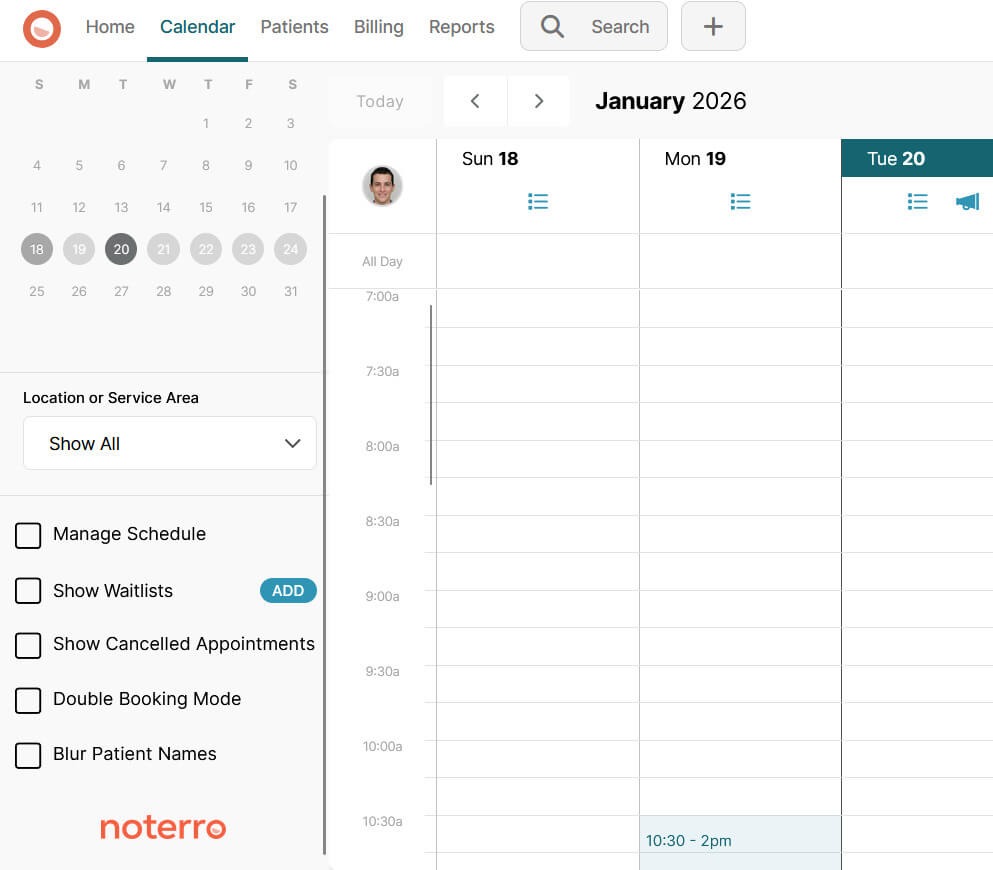
Scheduling is the heartbeat of the clinic. If booking is clunky, everything else feels harder.
Look for simple online booking, calendar syncing, and tools that help fill gaps without manual work. Waitlists and arrival tracking matter more than most people expect once schedules get busy.
Noterro covers online booking, calendar sync, including Google Calendar, waitlists, and arrival tracking. That combination helps keep schedules accurate without constant back-and-forth.
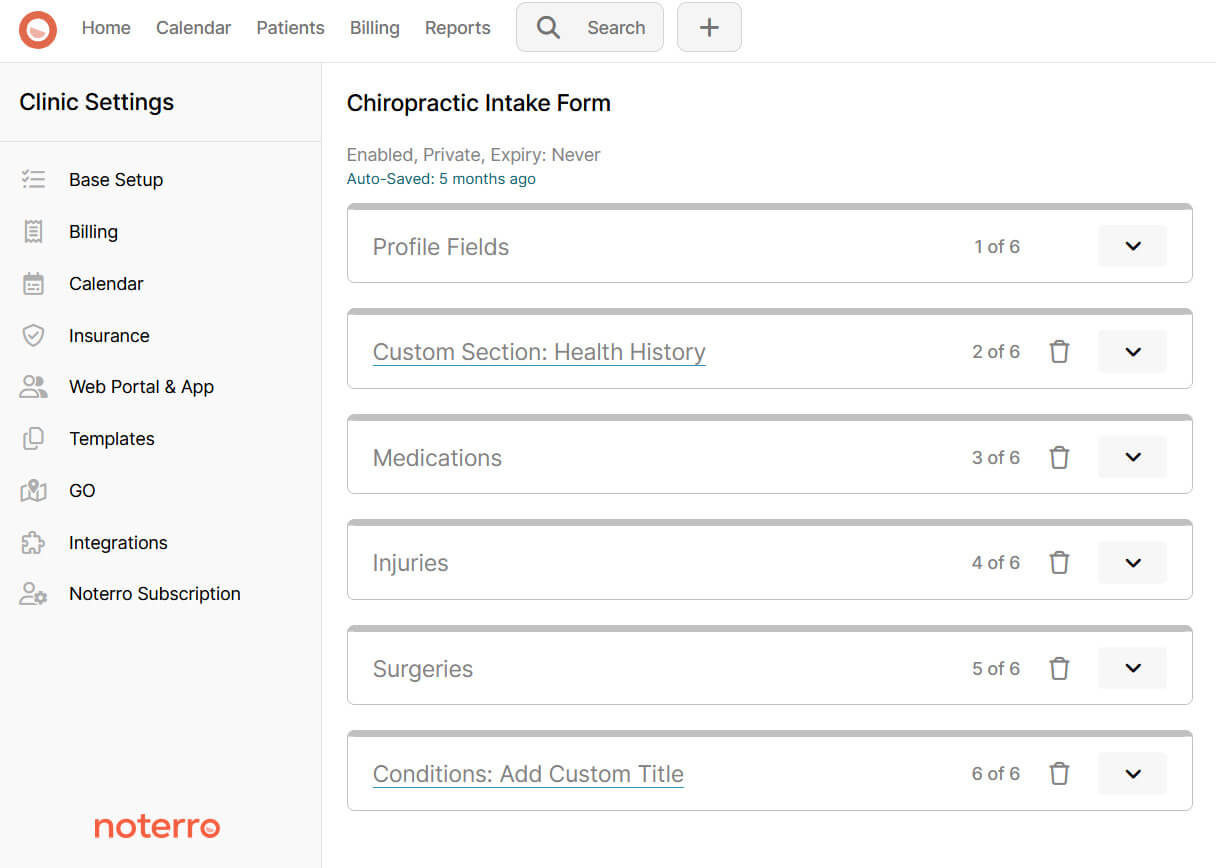
If intake forms are slow, incomplete, or scattered, the first visit starts off on the wrong foot. You want intake forms that are easy to send, easy for patients to complete, and easy to access during treatment.
The information should be entered directly into the patient record without copying or retyping. Noterro includes custom intake forms and digital signature forms so patient information stays organized from the start.
Even if you enjoy the clinical side, billing mistakes quietly drain time and energy.
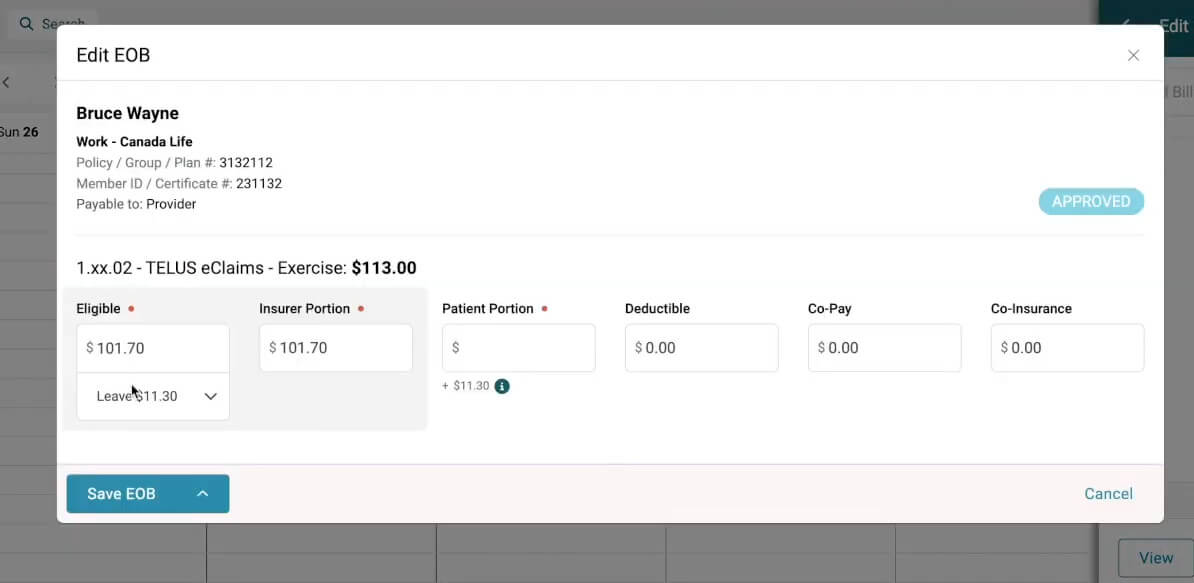
If insurance is part of your clinic, automation software needs to support insurance billing and integrate where it matters. Manual claims or disconnected systems usually lead to delays and rework.
Noterro supports insurance billing and integrates directly with TELUS eClaims (Canada) and Availity (US), helping reduce manual steps with minimal setup.
Late payments and awkward follow-ups create stress for everyone. Your automation software should support payment collection as part of the normal visit flow, not as a separate chore at the end of the day.
With Noterro, everything’s taken care of. It includes payment processing and supports integrations like Square, which helps clinics keep payments moving without chasing.
This is where good intentions often fall apart. Appointment reminders help, but they are only part of the picture. Email, SMS, and call reminders reduce no-shows and keep patients informed. Noterro supports all three.
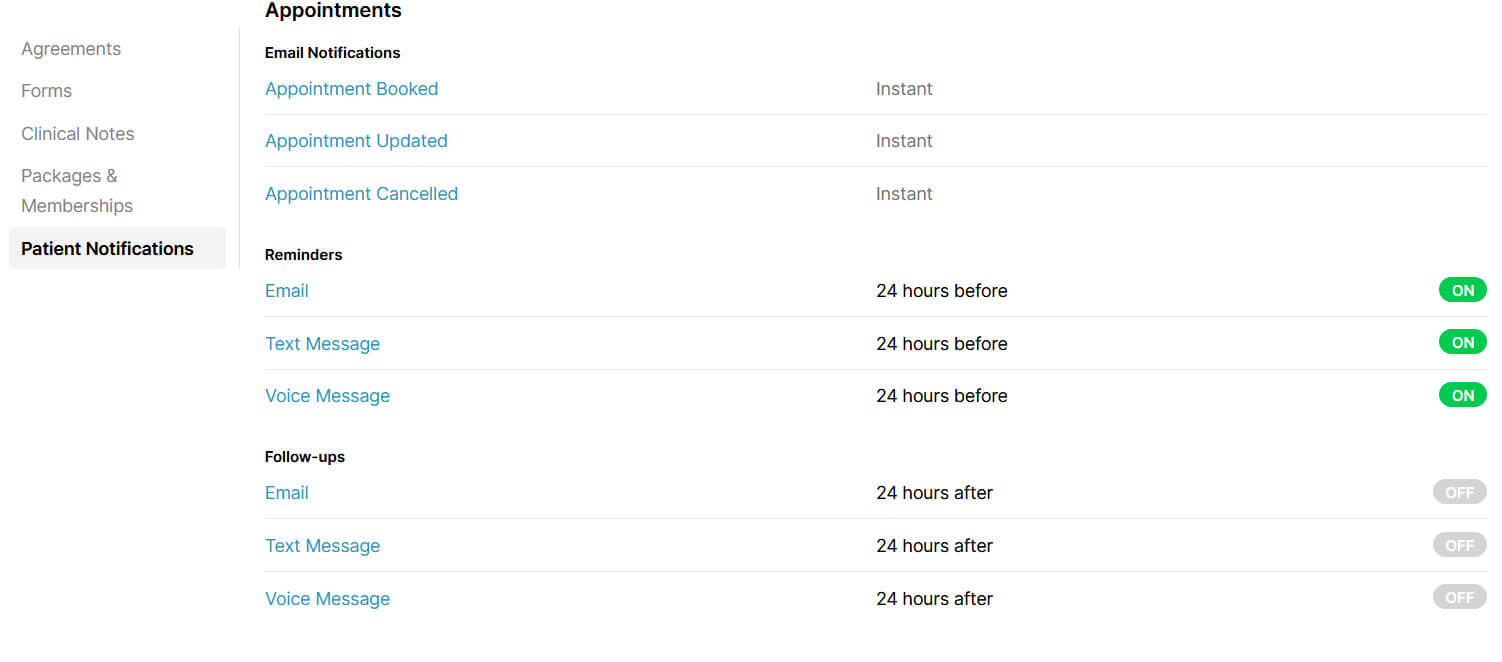
One area that often gets overlooked is appointment follow-up notifications. Done well, follow-ups serve two purposes at once. They reinforce care instructions so patients feel supported and reduce a lot of manual admin work.
What matters in a strong follow-up setup is how flexible it is:
The service-specific part is key. It prevents generic follow-ups that patients ignore and replaces them with guidance that actually feels relevant.
This becomes painful the moment you add people. Admins, assistants, and practitioners all need access, but not to the same things. Without clear permissions, mistakes happen, or work slows down.
If you cannot see what is happening, you end up guessing.
Automation software should give you reports that show both clinical and business signals. That includes patient activity, financial data, and trends that help you make decisions with confidence.
Noterro includes financial and patient reports, along with analytics that help clinics understand what is working and what needs attention.
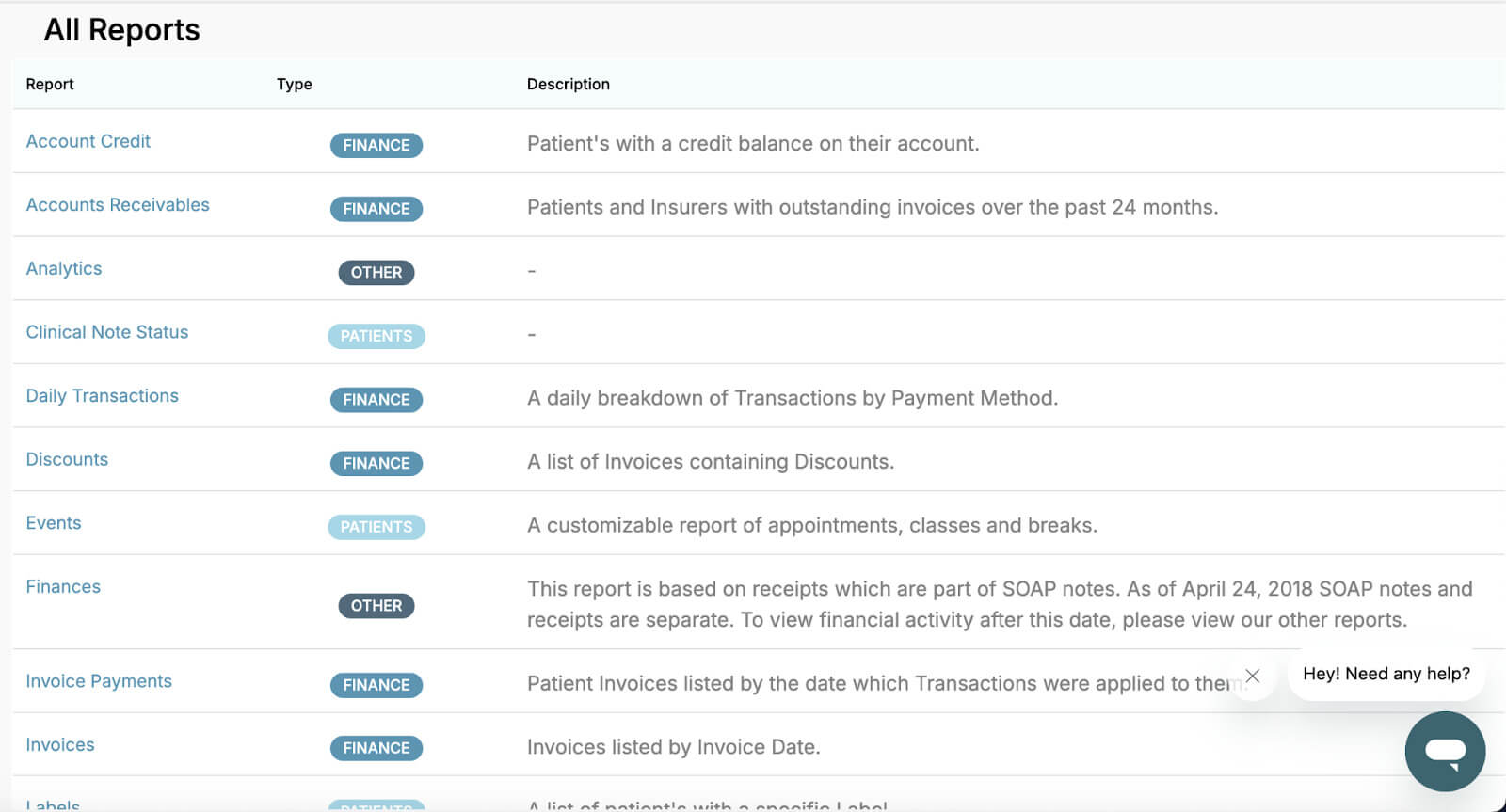
Once you know which of these areas causes the most friction in your clinic, software selection gets much easier. You stop shopping for features and start looking for solutions to real problems.
Most software can book appointments. That alone does not make it a good fit for chiropractic care. Chiropractic work depends on clear clinical thinking. Your software should support how you assess, document, and follow up, not slow you down with generic workflows. Here’s what actually matters.
Charting should feel familiar and easy to repeat. SOAP notes need to be quick, consistent, and reusable so documentation does not get pushed aside. Noterro includes SOAP notes built around clinical logic, not rigid templates.
Typing the same phrases all day adds up. Noterro Snippets let you use shorthand that expands inside notes and can be shared across the team for consistent documentation.
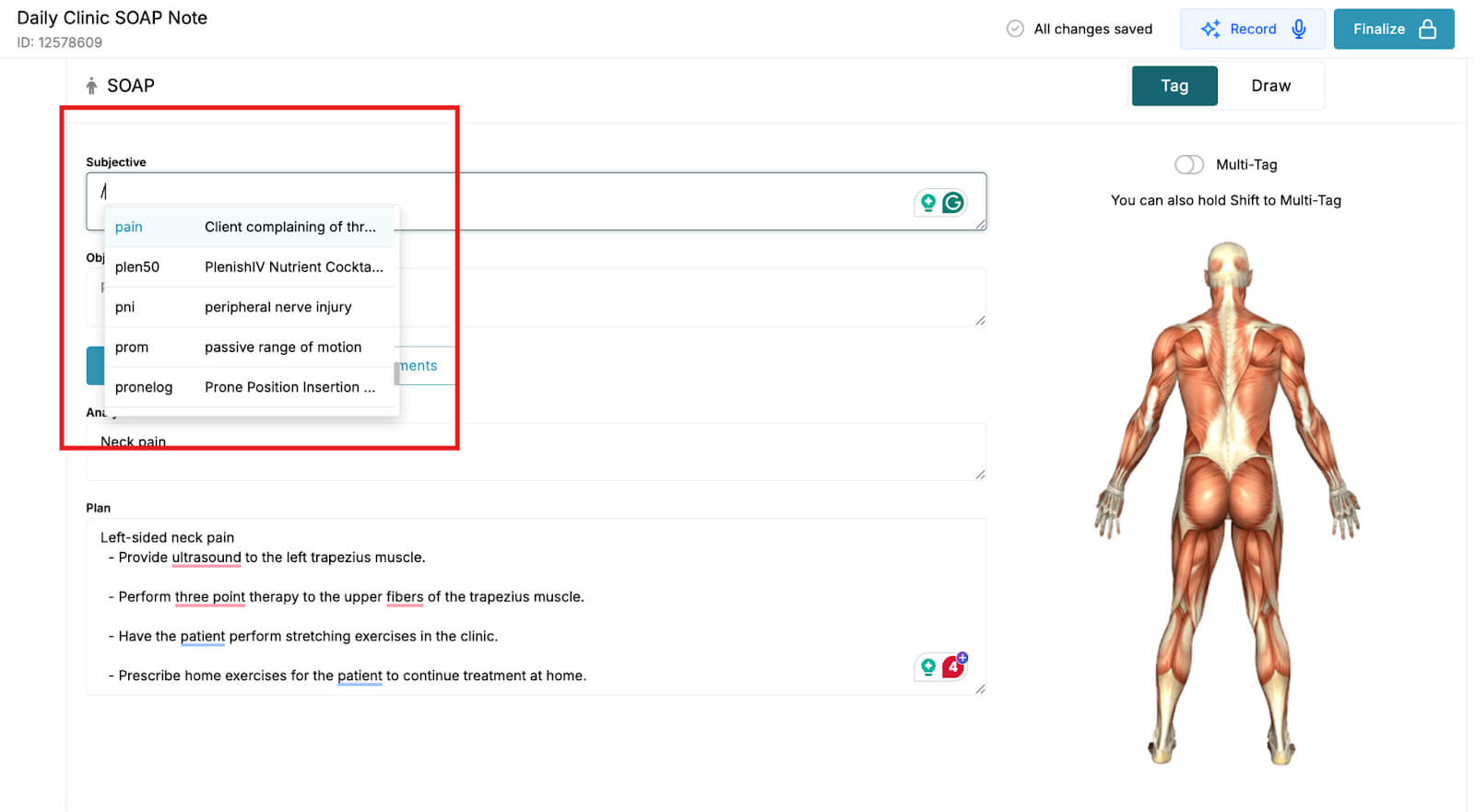
Predictive tools should add structure without extra decisions. Noterro’s Predictive Charting suggests relevant tags and places them into the correct SOAP sections automatically.
When appointments run back-to-back, notes need to get done while details are fresh. Noterro Scribe offers optional voice-to-chart notes that can be launched directly from the appointment.
Chiropractic care often involves multiple visits. Scheduling, reminders, and follow-ups should work together to keep patients on track without constant manual effort.
Software selection changes once you look at how your clinic actually runs day to day. What works for a solo chiropractor can fall apart quickly in a growing or hybrid clinic.
Here’s how I think about it by clinic type.
Speed and simplicity matter most here. You need mobile access, quick setup, and tools that work wherever you are. If the software feels heavy or slow, it becomes a distraction instead of a help.
This is where a mobile-first option like Noterro GO makes sense. It lets mobile chiropractors like you manage scheduling, documentation, and payments without being tied to a desk.
For all the mobile chiropractors: 11 Cost-Saving Strategies for Scaling Your Mobile Chiropractic Practice
Once you have admin help, delegation becomes the priority. You want a clear separation between practitioner work and admin tasks. Without proper access controls, either staff member cannot do their job, or they see more than they should. Staff management becomes essential. Noterro supports practitioner and assistant accounts, keeping responsibilities clear without confusion.
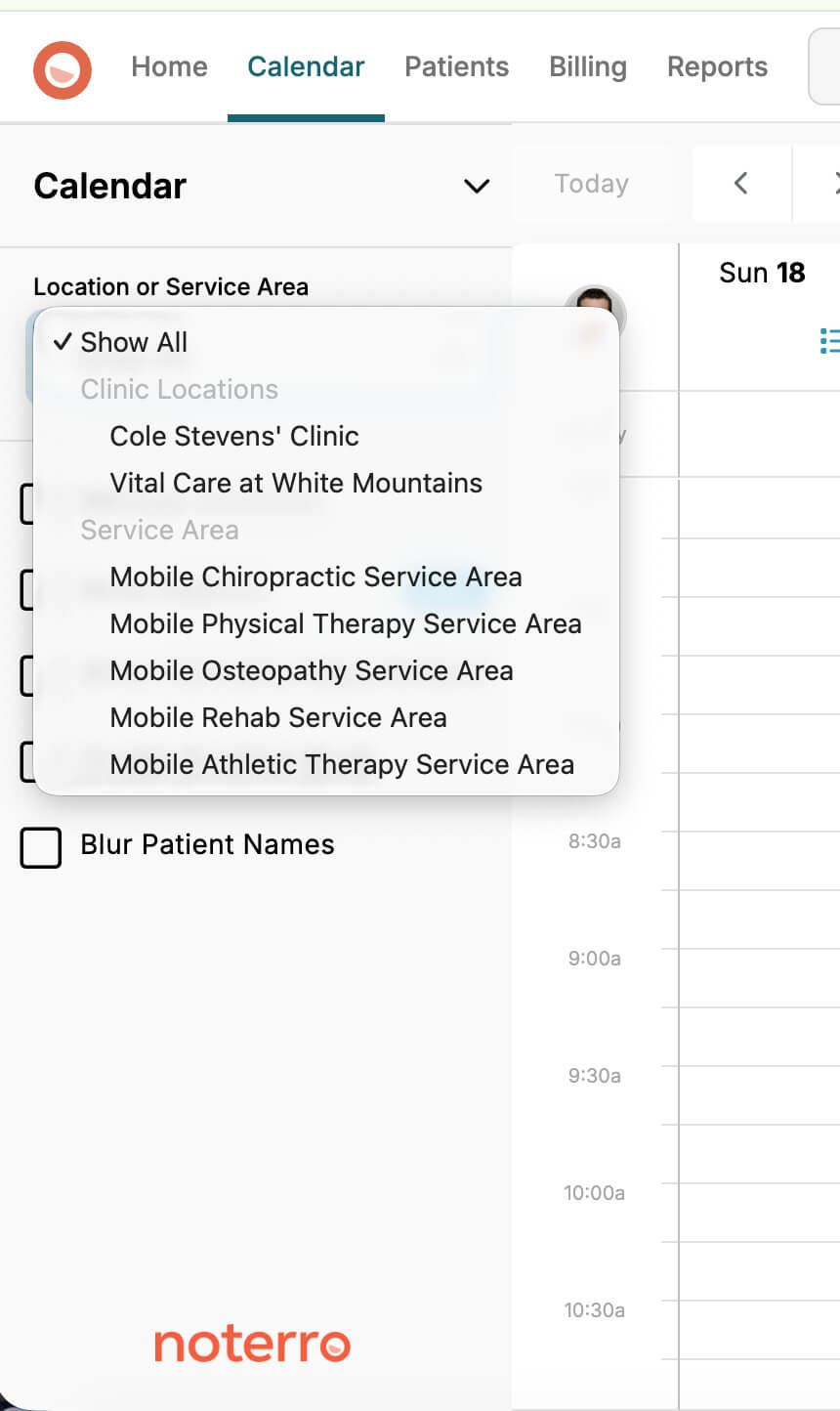
Hybrid clinics add another layer of complexity. Scheduling needs to handle both in-clinic and mobile visits without overlap or errors. Location handling matters more, especially when patients book online.
This is where multi-location support becomes important. Noterro supports multiple locations, which helps keep bookings organized across different care settings.
Related read: 11 Billing Tips for Mobile & Multi-Practitioner & Location Clinics
As clinics grow, structure matters more than flexibility. You want software that scales without needing a full rebuild later. Look for clear staff access controls, support for multiple locations, mobile access for practitioners, and reporting that shows what is actually happening.
Noterro includes location restrictions and two-factor authentication, which become more important as teams and access points increase. The goal at every stage is the same. Choose automation software that fits how your clinic operates today and still holds up as it grows.
This is where many clinics get stuck. They compare feature lists, pick the tool with the most boxes checked, and only later realize that everyday tasks take longer than before.
Features matter, but workflow matters more.
When testing automation software, pay attention to how it handles the work you do every day.
Ask simple questions:
Support is part of the product experience. If help is hard to find, small issues turn into daily frustration. Noterro includes a full help center that covers workflows like Snippets, Snapshots, and Scribe, which makes a difference when staff are learning or when questions come up.
Also, pay attention to how automation feels. If the software constantly interrupts you, asks for input at the wrong time, or forces extra steps, staff will avoid it.
Good automation stays quiet. It handles routine tasks in the background, letting you focus on patients rather than the system. When workflow feels smooth and predictable, adoption follows naturally.
Pricing matters, especially if you are running a solo clinic or a small team.
Overpaying usually happens when you choose a plan that does more than your clinic actually needs. You end up paying for features you are not using, and that creates unnecessary pressure to justify the cost.
A better approach is to choose the tier that fits how your clinic operates right now. Look at your current schedule, team size, and daily workflows. Pick the tier that supports those needs. Move to a higher tier only when your clinic grows into it.
This keeps your software costs in line with real usage, not future plans that may not happen yet. Noterro uses tiered pricing. Each tier is designed around a clear stage of clinic growth. You choose the tier that fits today and upgrade when it makes sense for your clinic.
The goal is simple. Pay for what you need now and leave room to grow.
Also read: 2026 Medicare Chiropractic Billing & Regulatory Updates
Demos are designed to impress. It’s easy to get distracted by features you may never use. Bring the conversation back to your daily reality. I suggest you focus on questions that reveal how the software actually works after the demo.
Here’s the checklist I use:
If a vendor struggles to answer these clearly, that usually shows up later as friction in daily work. The best demos feel practical, not flashy.
I’ll keep this straightforward because I see these mistakes all the time.
Most frustration with automation software comes from these gaps, not from the software itself.
Another interesting read: From Tactics to Metrics: Your Guide to Chiropractic Retention
If you’re comparing options right now, keep it simple. Pick two or three tools and run them through the demo checklist above. Make them show you the real day-to-day.
And if you want to see how Noterro handles charting, scheduling, reminders, insurance billing, and mobile workflows with Noterro GO, you can explore a guided demo or start a free trial. No pressure. Just a clean way to see if it fits how your clinic actually works.

Tags
Nick Gabriele, Director, Noterro, has been leading the company to greater heights since May 2012. With his vision and 10+ years of expertise, Noterro has become a leading practice management software that offers users an innovative platform for storing notes, tracking appointments, and managing their practice.
Noterro was born out of the need to create a more efficient way to manage paper charts at Ontario College of Health and Technology, which Nick owned.
For nine years, he has performed Independent Medical Evaluations, which allowed him to sharpen his skills in assessing and providing solutions to various health-related issues. With a strong background in rehabilitation settings, including Chiropractic, Physiotherapy, and Massage Therapy, Nick has also garnered a wealth of experience in his field.
Furthermore, Nick has a knack for passion and proficiency in education that has also led him to work in private education for over 20 years. This invaluable experience has enabled him to develop a deeper understanding of how to deliver top-notch training and support to individuals and organizations alike.
In addition to his professional achievements, Nick is an active speaker and has participated in several webinars and podcasts on topics related to electronic record-keeping and practice management. He also has written a plethora of leadership articles on tech topics, including "Charting in the electronic age," "How to Leverage Practice Management Software." His work has been featured in top industry publications, such as Hamilton News. Nick’s insights also have been cited in notable Podcasts like Business Blueprint and Practiciology.


.webp)
No credit card required. Available 1-on-1 support.
.webp)
No credit card required. Available 1-on-1 support.
.webp)
.webp)



.webp)