8 Best Chiropractic Billing Software for New Practices (2026 Update)

You've passed your certification exams, found a location, and ordered your first adjustment table. You're ready to help patients feel better. Then billing hits you like a freight train.
New chiropractors often underestimate the complexity of the billing side. You think you'll just treat patients and send invoices. That's not how it works.
Manual invoicing can quickly become a mess. Claims get rejected for codes you didn't know existed. Insurance companies often take weeks to pay out claims. Meanwhile, your bills are due now.
New practices lose thousands in the first few months because they thought they could figure out billing later. Don't make that mistake.
That's why this blog covers the best chiropractic billing software for new practices. These tools alleviate the billing headaches, allowing you to focus on patient care.
| Tool Name | Best For | Capterra Rating | Pricing |
|---|---|---|---|
| Noterro | Solo Practitioners & Small Clinics | 4.8/5 | Starts from $28.05/month |
| PayDC | Insurance-Heavy Practices | 3.9/5 | Starts from $279/month |
| DrChrono | Multi-Service Startups | 4.0/5 | Starts from $249/month |
| EZBIS | Tech-Comfortable Practitioners | 4.5/5 | Starts from $225/month |
| ChiroTouch | Growing Practices Planning Long-Term | 4.3/5 | Starts from $159/month |
| Jane App | Practitioners Focused on Patient Experience | 4.7/5 | Starts from $54/month |
| Cliniko | Practitioners Who Want Managed Billing Support | 4.7/5 | Custom pricing |
| ClinicSense | Small Wellness-Focused Clinics | 4.8/5 | Starts from $39/month |
1. Noterro: Best for Solo Practitioners & Small Clinics
Noterro is designed specifically for solo practitioners and small clinics that require integrated billing and practice management solutions. You can handle credit cards, insurance claims, and deposits all within one system. Everything stays in sync. Your scheduling, billing, and patient records all talk to each other. What’s more interesting is that it is one of the handful of software programs that cater to the needs of mobile chiropractors.
Key Features:
- TELUS and Availity integration for direct insurance billing
- AI-powered Scribe for voice-to-chart notes
- Customizable SOAP notes with predictive charting and Note Tagger
- Waitlist management with arrival tracking
- Noterro GO for mobile practitioners with geo-booking, car navigation, location restrictions, and more
- Online booking through a clinic-branded web app
- Payment processing with different payment gateways, thanks to Square integration
- Flexible appointment reminders via SMS, email, or phone
- HIPAA/PIPEDA compliant payment processing
Ease of Setup: Simple onboarding with guided tutorials. You can get started in less than an hour.
Support & Onboarding: One-on-one support available. Lucy, the AI assistant, answers questions at any time. A knowledge base to help you weed out small queries.
Free Trial: 14 days, no credit card required
Pricing: Starts from $28.05/month
Capterra Rating: 4.8/5
Best For: New practices that want simple, all-in-one software without paying for features they don't need yet.
Also Read: How to Handle Billing, Insurance, Cards & More As a New Practitioner
2. PayDC: Best for Insurance-Heavy Practices
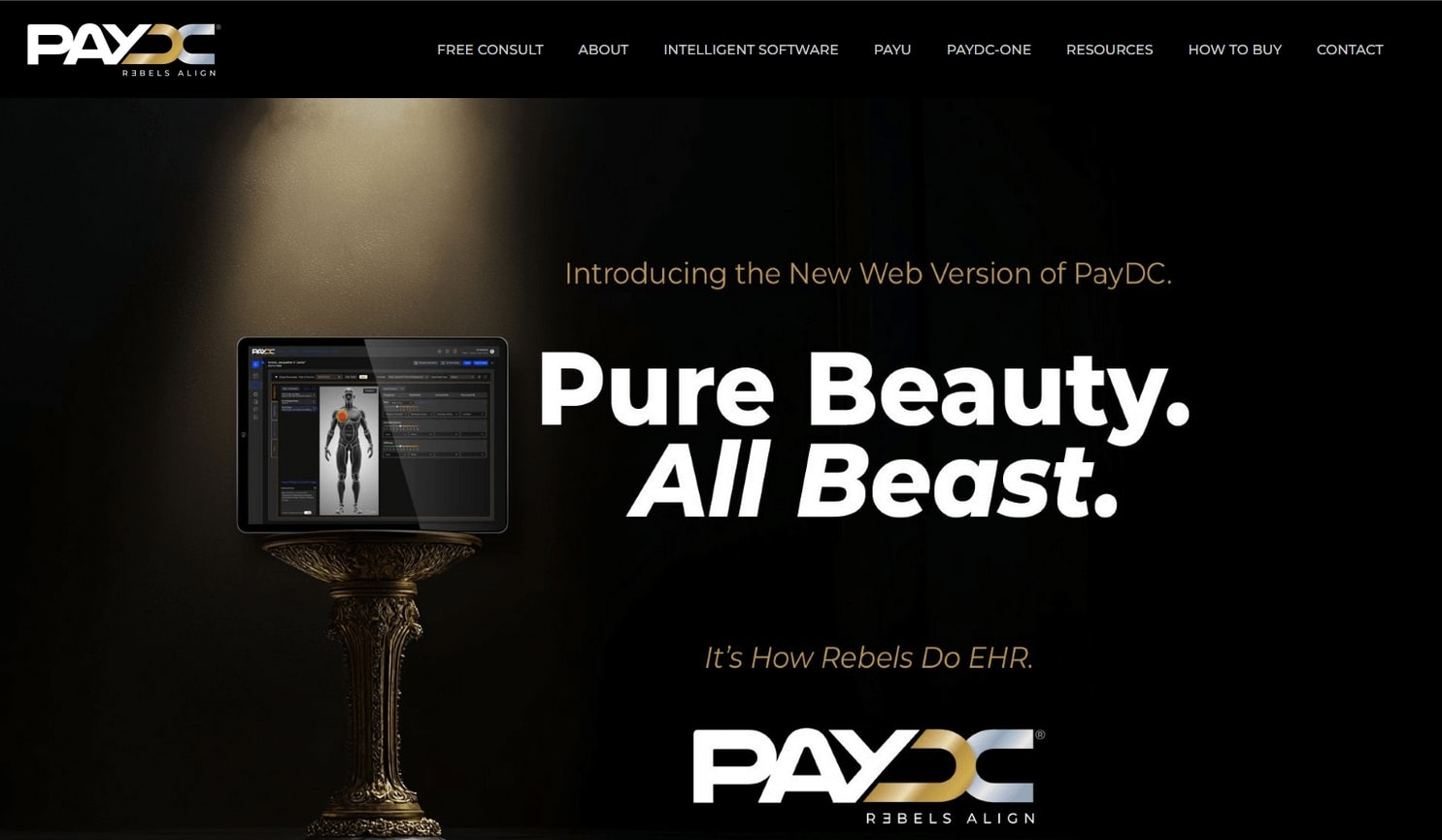
PayDC is built by chiropractors for chiropractors. If you're running an insurance-heavy practice, this platform was designed with you in mind.
The automated SOAP notes mirror insurance company LCDs (Local Coverage Determinations). This helps you create documentation that passes pre- and post-payment audits.
Key Features:
- Automated claim generation from daily notes
- Insurance verification and eligibility checking
- Customizable SOAP note templates built for compliance
- Integrated clearinghouse for electronic claims submission
- Patient portal for self-check-in and form completion
- Credit card processing and payment plans
- Real-time billing and collections tracking
Ease of Setup: Moderate complexity. The billing features require some time to configure properly.
Support & Onboarding: Customer support via phone and email. Training videos available. Implementation assistance included.
Free Trial: Demo available
Pricing: Starts from $279/month (pricing varies based on modules selected)
Capterra Rating: 3.9/5
Best For: Practices that bill primarily through insurance and need rock-solid documentation for audits.
3. DrChrono: Best for Multi-Service Startups

DrChrono works well if you're planning to offer multiple services beyond chiropractic. The platform supports various specialities, so it's ideal for hybrid practices.
You get EHR, practice management, and optional revenue cycle management in one system.
Key Features:
- Speciality-specific templates for multiple disciplines
- E-prescribing with EPCS (Electronic Prescribing for Controlled Substances)
- Integrated telehealth for virtual consultations
- Real-time insurance eligibility checks
- Lab ordering integration with 40,000+ labs nationwide
- Mobile apps for iPhone and iPad
- Revenue cycle management services available (Apollo Plus plan)
Ease of Setup: User-friendly interface, but the breadth of features means more setup time initially.
Support & Onboarding: Free setup assistance included. Support via email and ticketing system (some users report slow response times).
Free Trial: 30-day free trial available
Pricing: Starts around $249/month per provider (Prometheus plan). Higher tiers include billing and RCM services.
Capterra Rating: 4/5
Best For: New practices that plan to offer multiple types of services or might add other specialities later.
Bonus read: 16 Practice Management Software Features Chiropractors Shouldn’t Ignore
4. EZBIS: Best for Tech-Comfortable Practitioners Who Want Custom Control

EZBIS has been around since 1980. It's one of the oldest chiropractic software companies, and this is evident in the depth of its features.
The software uses a modular approach. You choose exactly which features you need and build your system from there.
Key Features:
- Modular design (choose from billing, EHR, scheduling, and front desk modules)
- Customizable SOAP notes and exam templates
- Automated insurance payment posting
- Batch entry for multiple transactions
- ONC-certified for MIPS participation
- Online patient scheduling and portal
- Both cloud-based and server-based options are available
Ease of Setup: Requires technical comfort. The customisation options mean you'll spend more time configuring things initially.
Support & Onboarding: Excellent customer support. Personal demonstrations available. Training is included with the maintenance agreement.
Free Trial: Demo available
Pricing: Starts from $225/month (varies based on modules selected)
Capterra Rating: 4.5/5
Best For: Practitioners who are comfortable with technology and want full control over how their software works.
You should check this out: How to Switch Clinic Management Software Without Losing Patient Data
5. ChiroTouch: Best for Growing Practices Planning Long-Term
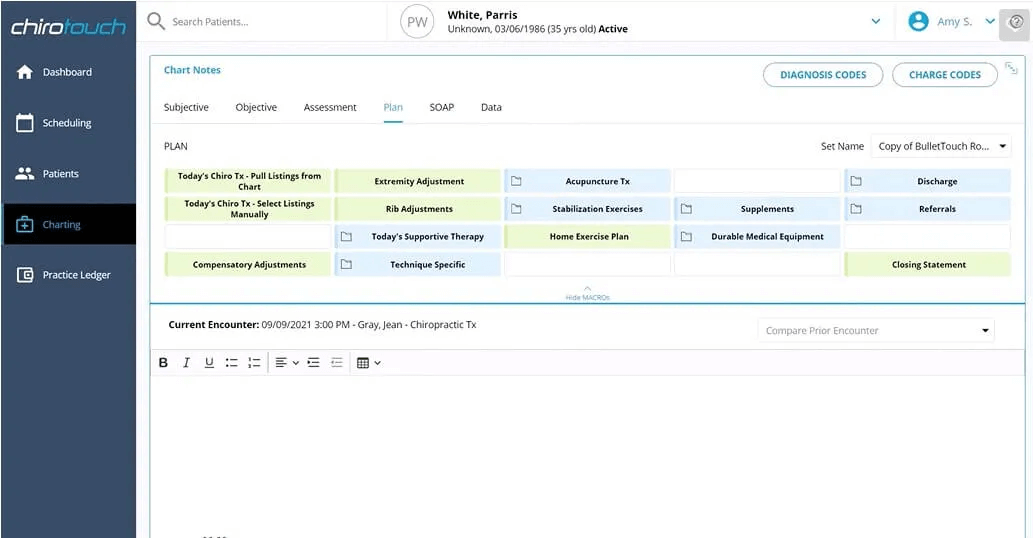
ChiroTouch is designed for practices that plan to scale. It's been around for over 25 years and serves more than 12,500 practices across the US.
The platform includes Rheo, an AI assistant that can reduce documentation time by up to 92%. That's hours back every week.
Key Features:
- Rheo AI assistant for automated documentation
- Customizable SOAP notes with hot buttons and code bundles
- Direct clearinghouse connections for claims submission
- CT RevAccel for expert billing support (reduces denials and accelerates payments)
- Multi-location support with customizable views
- Patient communication tools to reduce no-shows
- Real-time reporting on practice performance and compliance
Ease of Setup: More complex than simpler platforms. Expect a learning curve, especially for staff.
Support & Onboarding: Dedicated onboarding team. Phone, email, and live chat support. Training resources available.
Free Trial: Demo available, free trial terms vary
Pricing: Starts from $159/month (Core plan). The advanced plan requires custom pricing.
Capterra Rating: 4.3/5
Best For: Practices that are serious about growth and want enterprise-level features from day one.
Related Read: 5 Ways Chiropractors are Earning More With Booking Software
6. Jane App: Best for Practitioners Focused on Patient Experience

Jane App puts patient experience at the forefront. The software is renowned for its user-friendly interface and intuitive booking system, which patients actually enjoy using.
You get practice management, billing, and patient communication in one platform. Jane's biggest strength is how easy it makes things for your patients.
Key Features:
- Custom-branded patient portal and mobile app
- 10,000+ customizable chart templates
- Online booking with real-time availability
- Integrated telehealth for virtual visits
- Insurance billing add-on available ($20/month base + per-practitioner fees)
- Automated appointment reminders via email and SMS
- AI Scribe for faster documentation ($15/practitioner/month)
Ease of Setup: Quick setup with template libraries. Most practices are up and running within a day.
Support & Onboarding: Free data import and account setup. Unlimited email and phone support. Extensive knowledge base with video tutorials.
Free Trial: Yes, available
Pricing: Starts from $54/month for solo practitioners (Balance plan). Practice plan at $79/month. Thrive plan at $99/month.
Capterra Rating: 4.7/5
Best for: Practitioners who want their patients to have a seamless, modern experience from booking to payment.
Bonus read: Top 9 JaneApp Alternatives for Practice Management in 2025
7. Cliniko: Best for Practitioners Who Want Managed Billing Support
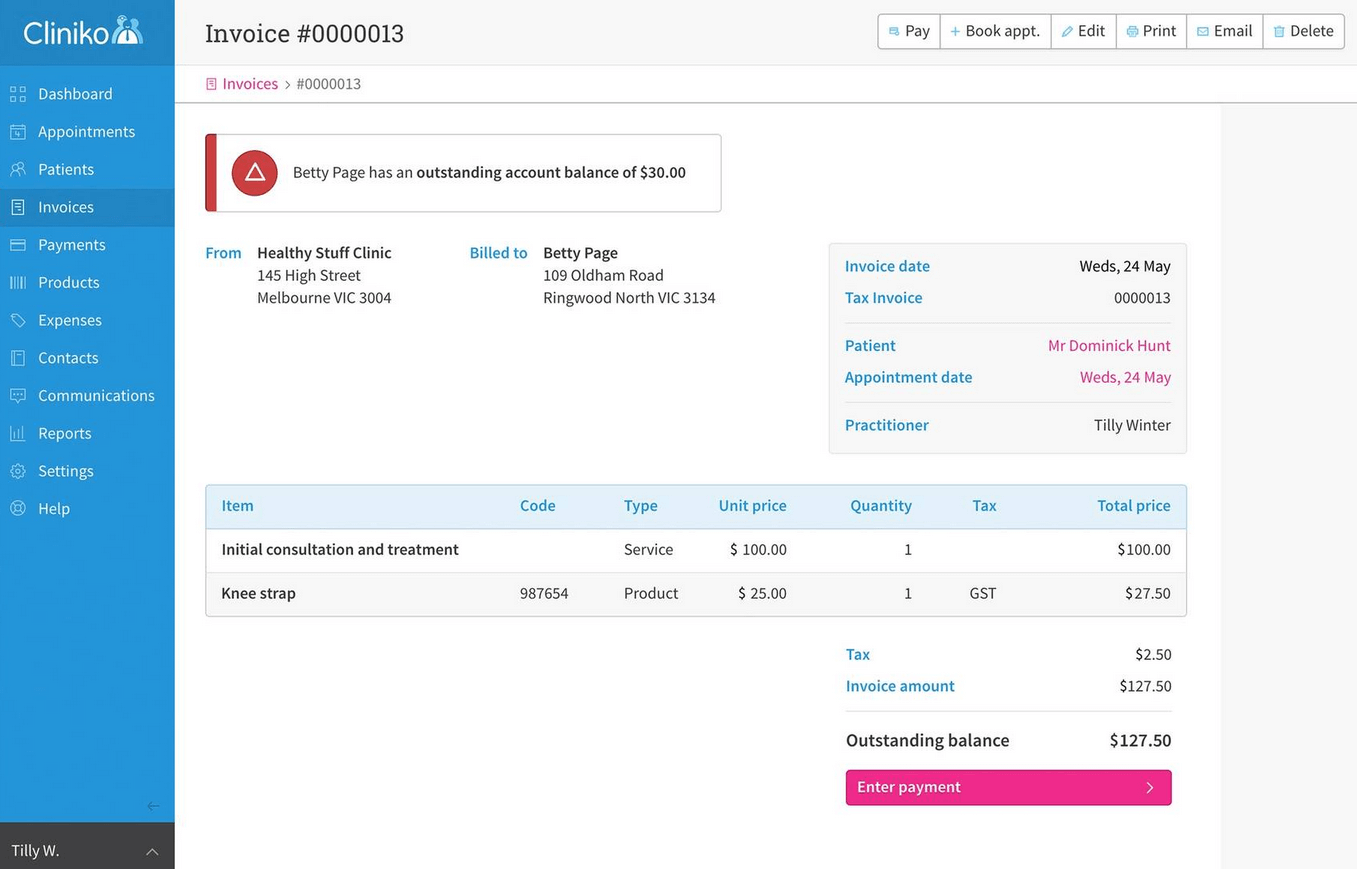
Cliniko is cloud-based practice management software that focuses on simplicity. The platform works well for allied health practitioners, including chiropractors.
The interface is clean and easy to navigate. Your team can get up to speed fast.
Key Features:
- Multi-location support for growing practices
- Customizable treatment templates and forms
- Online booking with real-time calendar sync
- Integrated payment processing (Stripe, Square, Tyro)
- Automated appointment reminders via SMS and email
- Waitlist management to fill scheduling gaps
- Telehealth capabilities included
Ease of Setup: Very straightforward. Most practices are operational within a few hours.
Support & Onboarding: Excellent customer support via email, chat, and phone. Knowledge base with detailed guides. Free data import.
Free Trial: 30 days, no credit card required
Pricing: Pricing based on the number of practitioners (contact for a custom quote)
Capterra Rating: 4.7/5
Best For: Practitioners who want simple, reliable software with strong support and don't need heavy insurance billing features.
Bonus read: Top 10 Cliniko Alternatives & Competitors [2025 Edition]
8. ClinicSense: Best for Small Wellness-Focused Clinics

ClinicSense targets small wellness practices. The software emphasises ease of use and client relationship management.
If you're running a smaller practice and want straightforward tools, this might fit.
Key Features:
- Customizable SOAP notes and intake forms
- Online booking with automated reminders
- Integrated payment processing (Stripe, Square)
- Gift certificate sales and promotional tools
- Client retention and reactivation campaigns
- No-show protection features
- Reporting on appointments, revenue, and client trends
Ease of Setup: Very easy. Minimal learning curve.
Support & Onboarding: Dedicated success coach. Best practices guides. Responsive customer service.
Free Trial: 14 days, no credit card required
Pricing: Lite plan at $39/month, Standard at $69/month, Premium at $99/month
Capterra Rating: 4.8/5
Best For: Small, wellness-focused practices that prioritise client communication and retention over complex insurance billing.
A Detailed Read: Noterro vs. ClinicSense: A Detailed Look
How to Choose the Right Chiropractic Billing Software
Here's what matters when you're picking software for your new practice.
- Ease of Onboarding: Can your team effectively use it without requiring weeks of training? Look for software with tutorials, support, and a clean interface. The less time you spend learning the software, the more time you have to spend with patients.
- Billing Accuracy: Does it reduce errors and rejected claims? This is critical. Every rejected claim costs you time and money. Choose software that validates codes, catches mistakes before submission, and automates as much as possible.
- Integration: Does it connect with your EHR, scheduling, and accounting software? You don't want to enter the same information in three different places. Look for platforms that automatically keep everything in sync.
- Support: Is there responsive customer help when you need it? You'll have questions. Things will break. Ensure you can reach someone who can help you solve problems quickly.
Which is the Best Chiro Billing Software for New Practitioners?
Option A: Noterro
Noterro’s chiropractic practice management software is one of the top choices for new practices. You get practice management, billing, and insurance integration without complexity. The pricing is affordable, and the learning curve is low. If you're just starting out and need something simple that works, Noterro delivers.
Option B: DrChrono
DrChrono works well for practices planning to expand beyond basic chiropractic services. If you want flexibility to add multiple specialities or offer diverse services from the start, this platform gives you room to grow. The downside is the higher price point and the learning curve that comes with more robust features.
Option C: ClinicSense
ClinicSense works well for smaller, wellness-focused practices. If you're keeping things simple and don't deal with much insurance billing, the lower price point makes sense. The software handles scheduling, notes, and basic billing without overwhelming you with unnecessary features.
That's the breakdown. Select the software that aligns with where you're starting and where you want to go. The right billing software won't just save you time. It'll keep money flowing in so you can actually build your practice.
Share